DTC P0506: Idle Speed Control (ISC) Too Low
- Connect TECH 2 scan tool to Data Link Connector (DLC). Turn ignition on and check for other stored DTCs. If DTCs P1251, P1252, P1253, P1261, P1264, P1602-P1608, P1613 or P1621 are present, go to appropriate diagnostic test procedure. If no DTCs are present, go to next step.
- Turn ignition off. Wait 10 seconds, then open and close throttle by hand. Ensure that throttle is not obstructed and that throttle spring returns throttle valve completely until contacting stop screw. See Fig 1. If throttle body is damaged and needs to be replaced, go to next step. If throttle body does not need to be replaced, repair throttle body as necessary. Go to step 4.
- Replace throttle body as necessary. See THROTTLE BODY
under FUEL SYSTEM in REMOVAL, OVERHAUL & INSTALLATION article. Turn ignition on. Use scan tool to clear Trionic T-7 Engine Management System DTCs. Turn ignition off. Wait 10 seconds. Reset limp-home mechanism. See RESETTING LIMP-HOME SOLENOID under TESTING & REPAIR PROCEDURE. Go to next step.
- Start engine and allow it to run until radiator fan turns on. Turn A/C, rear window defroster and headlights on to create load on engine. Use scan tool to select READ VALUE: IDLE SPEED DEVIATION FROM REQUESTED. If scan tool display reads Max +/- 50 RPM, clear DTCs. If display reads other than specified, problem is still present. Restart diagnostic procedure.
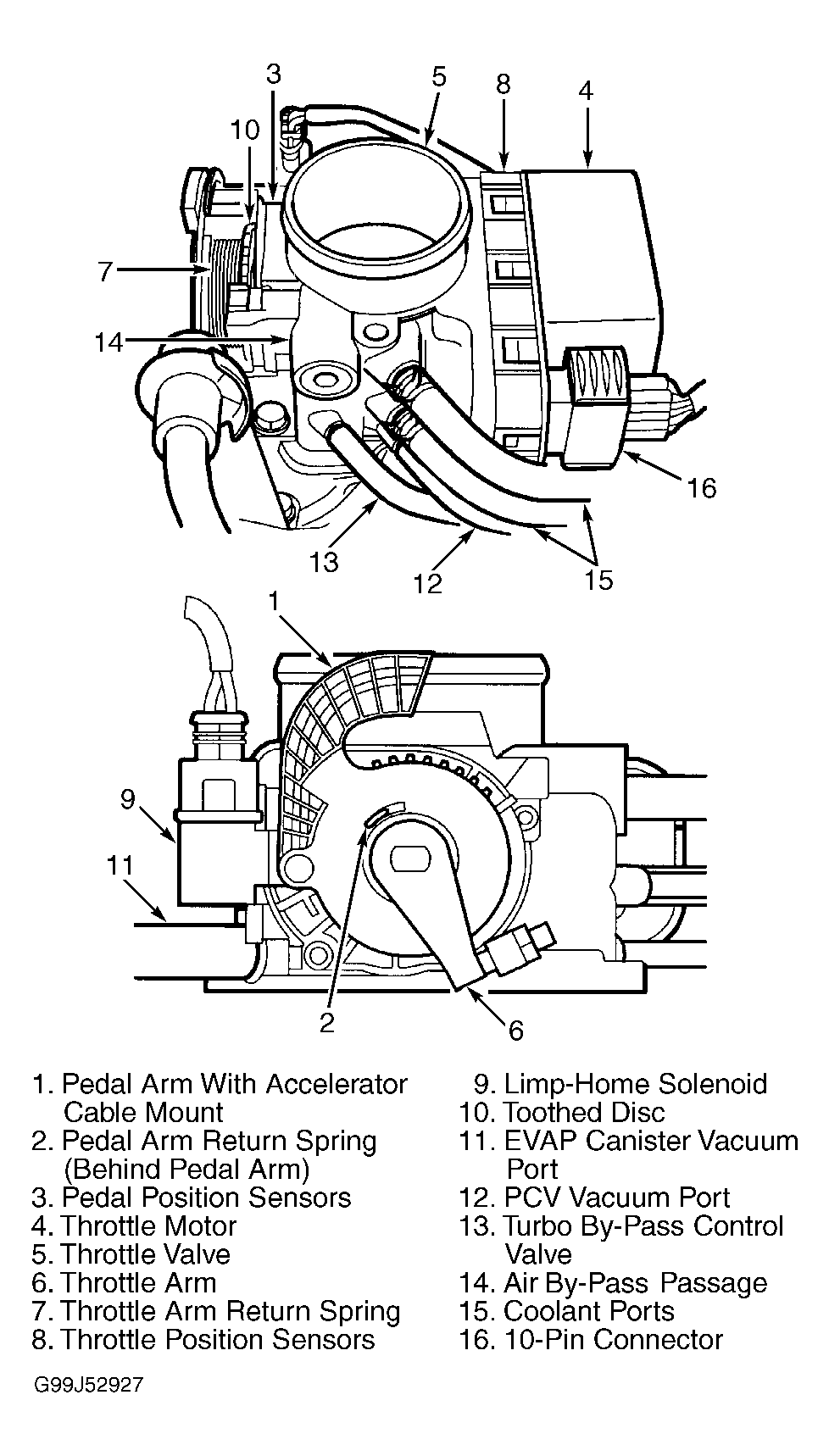 Courtesy of SAAB-SCANIA OF AMERICA, INC.