Generator Brush And Terminal Holder Removal/Installation
- Remove the generator. See GENERATOR REMOVAL/INSTALLATION - 2.3L or GENERATOR REMOVAL/INSTALLATION - 3.0L, 4.0L
- Remove the generator brush and terminal holder (1) and voltage regulator (2) assembly.
- Remove the screws (3).
- Remove the generator brush and terminal holder (1) and voltage regulator (2) assembly.
- Separate the generator brush and terminal holder (1) from the voltage regulator (2).
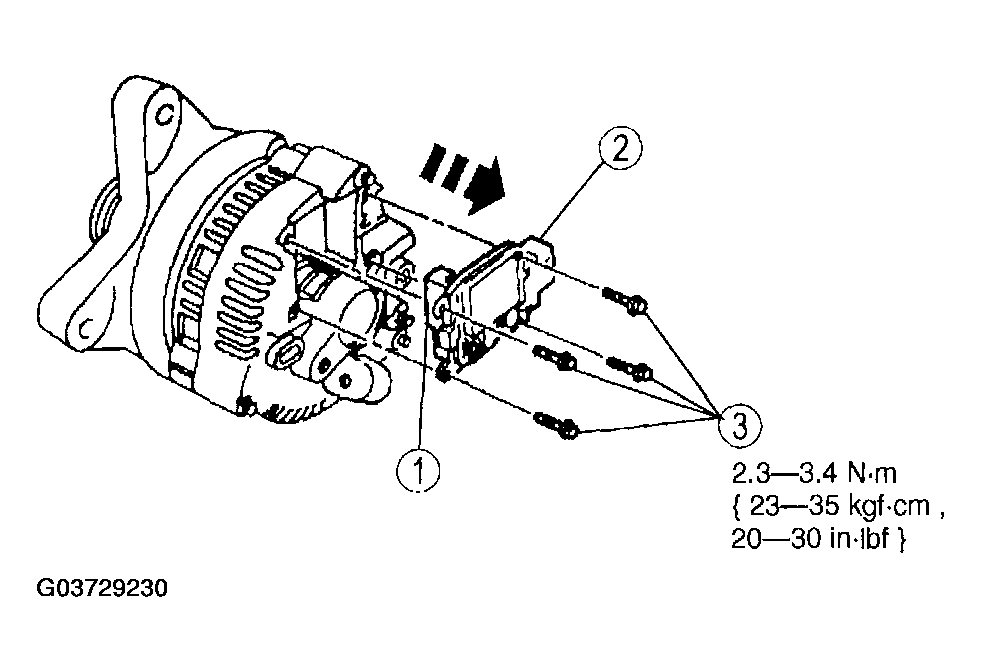 Courtesy of MAZDA MOTORS CORP.
- Remove the screw cap (1).
- Remove the generator brush and terminal holder screws (2).
- Separate the generator brush and terminal holder (3) from the voltage regulator (4).
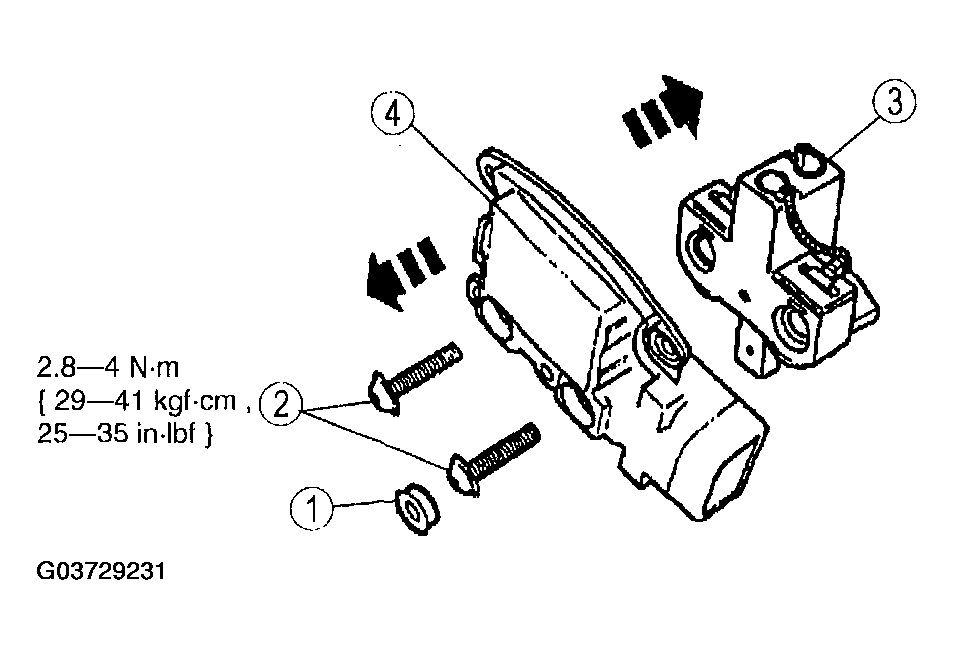 Courtesy of MAZDA MOTORS CORP.
- Install the brush and terminal holder on the voltage regulator.
- Position the brush and terminal holder on the voltage regulator.
- Install the generator brush and terminal holder screws.
- Install the screw cap.
CAUTION:
- Make sure screw cap is installed over the proper screw to prevent accidental shorting of the battery positive connection.
- Install the generator brush and terminal holder and the voltage regulator assembly.
- Depress the brushes and insert a wire to hold brushes during installation.
- Install the generator brush and terminal holder and the voltage regulator assembly.
- Install the voltage regulator screws.
- Remove the wire.
- Install the generator. See GENERATOR REMOVAL/INSTALLATION - 2.3L or GENERATOR REMOVAL/INSTALLATION - 3.0L, 4.0L .