HO2S/TWC Monitor Repair Verification Drive Mode
- Using scan tool, check RFCFLAG PID data status. If RFCFLAG PID data is off, perform PCM adaptive memory drive mode first and go to next step. SeePCM ADAPTIVE MEMORY DRIVE MODE . If RFCFLAG PID data is on, go to next step.
- Start engine and warm to normal operating temperature. Ensure all accessories are off.
- Drive vehicle at specified speeds. SeeFig 1 orFig 2. Stop vehicle and access ON BOARD SYSTEM READINESS menu of GENERIC OBD II FUNCTIONS to check drive mode completion status. RFC should change to YES when test is complete. If test is not complete, turn ignition off and repeat this step. If test is complete, go to next step.
- Check test results in DIAGNOSTIC MONITORING TEST RESULTS menu of GENERIC OBD II FUNCTIONS. If results are okay (MEAS are within specification), ensure no DTCs are present. If no DTCs are present, repairs are complete. If results are not okay (MEAS are not within specification), repairs are not complete.
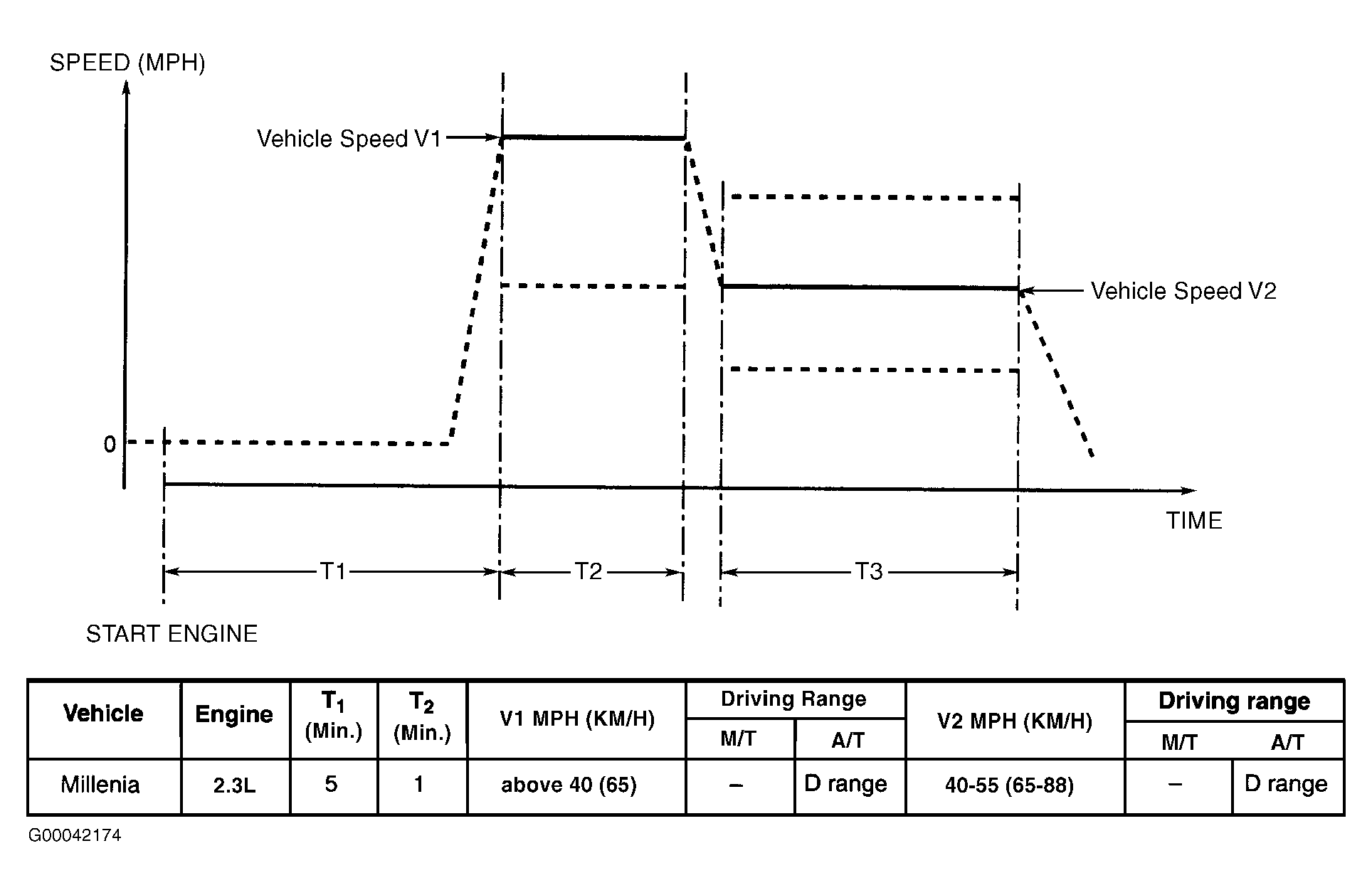 Courtesy of MAZDA MOTORS CORP.
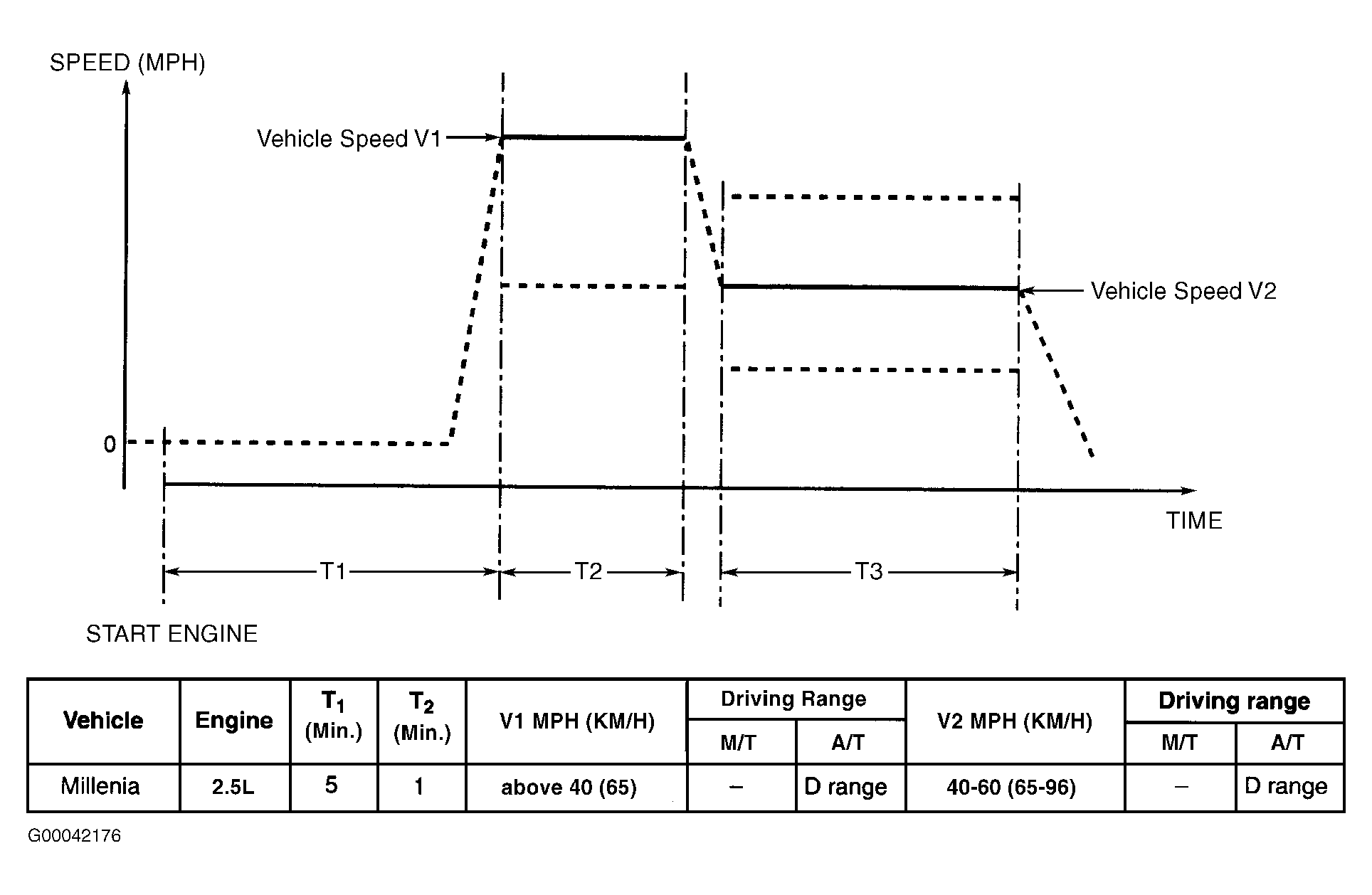 Courtesy of MAZDA MOTORS CORP.