PCM Adaptive Memory Drive Mode
- Using scan tool, check RFCFLAG PID data status. If RFCFLAG PID data is on, procedure is complete, PCM has adaptive memory. If RFCFLAG PID data is off, perform following procedure before performing EGR monitor repair verification drive mode or HO2S/TWC monitor repair verification drive mode.
- Start engine and warm to normal operating temperature. Ensure all accessories are off. Ensure ignition timing and idle speed are within specification. Adjust as necessary. See BASIC DIAGNOSTIC PROCEDURES article. Ensure nothing is connected to DLC. Increase engine RPM to specified speed. SeeFig 1 orFig 2.
- Operate engine at specified RPM for minimum of 15 seconds. Idle engine until engine cooling fan stops. Idle engine for 20 seconds after engine cooling fan has stopped. Using scan tool, monitor PID data for RPM, FAN2 (with A/C) and FAN1 (without A/C). Turn ignition off and on. Using scan tool, check RFCFLAG PID data to confirm PCM adaptive memory status. If RFCFLAG PID data is on, procedure is complete, PCM has adaptive memory. If RFCFLAG PID data is off, go back to previous step.
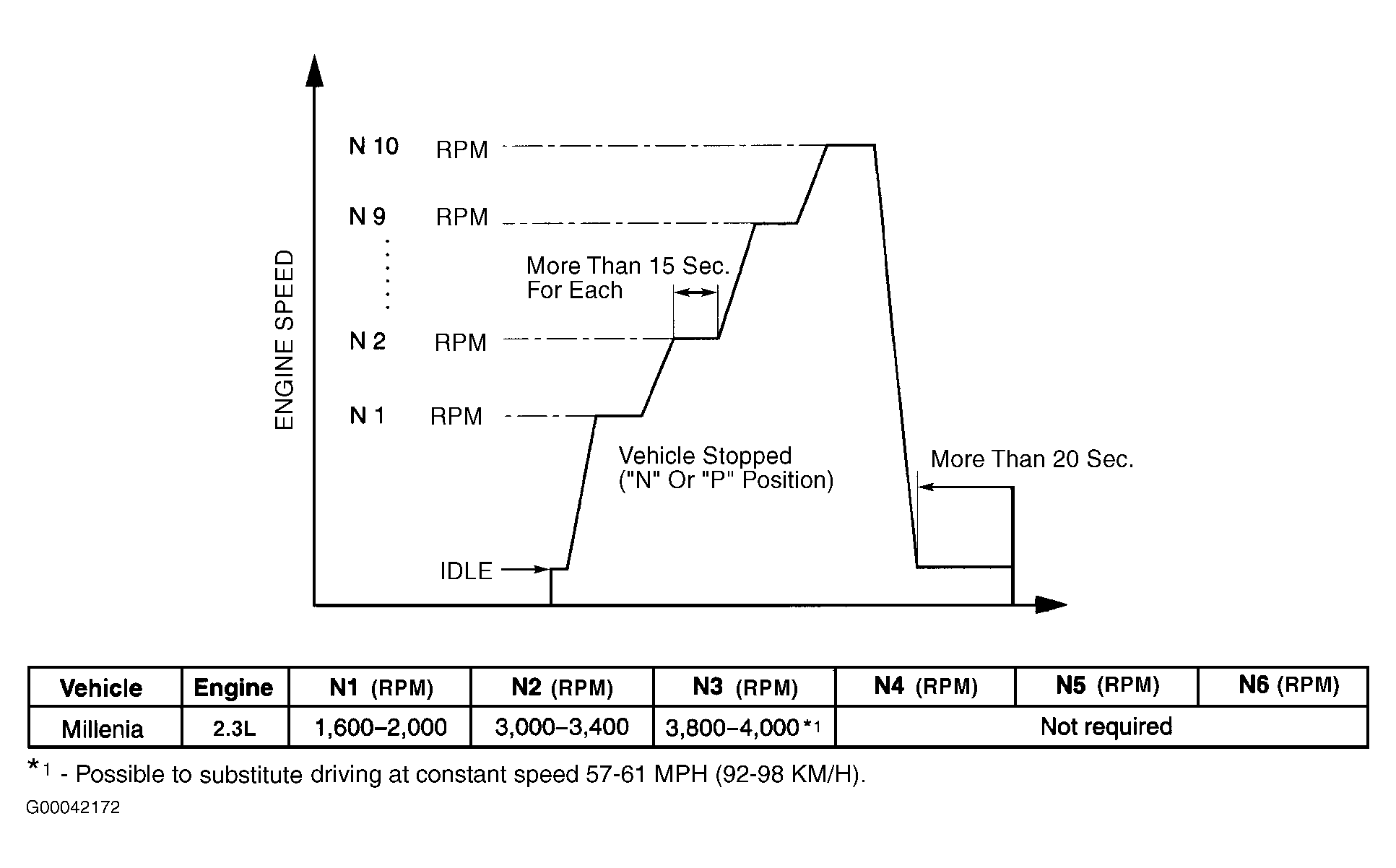 Courtesy of MAZDA MOTORS CORP.
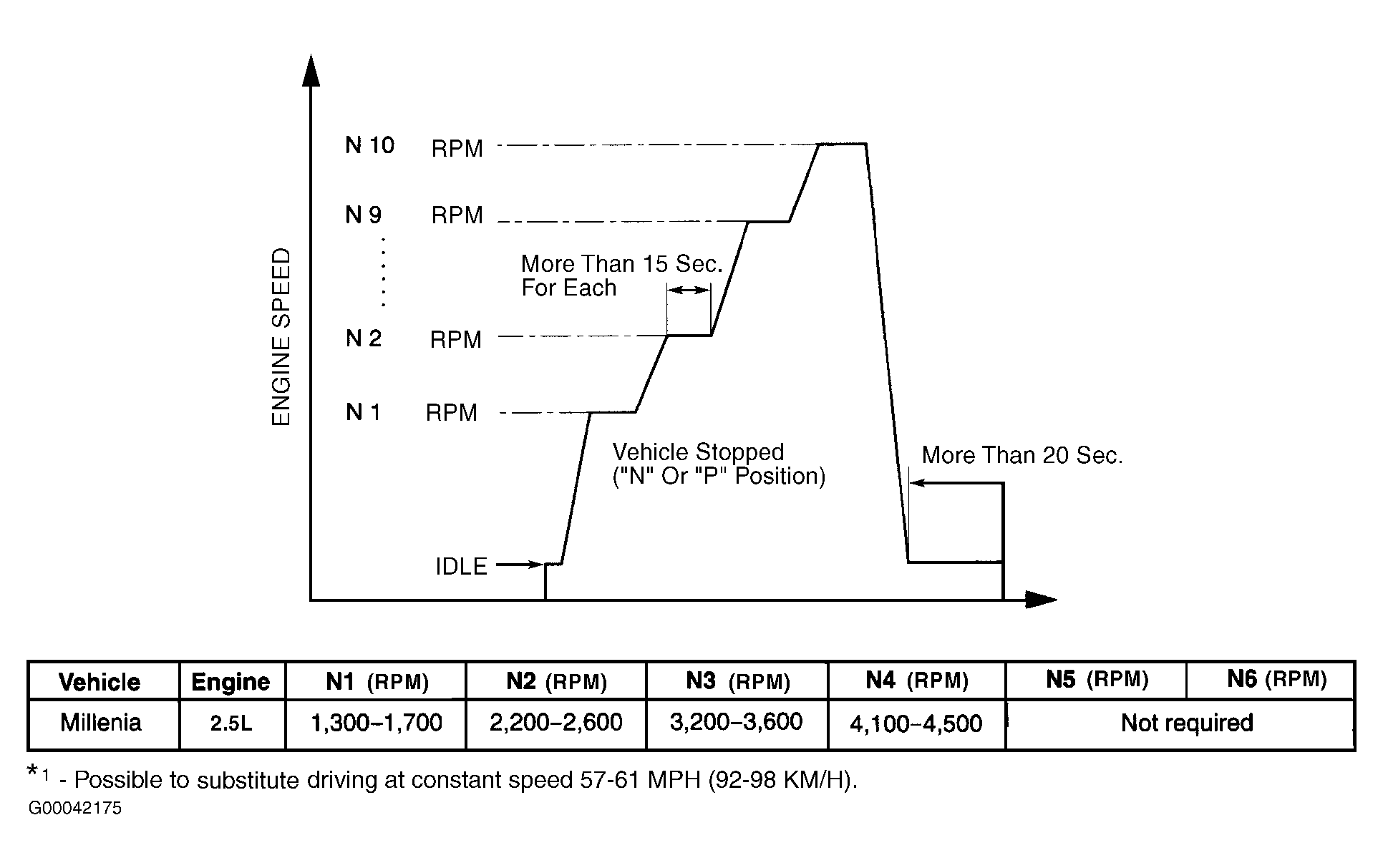 Courtesy of MAZDA MOTORS CORP.