Horn Switch Test
- Remove the steering column covers (see STEERING COLUMN REMOVAL AND INSTALLATION
).
- Disconnect the cable reel 13P connector (A) from the dashboard wire harness.
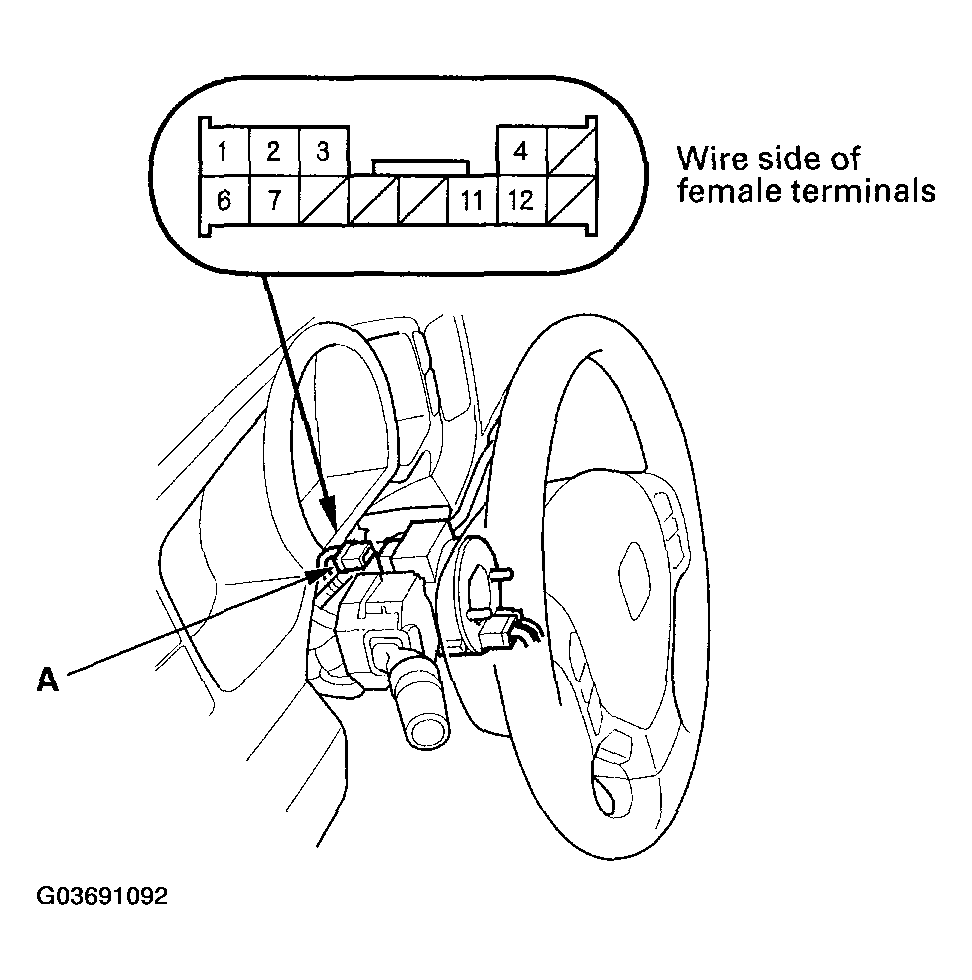 Courtesy of AMERICAN HONDA MOTOR CO., INC.
- Using a jumper wire, connect the No. 1 terminal of the dashboard wire harness 13P connector to body ground.
- If the horns sound, go to step 4.
- If the horns don't sound, check these items:
- No. 13 (20 A) fuse in the under-hood fuse/relay box.
- Relay control module in the under-hood fuse/relay box.
- Horns (see CIRCUIT DIAGRAM
).
- An open in the wire.
- Reconnect the cable reel 13P connector (A) to the dashboard wire harness.
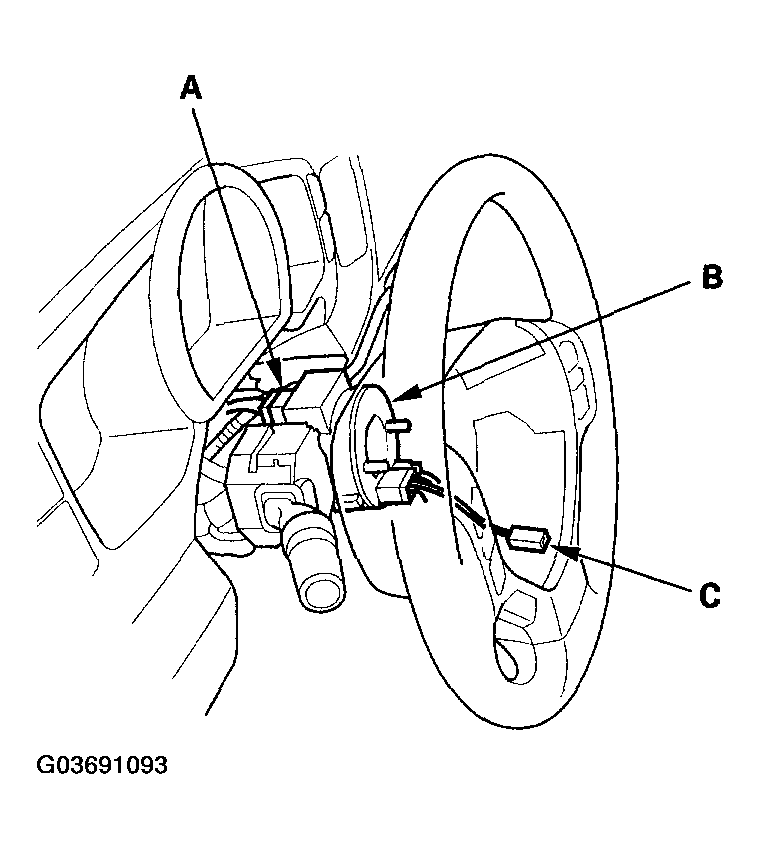 Courtesy of AMERICAN HONDA MOTOR CO., INC.
- Remove the driver's airbag assembly (see DRIVER'S AIRBAG REPLACEMENT
), and disconnect the horn switch 1P positive terminal from the cable reel (B).
- Using a jumper wire, connect the cable reel side 1P connector (C) to body ground, and turn the wheel side to side.
- If the horns sound, replace the driver's airbag assembly.
- If the horns don't sound or sounds intermittently, replace the cable reel.