Navigation Receiver: Installation
- INSTALL NO. 1 NAVIGATION BRACKET
- Install the No. 1 navigation bracket with the 4 screws.
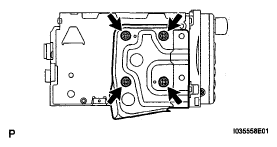 Courtesy of © TOYOTA, LICENSE AGREEMENT TMS1002
- INSTALL NO. 2 NAVIGATION BRACKET
- Install the No. 2 navigation bracket with the 4 screws.
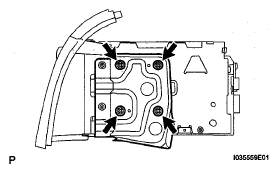 Courtesy of © TOYOTA, LICENSE AGREEMENT TMS1002
- INSTALL INSTRUMENT CLUSTER FINISH PANEL UPPER
- Install the instrument cluster finish panel upper with the 4 screws.
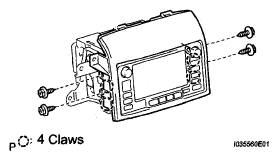 Courtesy of © TOYOTA, LICENSE AGREEMENT TMS1002
- INSTALL NAVIGATION RECEIVER ASSEMBLY WITH BRACKET
- Connect the connector.
- Install the navigation receiver assembly with bracket with the 4 screws.
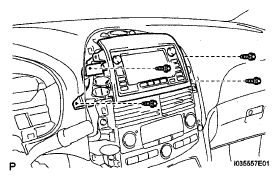 Courtesy of © TOYOTA, LICENSE AGREEMENT TMS1002