- Open LH front door
- Lower LH front window
- Raise and support vehicle
NOTE:
Set air suspension to "Jack Mode", Position lift arm pads on vehicle jack pads, DO NOT position the lift arm pads under the battery or side rails, as shown in red
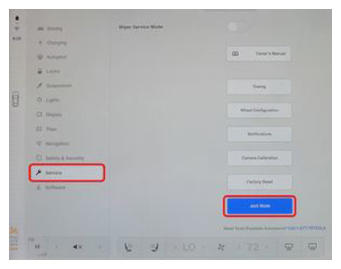 Courtesy of TESLA, INC. Courtesy of TESLA, INC.
|
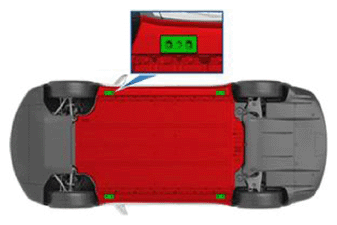 Courtesy of TESLA, INC. Courtesy of TESLA, INC.
|
- Remove LH front wheel center cap
NOTE:
1x cap
- Loosen LH front wheel
NOTE:
5x nuts, 21 mm, 175 N.m
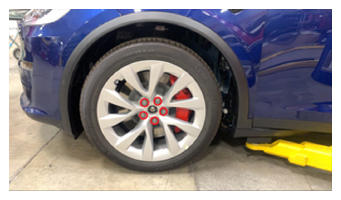 Courtesy of TESLA, INC. Courtesy of TESLA, INC.
|
- Raise vehicle partially and lower onto locks
NOTE:
Set vehicle to comfortable working height, Make sure there's an audible click of the locks on both sides before lowering, otherwise vehicle may tilt to the side
- Remove LH front wheel
NOTE:
5x nuts, 21 mm, 175 N.m
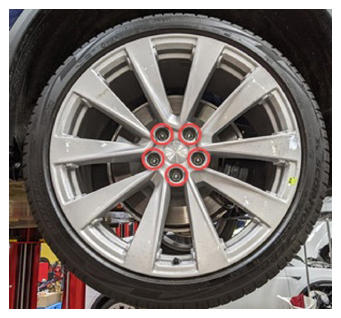 Courtesy of TESLA, INC. Courtesy of TESLA, INC.
|
- Place wheel on tire machine and secure
NOTE:
1x wheel clamp
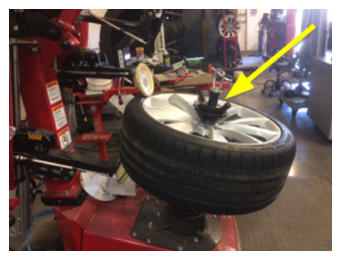 Courtesy of TESLA, INC. Courtesy of TESLA, INC.
|
- Remove valve stem cap
NOTE:
1x cap
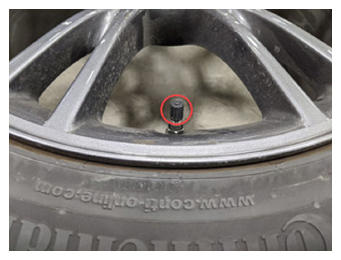 Courtesy of TESLA, INC. Courtesy of TESLA, INC.
|
- Remove valve stem core
NOTE:
Use caution as tire deflates rapidly
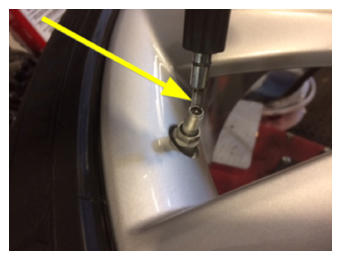 Courtesy of TESLA, INC. Courtesy of TESLA, INC.
|
- Rotate tire and wheel so that upper roller is 100 mm in front of the valve
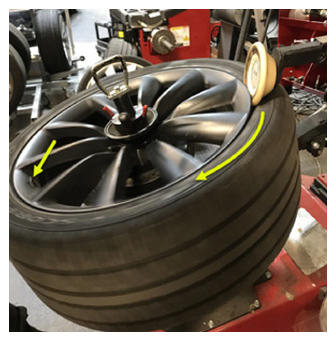 Courtesy of TESLA, INC. Courtesy of TESLA, INC.
|
- Break top tire bead
NOTE:
Use lubrication around tire and wheel
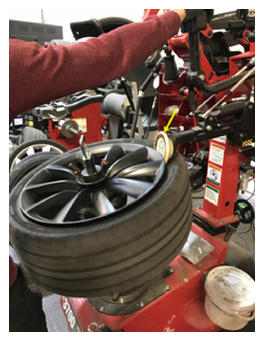 Courtesy of TESLA, INC. Courtesy of TESLA, INC.
|
- Use Bead press arm to press upper bead down until TPMS sensor is accessible
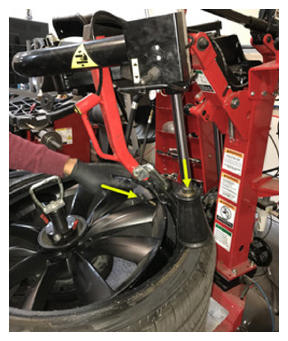 Courtesy of TESLA, INC. Courtesy of TESLA, INC.
|
- Remove TPMS sensor from wheel
NOTE:
1x nut, 11 mm, 8 N.m
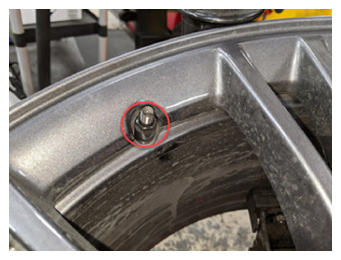 Courtesy of TESLA, INC. Courtesy of TESLA, INC.
|
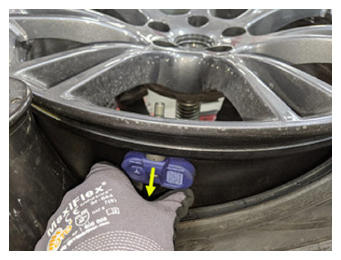 Courtesy of TESLA, INC. Courtesy of TESLA, INC.
|
- Remove valve stem cap from new TPMS sensor
NOTE:
1x cap
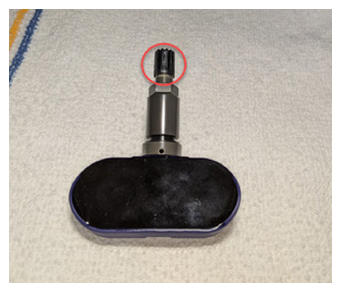 Courtesy of TESLA, INC. Courtesy of TESLA, INC.
|
- Remove nut from valve stem
NOTE:
1x nut, 11 mm, 8 N.m
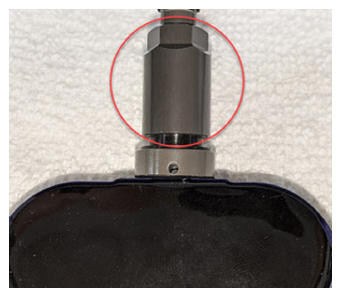 Courtesy of TESLA, INC. Courtesy of TESLA, INC.
|
- Install TPMS sensor onto wheel
NOTE:
1x nut, 11 mm, 8 N.m, Verify TPMS seal is fully seated against base, Failure to do so could cause damage to seal during installation
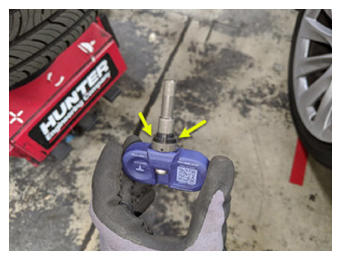 Courtesy of TESLA, INC. Courtesy of TESLA, INC.
|
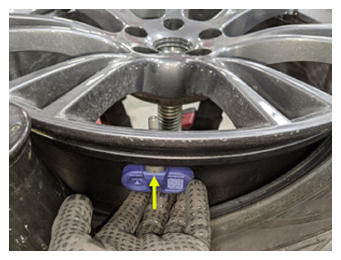 Courtesy of TESLA, INC. Courtesy of TESLA, INC.
|
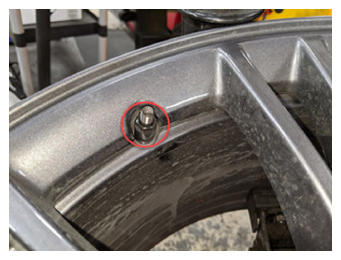 Courtesy of TESLA, INC. Courtesy of TESLA, INC.
|
- Release Bead press arm and allow top bead to seat against wheel
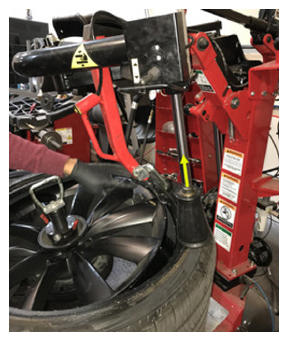 Courtesy of TESLA, INC. Courtesy of TESLA, INC.
|
- Remove valve stem core
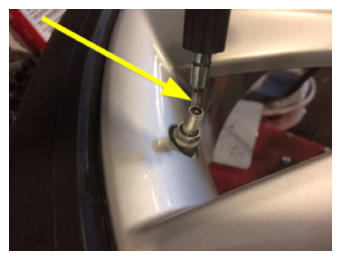 Courtesy of TESLA, INC. Courtesy of TESLA, INC.
|
- Inflate the tire to seat the bead
NOTE:
Do not exceed the pressure indicated on the tire sidewall, Wear PPE
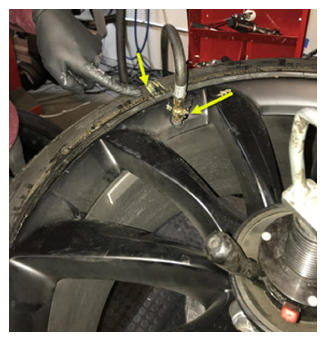 Courtesy of TESLA, INC. Courtesy of TESLA, INC.
|
- Install valve stem core
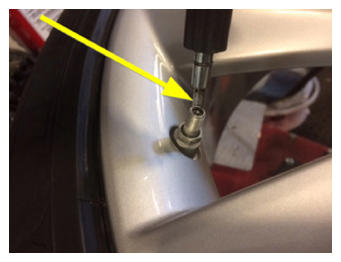 Courtesy of TESLA, INC. Courtesy of TESLA, INC.
|
- Remove wheel from tire mounting machine
NOTE:
1x wheel clamp
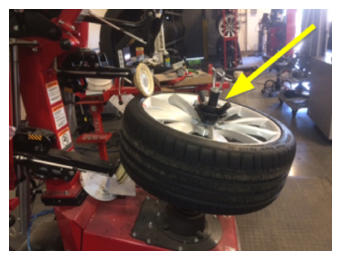 Courtesy of TESLA, INC. Courtesy of TESLA, INC.
|
- Mount tire and wheel assembly on balancer
NOTE:
1x tire machine wing nut
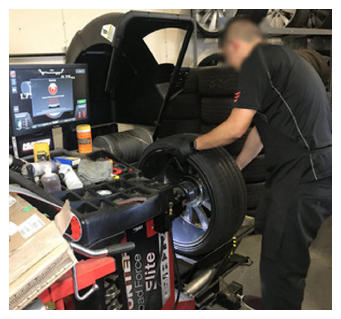 Courtesy of TESLA, INC. Courtesy of TESLA, INC.
|
- Remove wheel weights
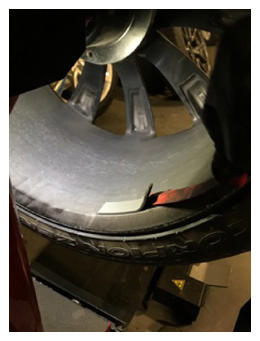 Courtesy of TESLA, INC. Courtesy of TESLA, INC.
|
- Verify tire pressure is set
NOTE:
Set to specification if necessary, Refer to the "Tire and Loading Information" label located on the driver side B-pillar
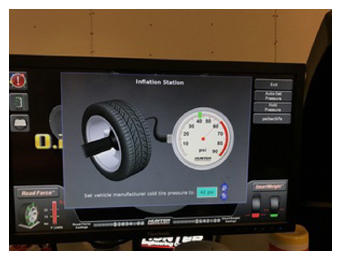 Courtesy of TESLA, INC. Courtesy of TESLA, INC.
|
- Install valve stem cap
NOTE:
1x cap
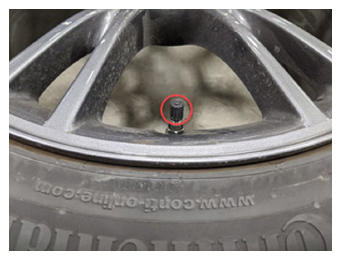 Courtesy of TESLA, INC. Courtesy of TESLA, INC.
|
- Input wheel dimensions into balancer machine
NOTE:
If manual input necessary
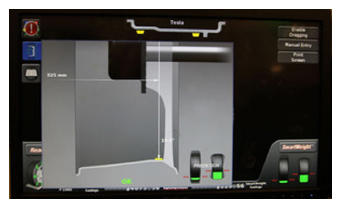 Courtesy of TESLA, INC. Courtesy of TESLA, INC.
|
- Fully engage safety hood, spin wheel to check balance
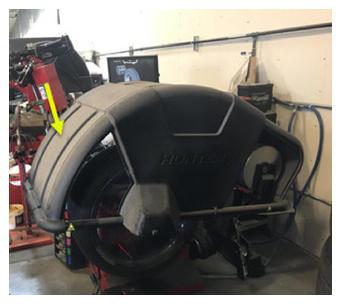 Courtesy of TESLA, INC. Courtesy of TESLA, INC.
|
- Install weights in positions indicated by machine
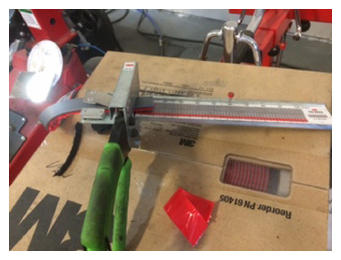 Courtesy of TESLA, INC. Courtesy of TESLA, INC.
|
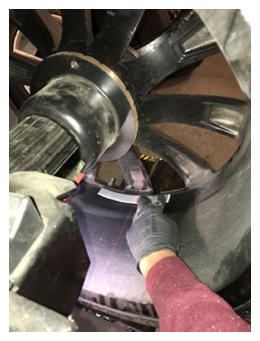 Courtesy of TESLA, INC. Courtesy of TESLA, INC.
|
- Perform check spin
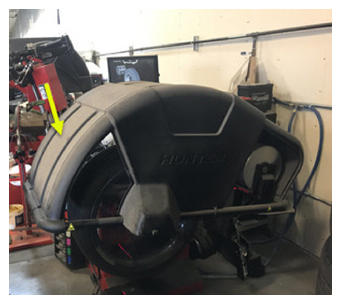 Courtesy of TESLA, INC. Courtesy of TESLA, INC.
|
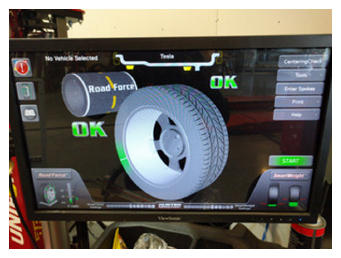 Courtesy of TESLA, INC. Courtesy of TESLA, INC.
|
- Remove tire and wheel assembly from balancer
NOTE:
1x tire balancer wing nut
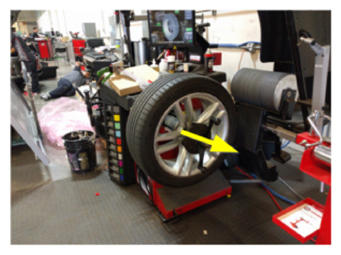 Courtesy of TESLA, INC. Courtesy of TESLA, INC.
|
- Install LH front wheel
NOTE:
5x nuts, 21 mm, 175 N.m, Start lug nuts by hand before using power tool
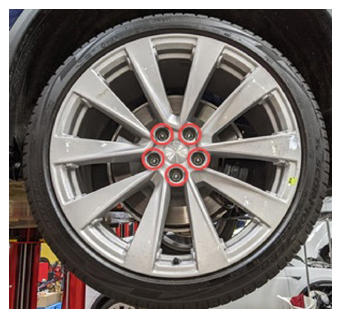 Courtesy of TESLA, INC. Courtesy of TESLA, INC.
|
- Lower vehicle until tires are touching the ground
NOTE:
Raise lift off locks, then hold lock release lever to keep locks free while vehicle is lowered
- Torque LH front wheel
NOTE:
5x nuts, 21 mm, 175 N.m
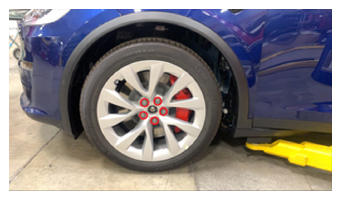 Courtesy of TESLA, INC. Courtesy of TESLA, INC.
|
- Install LH front wheel center cap
NOTE:
1x cap, Verify emblem is aligned with valve stem
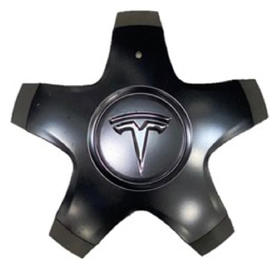 Courtesy of TESLA, INC. Courtesy of TESLA, INC.
|
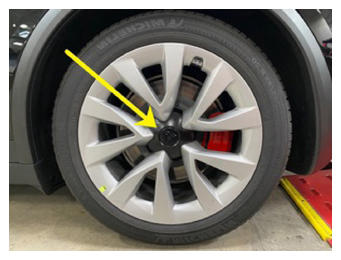 Courtesy of TESLA, INC. Courtesy of TESLA, INC.
|
- Remove vehicle from lift
NOTE:
Lower rack arms fully and remove from under vehicle if necessary, Remove air suspension from "Jack Mode" if equipped
- Open LH front door
- Lower LH front window
- Release IP service panel
NOTE:
2x tabs, 4x datums, Release top tabs and slide rearward
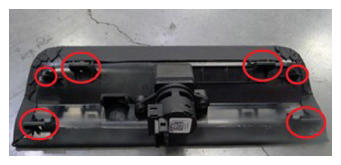 Courtesy of TESLA, INC. Courtesy of TESLA, INC.
|
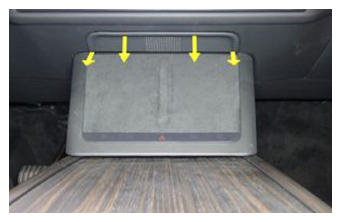 Courtesy of TESLA, INC. Courtesy of TESLA, INC.
|
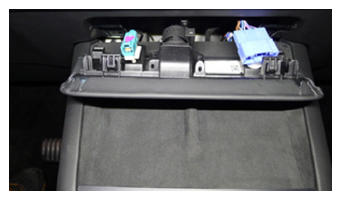 Courtesy of TESLA, INC. Courtesy of TESLA, INC.
|
- Using laptop connect to vehicle with ethernet diag kit and Toolbox 3
- Select "Actions" and search for "TPMS Learn"
- Select "PROC_TPMS_X_TPMS-SENSOR-LEARN", click "Run", and allow routine to complete
NOTE:
Select "X" at top right of window to close once complete
- Power on Bluetooth TPMS reader
NOTE:
Upon start up tool will automatically default to "TPMS Check" menu
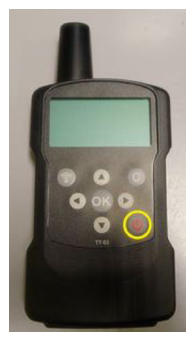 Courtesy of TESLA, INC. Courtesy of TESLA, INC.
|
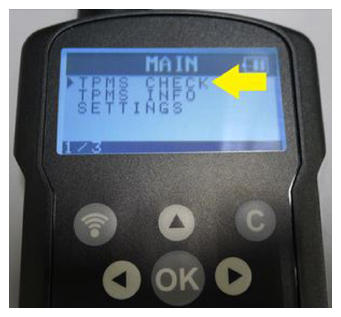 Courtesy of TESLA, INC. Courtesy of TESLA, INC.
|
- Set Bluetooth TPMS Tool to "TPMS Check"
NOTE:
Ensure "TPMS Check" menu is selected, Press "OK" button
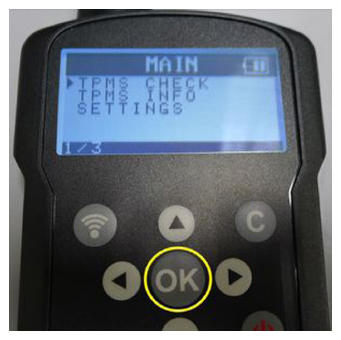 Courtesy of TESLA, INC. Courtesy of TESLA, INC.
|
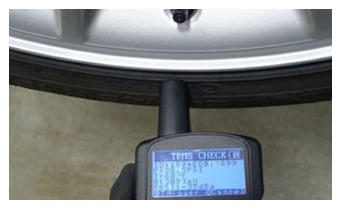
- Initiate TPMS sensor scanning
NOTE:
Press the trigger button once to begin scanning, The tool should periodically beep and the screen should display scrolling dashes, Point to a location on the tire adjacent to the valve stem, If wake tool scan times out try again, and manipulate wake tool orientation relative to sensor location (keep nose of tool pointed at sensor though), If scan fails at any wheel repeatedly run sensor ID ERASE function and try again (VCSEC may have Bluetooth paired to a broadcasting sensor and locked the ID)
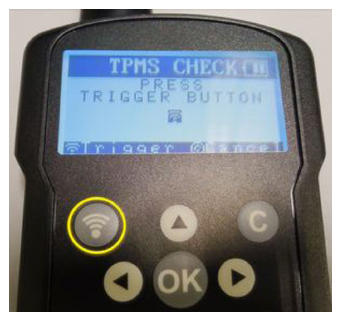 Courtesy of TESLA, INC. Courtesy of TESLA, INC.
|
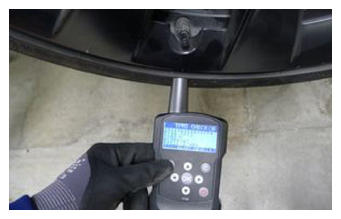 Courtesy of TESLA, INC. Courtesy of TESLA, INC.
|
- Check FL bluetooth TPMS sensor
NOTE:
Make sure that you are not holding the trigger during scan, If the scan succeeds, the tool with emit a longer single beep, Read the ID from the screen and enter into the corresponding field of the TPMS sensor learn form
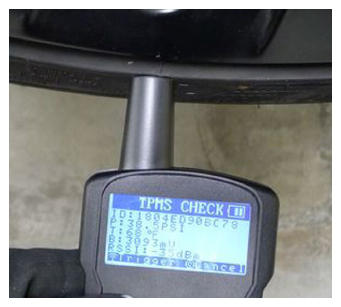 Courtesy of TESLA, INC. Courtesy of TESLA, INC.
|
- Check FR bluetooth TPMS sensor
NOTE:
Make sure that you are not holding the trigger during scan, If the scan succeeds, the tool with emit a longer single beep, Read the ID from the screen and enter into the corresponding field of the TPMS sensor learn form
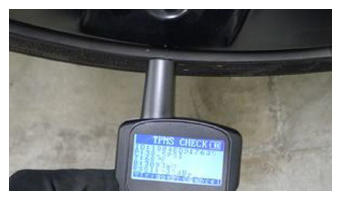 Courtesy of TESLA, INC. Courtesy of TESLA, INC.
|
- Check RL bluetooth TPMS sensor
NOTE:
Make sure that you are not holding the trigger during scan, If the scan succeeds, the tool with emit a longer single beep, Read the ID from the screen and enter into the corresponding field of the TPMS sensor learn form
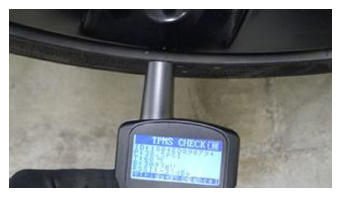 Courtesy of TESLA, INC. Courtesy of TESLA, INC.
|
- Check RR bluetooth TPMS sensor
NOTE:
Make sure that you are not holding the trigger during scan, If the scan succeeds, the tool with emit a longer single beep, Read the ID from the screen and enter into the corresponding field of the TPMS sensor learn form
 Courtesy of TESLA, INC. Courtesy of TESLA, INC.
|
- Click "Submit", and allow Bluetooth TPMS sensor learn routine to complete
NOTE:
This will store TPMS Sensor IDs in VCSEC, Select "X" at top right of window to close once complete
- Disconnect Toolbox 3 from vehicle and remove laptop and ethernet diag kit
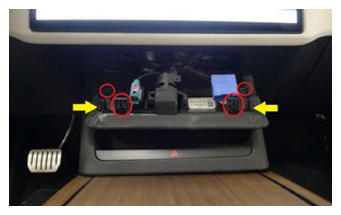
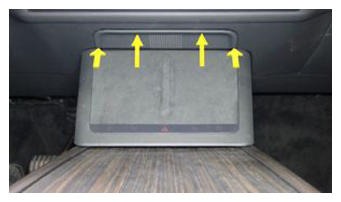
- Install IP service panel
NOTE:
2x tabs, 4 datums, Slide forward engaging datums then secure tabs upward into IP
 Courtesy of TESLA, INC. Courtesy of TESLA, INC.
|
 Courtesy of TESLA, INC. Courtesy of TESLA, INC.
|
- Raise LH front window
- Close LH front door
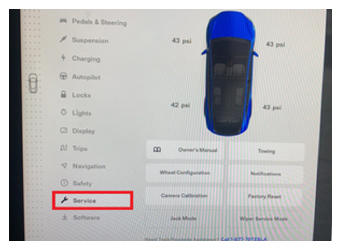
- Drive vehicle short distance to verify all four sensor values are displaying on the UI
NOTE:
Via Controls > Service, The sensors will wake up and begin displaying at very low speeds ~5 mph. When vehicle receives communication from the sensors with known ID's, It will quickly connect to them. If pressures do not populate, rescan each sensor and try again.
 Courtesy of TESLA, INC. Courtesy of TESLA, INC.
|