- Open the LH front door.
- Lower the LH front window.
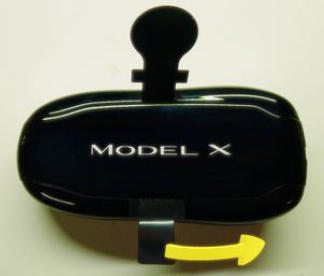
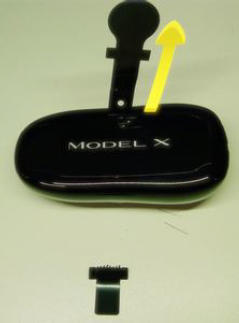
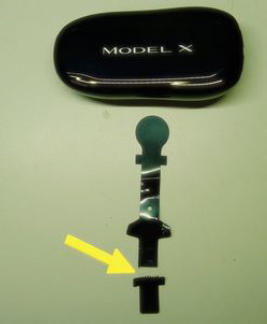
- Remove the battery insulating tab from the new key fob.
NOTE:
Tear the short end of the tab at the perforation. Pull the remaining battery insulating tab out of the key fob assembly. Ensure entire tab is removed by confirming both perforated edges are present. If not, remove the battery cover and battery to retrieve the remaining insulating tab.
 Courtesy of TESLA, INC. Courtesy of TESLA, INC.
|
 Courtesy of TESLA, INC. Courtesy of TESLA, INC.
|
 Courtesy of TESLA, INC. Courtesy of TESLA, INC.
|
- Access the Controls
menu.
NOTE:
Tap the vehicle icon at the lower left of touchscreen.
- Touch Locks
from the left pane.
- Touch the +
symbol located on the touchscreen.
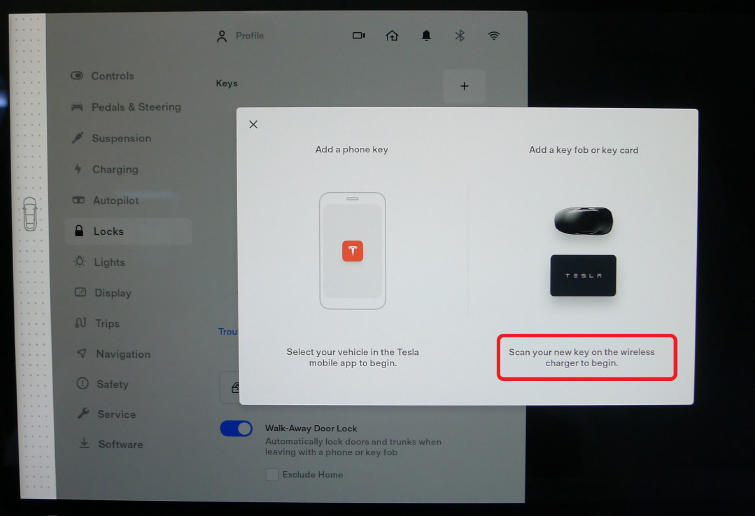
- Scan your new key fob on the left side of the phone dock.
NOTE:
Slide the key fob at a slow to moderate speed along the center divider of the wireless charger with the Tesla logo pointing to the left. The scanning request menu will disappear when the new key fob is recognized. Remove the key fob from the wireless charger once recognized.
 Courtesy of TESLA, INC. Courtesy of TESLA, INC.
|
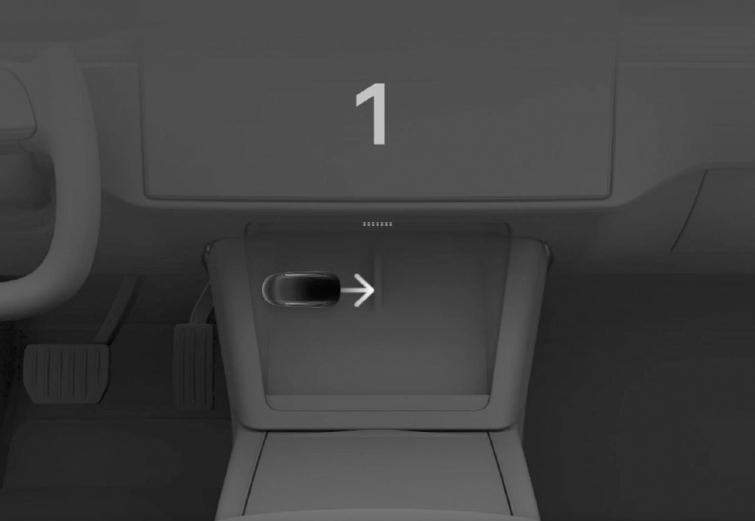 Courtesy of TESLA, INC. Courtesy of TESLA, INC.
|
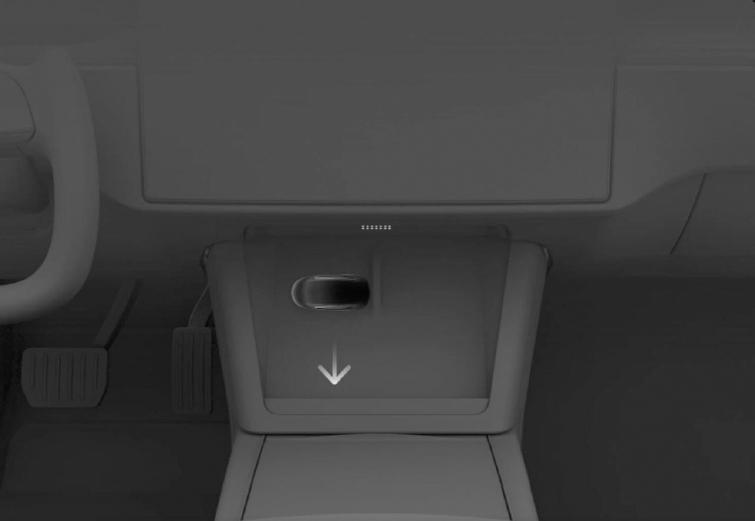 Courtesy of TESLA, INC. Courtesy of TESLA, INC.
|
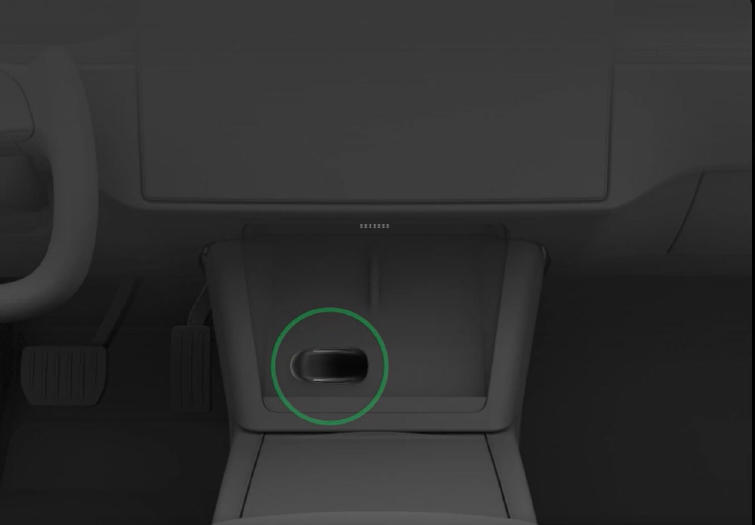 Courtesy of TESLA, INC. Courtesy of TESLA, INC.
|
- Tap existing paired key card on the left side of the phone dock to approve the new key being programmed.
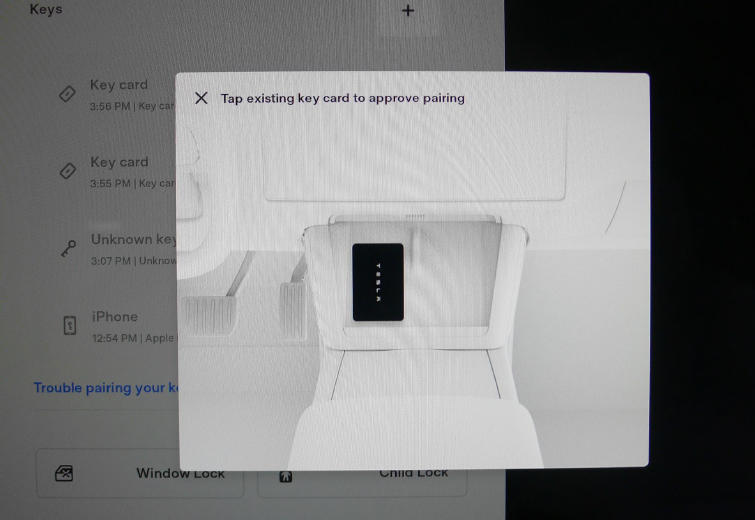 Courtesy of TESLA, INC. Courtesy of TESLA, INC.
|
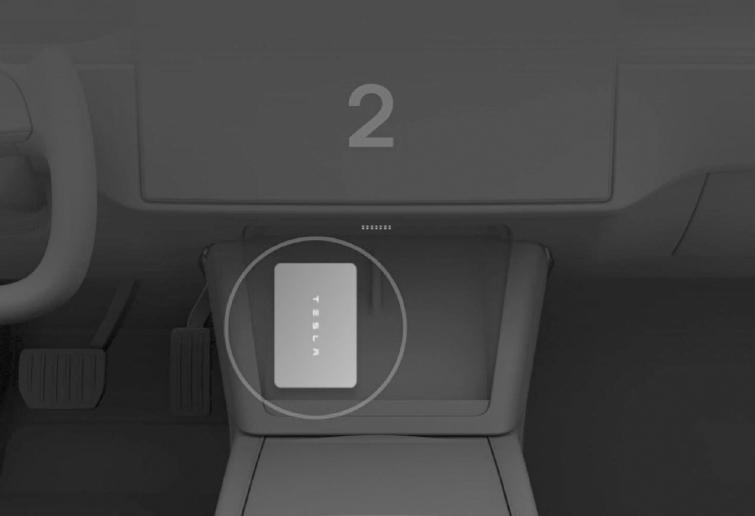 Courtesy of TESLA, INC. Courtesy of TESLA, INC.
|
- Verify new key is now active in Keys menu
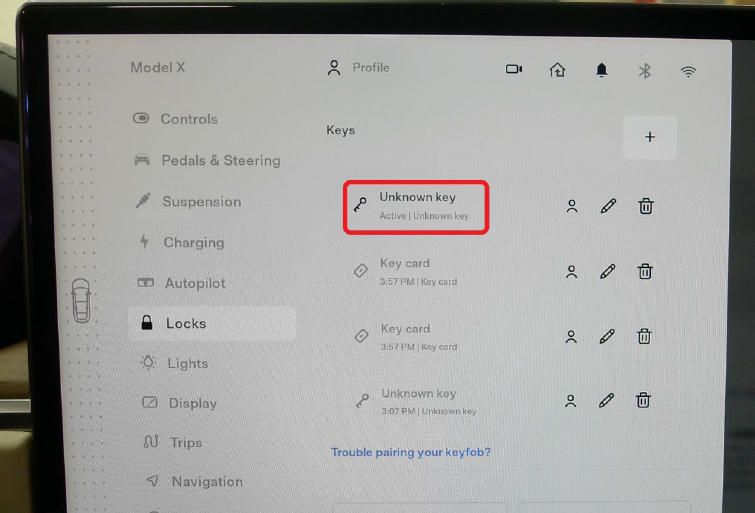 Courtesy of TESLA, INC. Courtesy of TESLA, INC.
|
- Check the function of the newly programmed key fob.
NOTE:
Use the buttons to lock/unlock the doors, open the hood, open the LH/RH rear doors, and open the liftgate.
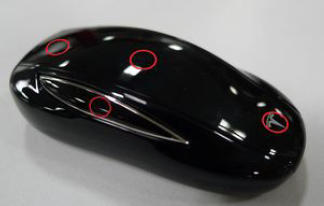 Courtesy of TESLA, INC. Courtesy of TESLA, INC.
|