Existing Key Present
- On the touchscreen, touch Controls
> Locks
, and then touch +
in the Keys section.
- Scan your new key card or key fob on the card reader located on the wireless phone charger. To scan the key fob:
- Place it at the top of the left phone charger, against the center divider
.
- Point the front of the key fob down.
- Swipe downwards (as shown in the image).
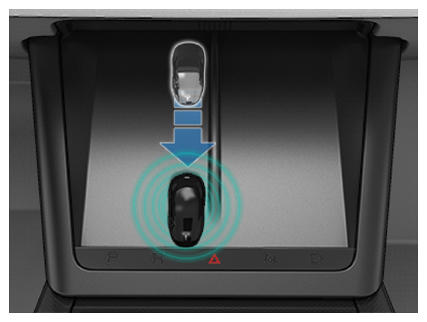 Courtesy of TESLA, INC. Courtesy of TESLA, INC.
|
- When you hear a chime and the new key is recognized, remove it from the card reader.
- Scan a key card or key fob that has already been paired to the vehicle to confirm new key pairing.
- When complete, the key list includes the new key. Touch the associated pencil icon to customize the name of the key.
- Verify function of the new key fob using the buttons to lock or unlock the doors, open the hood, and open the trunk.