- Turn off the power to the Wall Connector at the circuit breaker. Alternatively, disconnect the Universal Mobile Connector (UMC) from the wall outlet.
WARNING:
Electricity must be turned off at the circuit breaker, or the UMC disconnected from the wall outlet, before performing this procedure. Failure to perform this step may result in serious injury or death due to high voltage exposure.
- Visually inspect the charge handle to confirm that there is a stuck deadfront present.
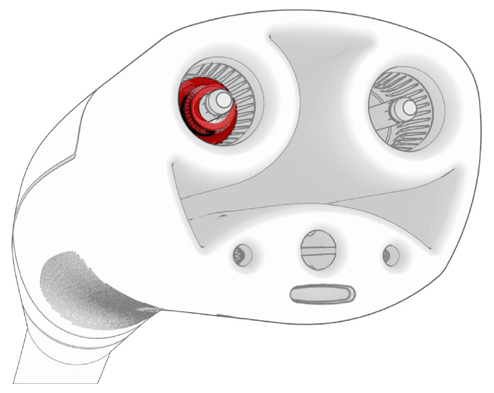 Courtesy of TESLA, INC. Courtesy of TESLA, INC.
|
- Grip the base of a 1/16 in or 2 mm drill bit using locking pliers.
- Put on the PPE, including safety glasses.
- Use the soldering iron and heat tooling kit to apply heat to the tip of the drill bit. Continue applying heat until the tip of the drill bit is glowing red.
WARNING:
Refer to the soldering iron manufacturer's instructions for proper usage, warnings, and cautions prior to use.
WARNING:
The soldering iron, drill bit, and adjacent areas will be extremely hot.
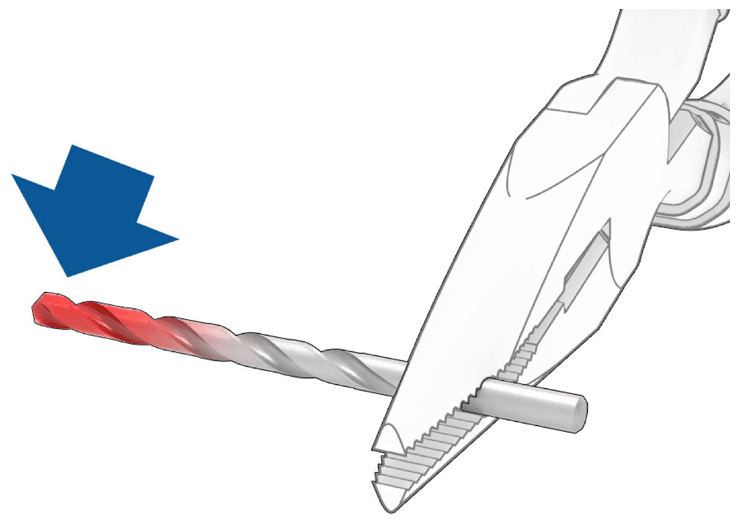 Courtesy of TESLA, INC. Courtesy of TESLA, INC.
|
- Carefully insert the tip of the heated drill bit into the charge handle so that the drill bit penetrates the stuck deadfront. Hold the drill bit in the deadfront for at least 20 seconds (until the drill bit cools down and the deadfront is stuck to the drill bit).
CAUTION:
To avoid damaging the charge handle, avoid touching anything except for the stuck deadfront.
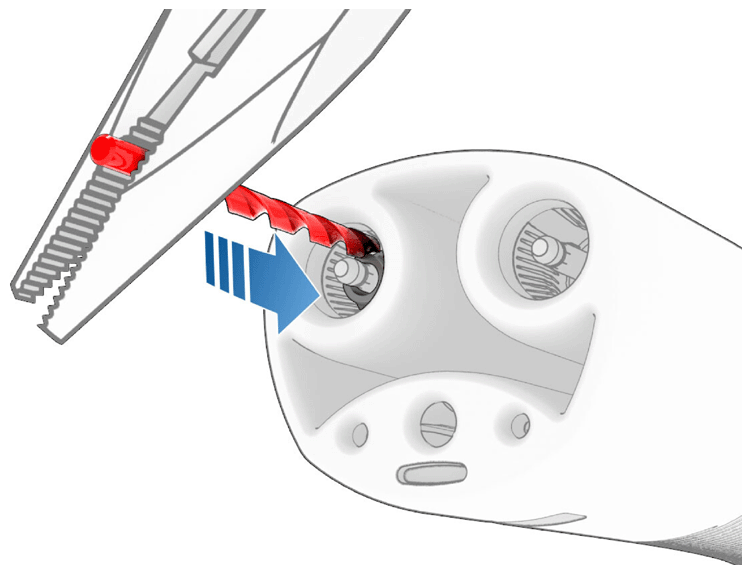 Courtesy of TESLA, INC. Courtesy of TESLA, INC.
|
- Carefully remove the deadfront from the charge handle by firmly pulling the drill bit out from the charge handle. Discard the deadfront.
CAUTION:
The drill bit may still be hot enough to burn.
NOTE:
It might be necessary to unscrew the deadfront from the drill bit.
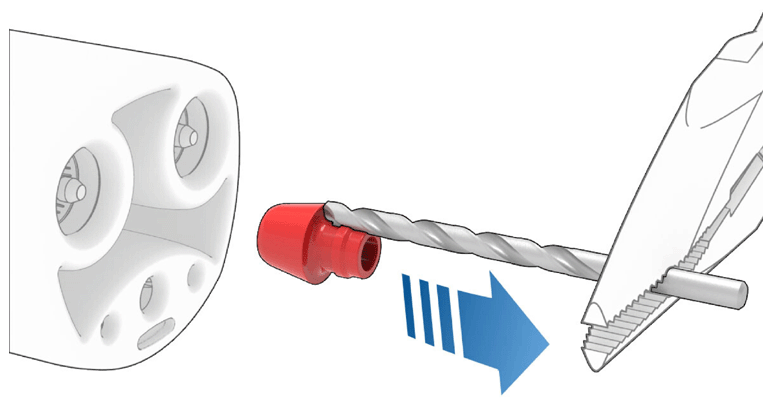 Courtesy of TESLA, INC. Courtesy of TESLA, INC.
|
- Visually confirm that the deadfront is completely removed from the charge handle.
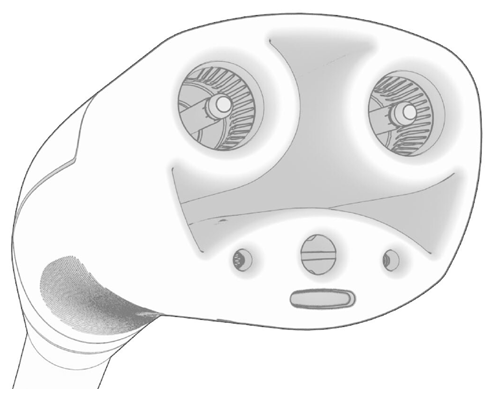 Courtesy of TESLA, INC. Courtesy of TESLA, INC.
|