Replacement Keys - Program (No Keys Present): Procedure
- Place the NFC Key card on the wireless charger pad.
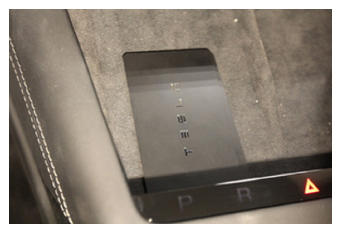 Courtesy of TESLA, INC. Courtesy of TESLA, INC.
|
- Release the Instrument Panel Service Panel. See Service Panel - Instrument Panel (Remove and Replace)
.
- Connect to the vehicle using a laptop equipped with Toolbox 3.
- Select the "Actions" tab and search for "Pair NFC'.
- Select PROC_VCSEC_C_PAIR-NFC-CARD-V2
, enter the quantity of key fobs to be paired, click Run
, and allow the routine to complete.
- Confirm key card functionality on the driver side B-pillar and the wireless charger pad.
- Disconnect Toolbox 3 from the vehicle and remove the laptop from the vehicle.
- Install the Instrument Panel Service Panel. See Service Panel - Instrument Panel (Remove and Replace)
.
- Pair the key fob(s). See Additional Key - Program (Existing Key Present) .