- Unlock the vehicle gateway for diagnostic communication, if not already unlocked. See GATEWAY UNLOCK
.
NOTE:
Under normal circumstances, the gateway should be unlocked long enough to perform the calibration procedure without re-unlocking the gateway.
- In Toolbox 3, click the Actions
tab, type "Level to Height" into the search field, click PROC_EAS_X_LEVEL-TO-HEIGHT, select Cycle
, click Run
, and allow the routine to complete.
NOTE:
Make sure the liftgate and all doors are closed when cycling the suspension height. If necessary, take the laptop out of the vehicle, running the cable through the open window.
- Click the Actions/Autodiag
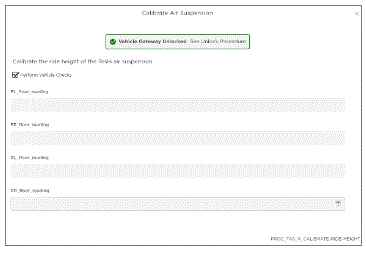
tab, type "Calibrate Air Suspension" into the search field, click PROC_EAS_X_CALIBRATE-RIDE-HEIGHT, and then click Run
.
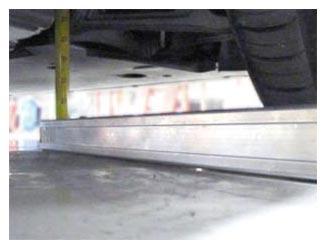
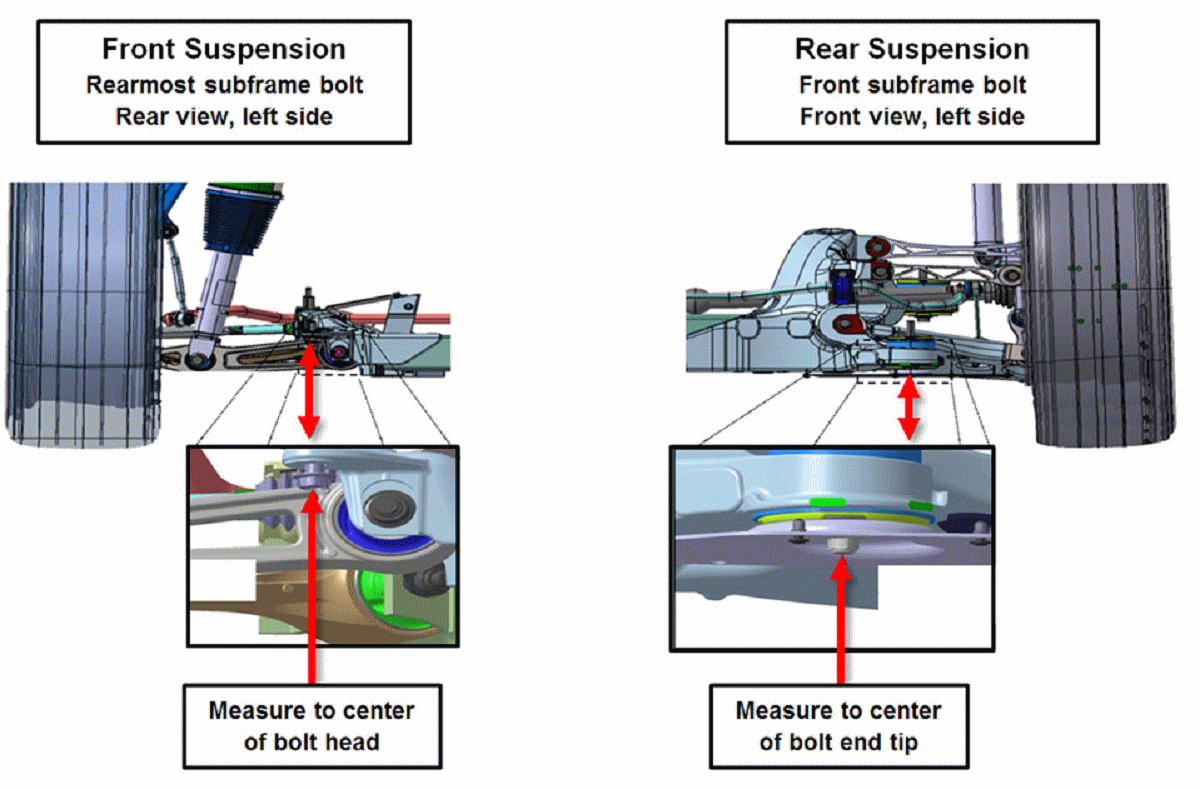
- Measure the ride height at the four designated points, enter the values into the Toolbox 3 routine, click Submit
, and allow the routine to complete.
 Courtesy of TESLA, INC. Courtesy of TESLA, INC.
|
 Courtesy of TESLA, INC. Courtesy of TESLA, INC.
|
 Courtesy of TESLA, INC. Courtesy of TESLA, INC.
|
- Click the Actions
tab, type "Level Tesla Air Suspension" into the search field, click PROC_EAS_X_LEVEL-TO-HEIGHT, select Cycle
, click Run
, and allow the routine to complete.
- Click the Actions
tab, type "Ride-Height-Calibration" into the search field, click PROC_EAS_X_CHECK-RIDE-HEIGHT-CALIBRATION.
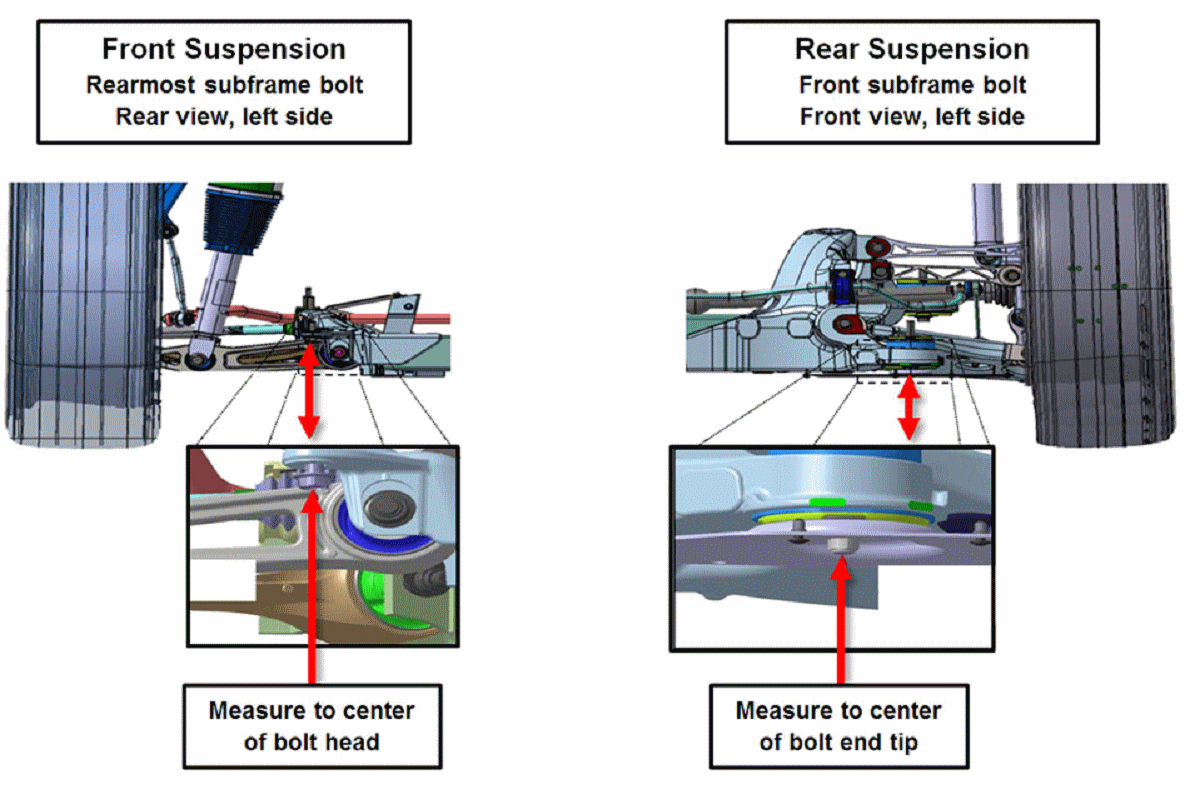
- Measure the ride height at the four designated points, enter the values into the Toolbox 3 routine, click Run
, and allow the routine to complete.
NOTE:
If the routine fails, find the root cause and restart the calibration procedure.
Courtesy of TESLA, INC.
|
 Courtesy of TESLA, INC. Courtesy of TESLA, INC.
|