Steering Rack (LHD Dual Motor) (3rd Generation) - Remove And Replace: Installation
- Install the bolts (x3) that attach the steering rack to the front subframe assembly (torque 167 N.m).
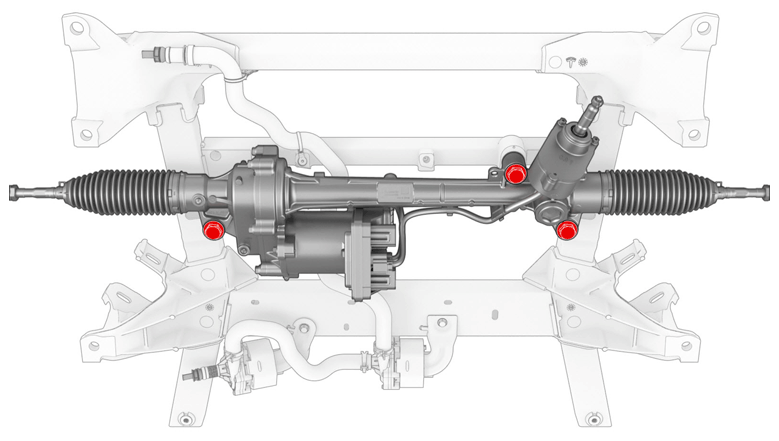 Courtesy of TESLA, INC. Courtesy of TESLA, INC.
|
- Install the front stabilizer bar onto the front subframe assembly.
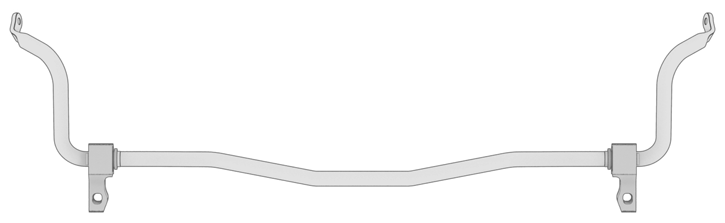 Courtesy of TESLA, INC. Courtesy of TESLA, INC.
|
- Install the bolt that attaches the battery pump 2 bracket to the front subframe assembly (torque 12 N.m).
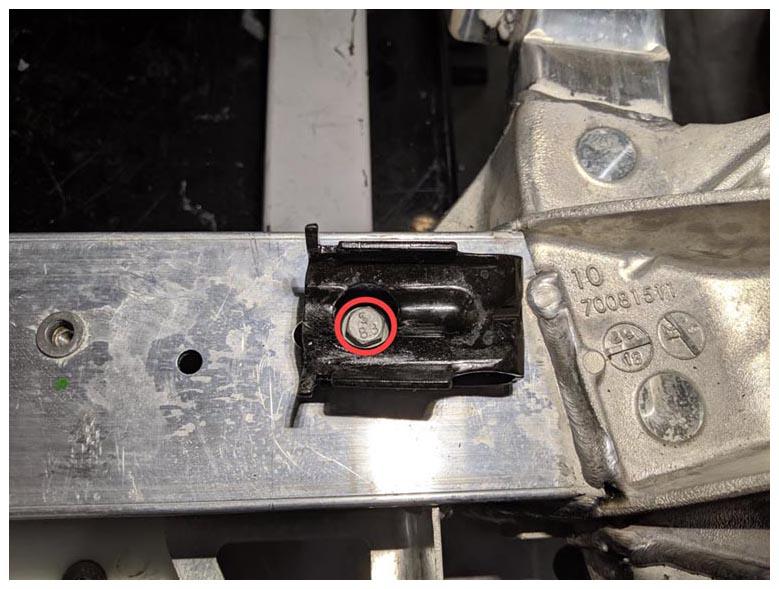 Courtesy of TESLA, INC. Courtesy of TESLA, INC.
|
- Install the 3rd generation front subframe assembly. See Subframe Assembly - Front (3rd Generation) (Remove and Install)
.
- Connect a laptop with both Toolbox 2 and Toolbox 3 to the vehicle.
- Perform a firmware redeploy. See Firmware Reinstall - Toolbox
.
- Perform a Lock To Lock-Angle test. See Lock To Lock-Angle Test .
- Disconnect the laptop from the vehicle.
- Refer to the Alignment Requirement tables to determine if an alignment check (AC) or full adjustment (FA) is necessary. See Alignment Requirement - Suspension
.