- Position the radar into the new radar housing.
- Install the radar housing back plate.
NOTE:
3x bolts, T10, 0.8 N.m.
- Support the radar assembly and connect the radar.
NOTE:
1x connector.
- Install the radar housing assembly to the radar bracket.
NOTE:
3x Ball Joint, Take care not to damage the face of the radar.
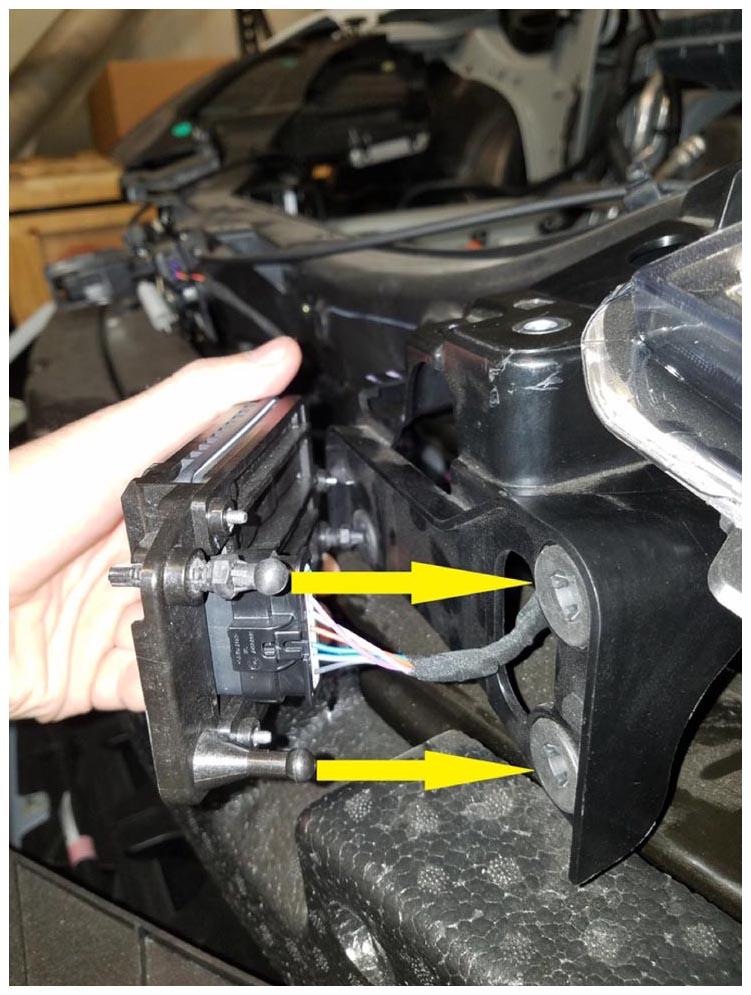 Courtesy of TESLA, INC. Courtesy of TESLA, INC.
|
- Place front fascia onto vehicle and secure fascia to fender brackets.
NOTE:
Recommend Assistance, Route fascia harness while installing, Align guide tabs to aeroshield then secure to fender brackets.
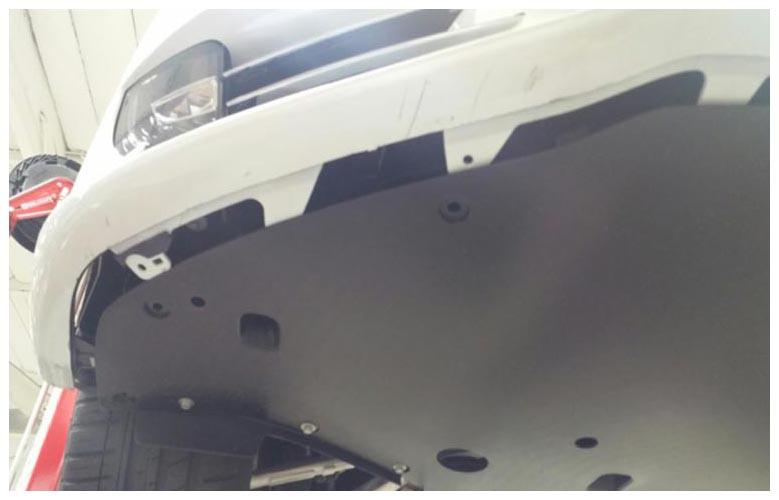 Courtesy of TESLA, INC. Courtesy of TESLA, INC.
|
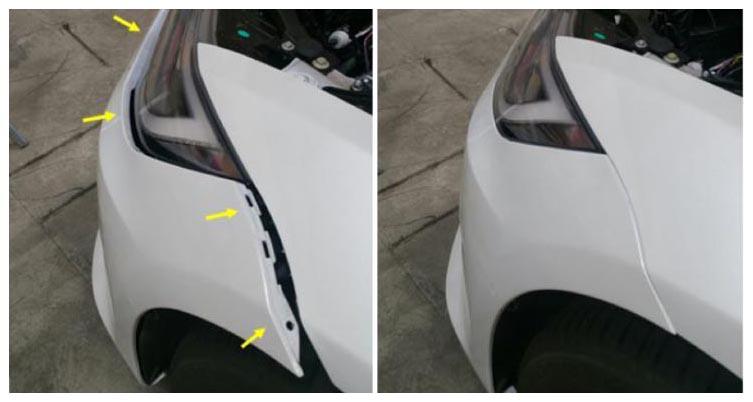 Courtesy of TESLA, INC. Courtesy of TESLA, INC.
|
- Install screws and clips securing fascia to front aero shield.
NOTE:
2x bolts, 10 mm, 4 N.m, 6x push clips.
- Install screw securing fascia to LH fender bracket.
NOTE:
1x screw, T25, 1.5 N.m.
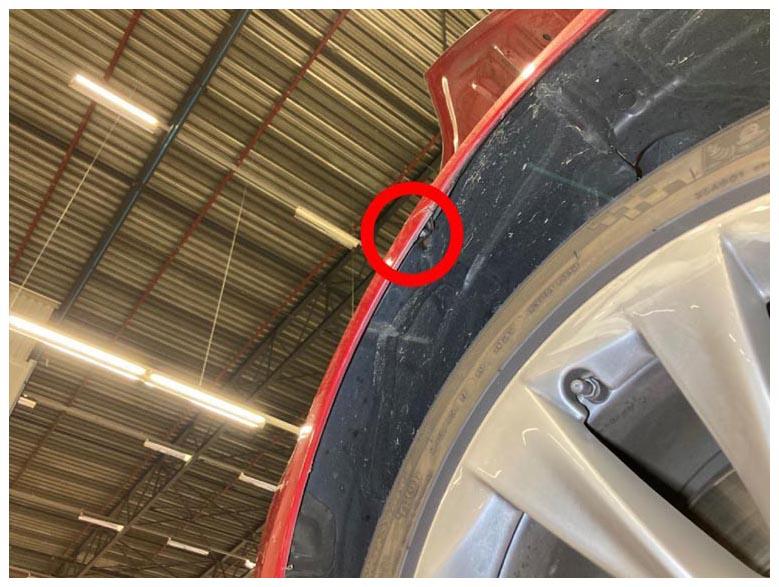 Courtesy of TESLA, INC. Courtesy of TESLA, INC.
|
- Install screws securing LH side of fascia to carrier.
NOTE:
2x bolts, 10 mm, 4 N.m.
- Install screws securing RH side of fascia bracket to carrier.
NOTE:
2x bolts, 10 mm, 4 N.m.
- Reconnect fascia harness connector and edge clip.
NOTE:
2x connectors, 1x edge clip.
- Remove masking tape from front fenders.
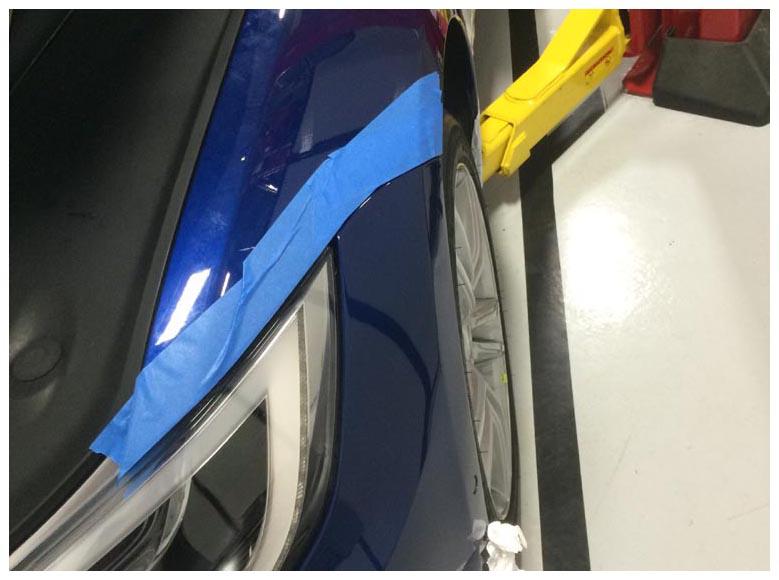 Courtesy of TESLA, INC. Courtesy of TESLA, INC.
|
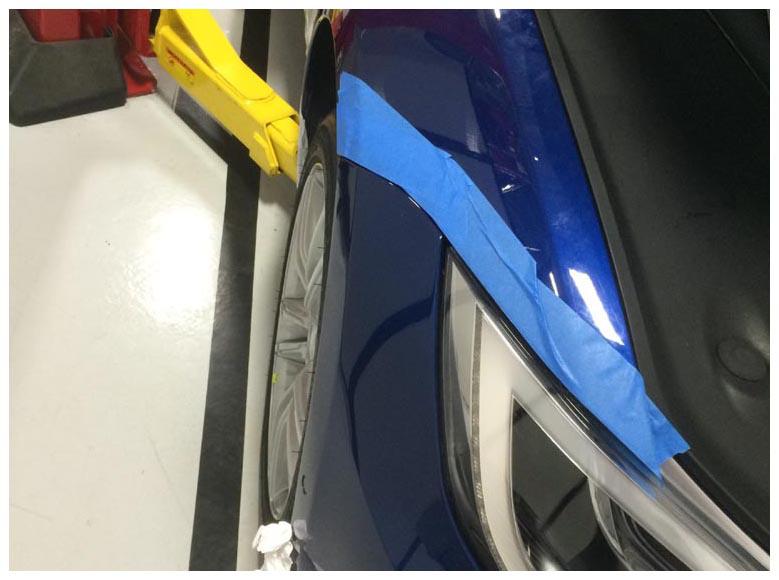 Courtesy of TESLA, INC. Courtesy of TESLA, INC.
|
- Close hood.
NOTE:
Press firmly in green highlighted areas (see image), Damage may result from pressure elsewhere on hood.
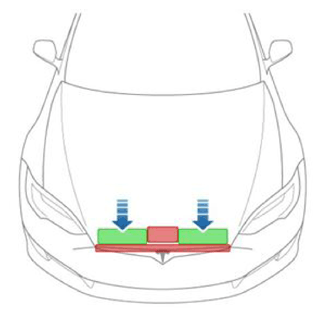 Courtesy of TESLA, INC. Courtesy of TESLA, INC.
|
- Using MCU apply standard suspension level.
- Remove storage cubby and connect laptop running Toolbox to the vehicle.
NOTE:
2x ubell clips.
- In Toolbox 3, click the Actions
tab, type "Continental" into the search field, click PROC_RADC_X_CONTINENTAL-SERVICE-DRIVE-ALIGNMENT
, click Run
, and allow the routine to complete.
- Drive vehicle for radar calibration routine.
NOTE:
If calibration failure is indicated by Toolbox, re-perform radar bracket adjustment. Time per standard road test FRT.
- Open hood.
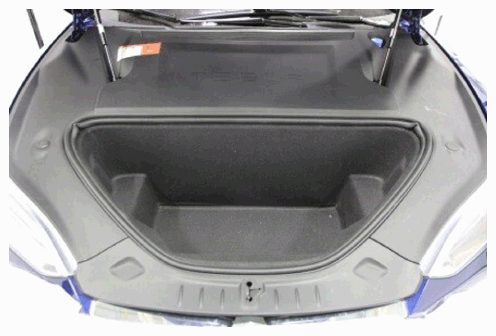 Courtesy of TESLA, INC. Courtesy of TESLA, INC.
|
- Disconnect fascia harness and release edge clip.
NOTE:
1x edge clip, 2x connectors.
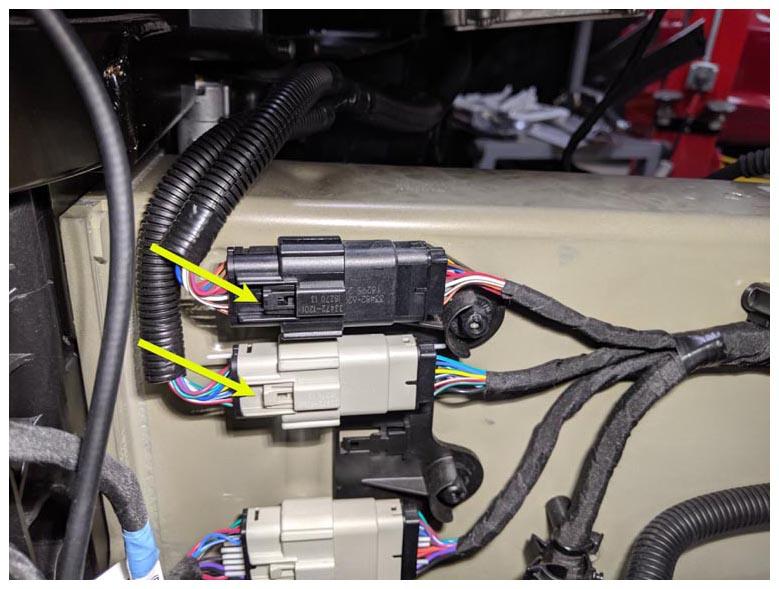 Courtesy of TESLA, INC. Courtesy of TESLA, INC.
|
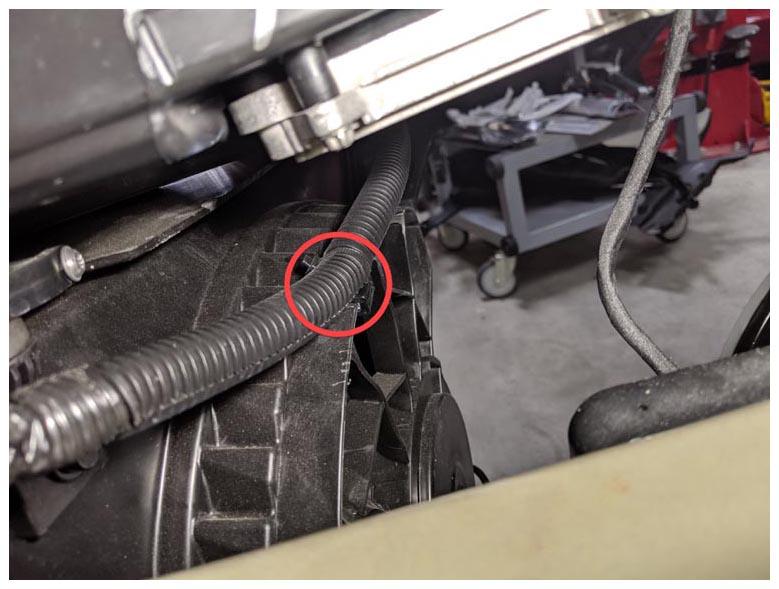 Courtesy of TESLA, INC. Courtesy of TESLA, INC.
|
- Remove screws securing LH fascia bracket to carrier.
NOTE:
2x bolts, 10 mm, 4 N.m.
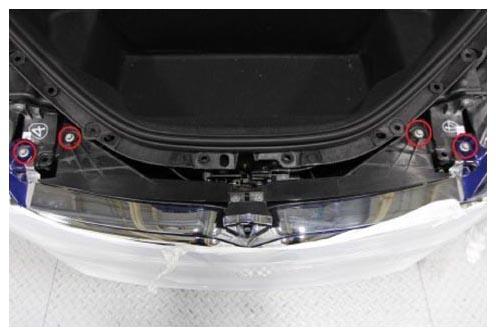 Courtesy of TESLA, INC. Courtesy of TESLA, INC.
|
- Remove screws securing fascia to RH carrier.
NOTE:
2x bolts, 10 mm, 4 N.m.
- Remove screw securing front fascia to LH fender bracket.
NOTE:
1x screw, T25, 1.5 N.m.
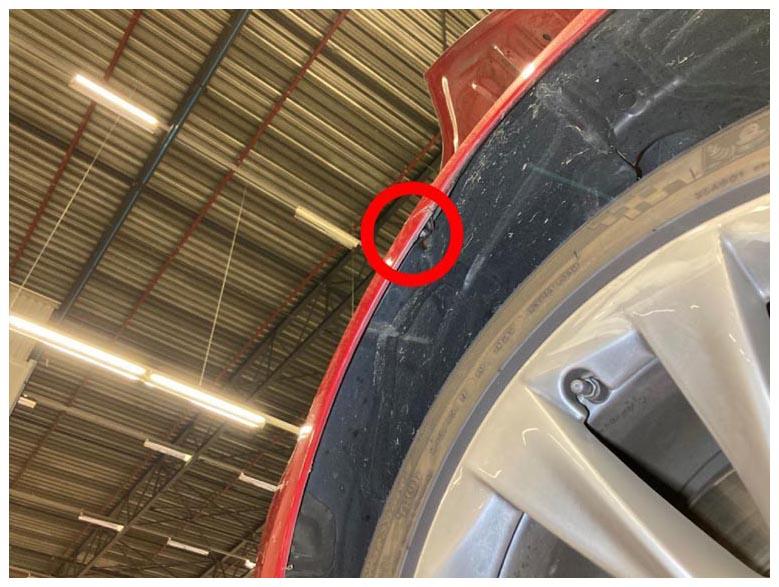 Courtesy of TESLA, INC. Courtesy of TESLA, INC.
|
- Remove screws and clips securing fascia to front aero shield.
NOTE:
2x bolts, 10 mm, 4 N.m, 6x push clips.
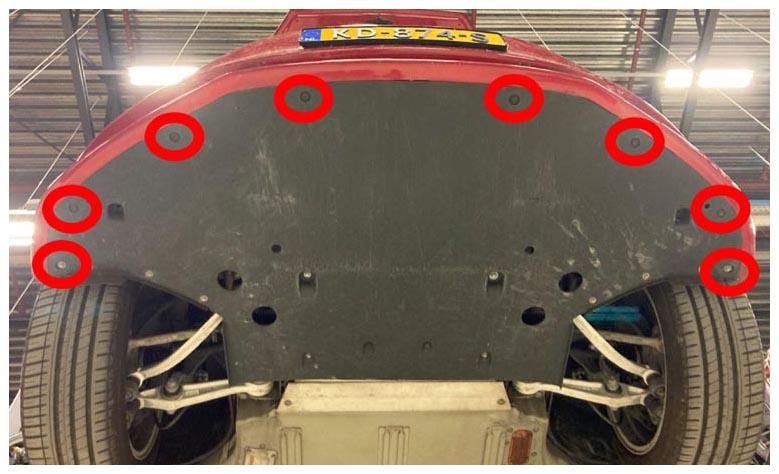 Courtesy of TESLA, INC. Courtesy of TESLA, INC.
|
- Release fascia from fender brackets and pull forward to remove from vehicle.
NOTE:
Set fascia on protected surface, Recommend assistance.
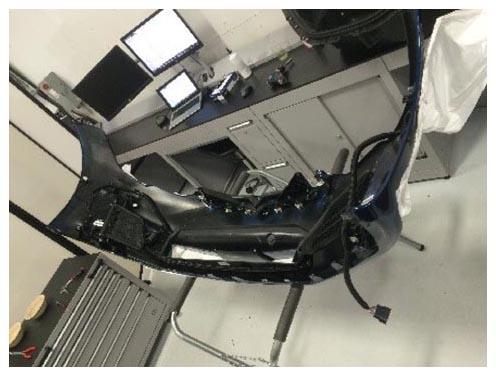 Courtesy of TESLA, INC. Courtesy of TESLA, INC.
|
- Adjust vertical alignment of radar sensor in accordance with data from toolbox calibrations results.
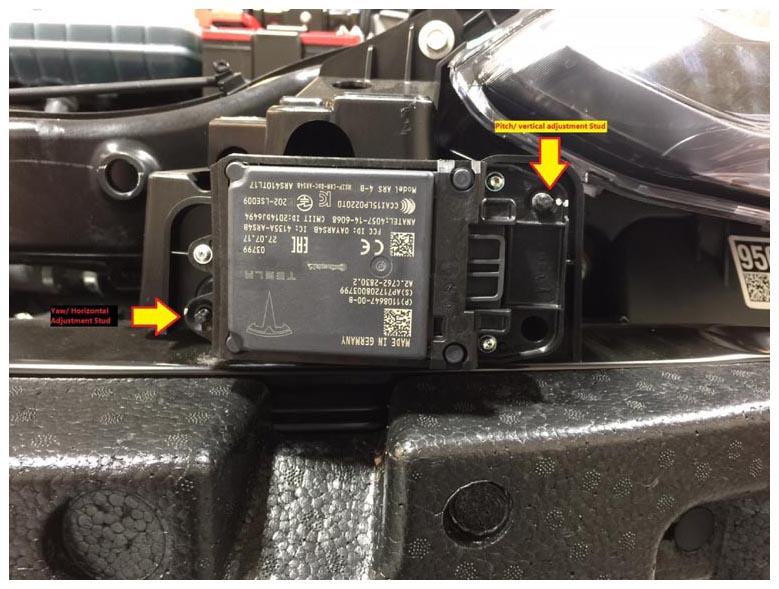 Courtesy of TESLA, INC. Courtesy of TESLA, INC.
|
- Adjust Horizontal alignment in accordance with toolbox calibration results.
- Mark the top of the radar bracket every time an adjustment is made.
NOTE:
The radar bracket should be replaced after either of the self-tapping alignment studs have been adjusted 5 times.
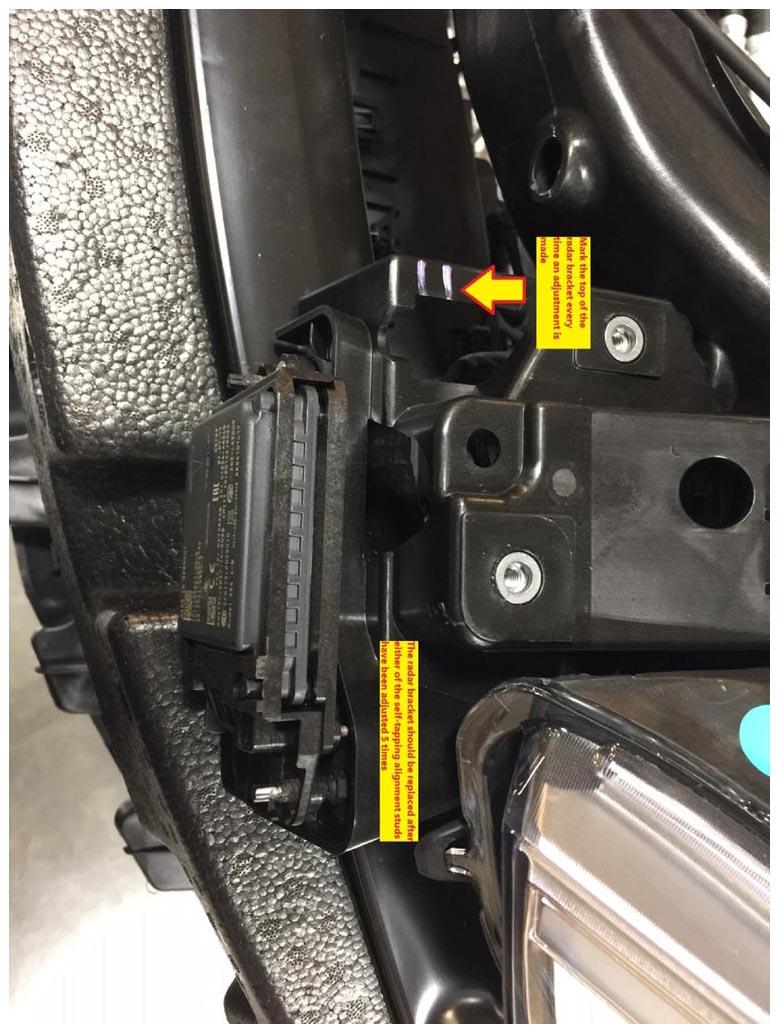 Courtesy of TESLA, INC. Courtesy of TESLA, INC.
|
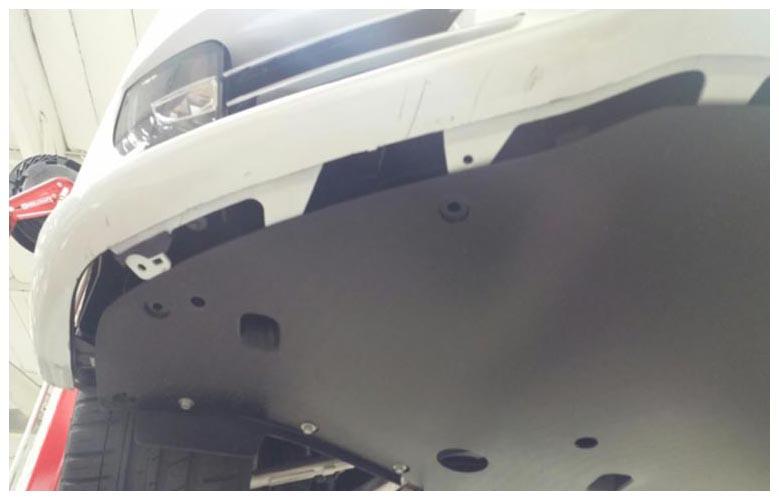
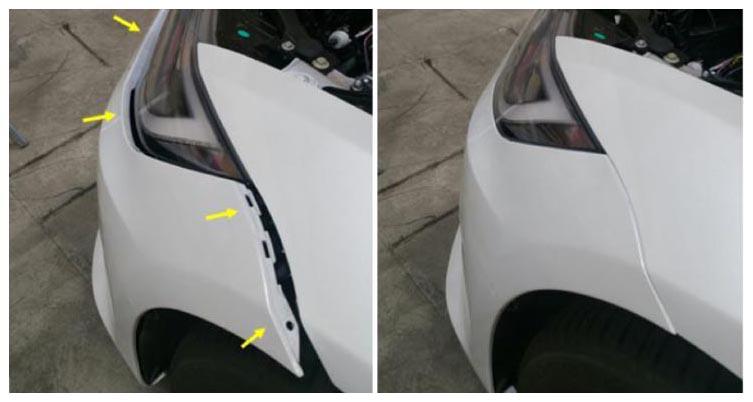
- Place front fascia onto vehicle and secure fascia to fender brackets.
NOTE:
Recommend Assistance, Route fascia harness while installing, Align guide tabs to aeroshield then secure to fender brackets.
 Courtesy of TESLA, INC. Courtesy of TESLA, INC.
|
 Courtesy of TESLA, INC. Courtesy of TESLA, INC.
|
- Install screws and clips securing fascia to front aero shield.
NOTE:
2x bolts, 10 mm, 4 N.m, 6x push clips.
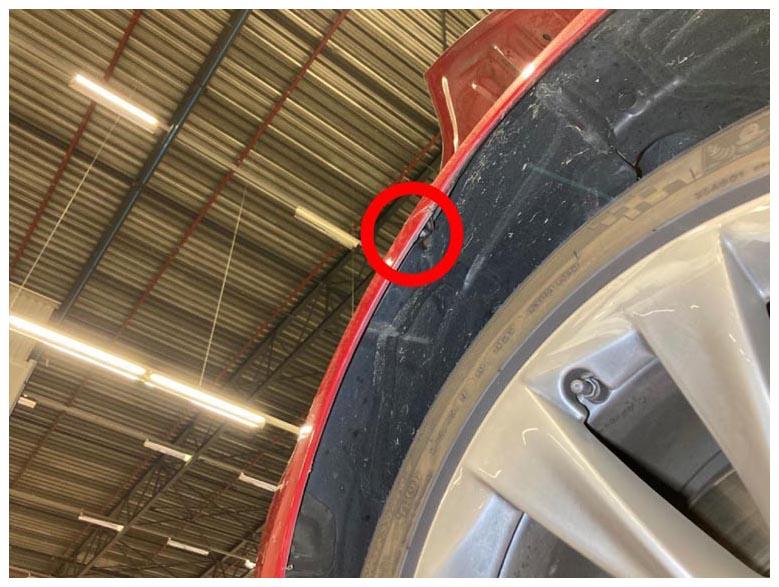
- Install screw securing fascia to LH fender bracket.
NOTE:
1x screw, T25, 1.5 N.m.
 Courtesy of TESLA, INC. Courtesy of TESLA, INC.
|
- Install screws securing LH side of fascia to carrier.
NOTE:
2x bolts, 10 mm, 4 N.m.
- Install screws securing RH side of fascia bracket to carrier.
NOTE:
2x bolts, 10 mm, 4 N.m.
- Reconnect fascia harness connector and edge clip.
NOTE:
2x connectors, 1x edge clip.
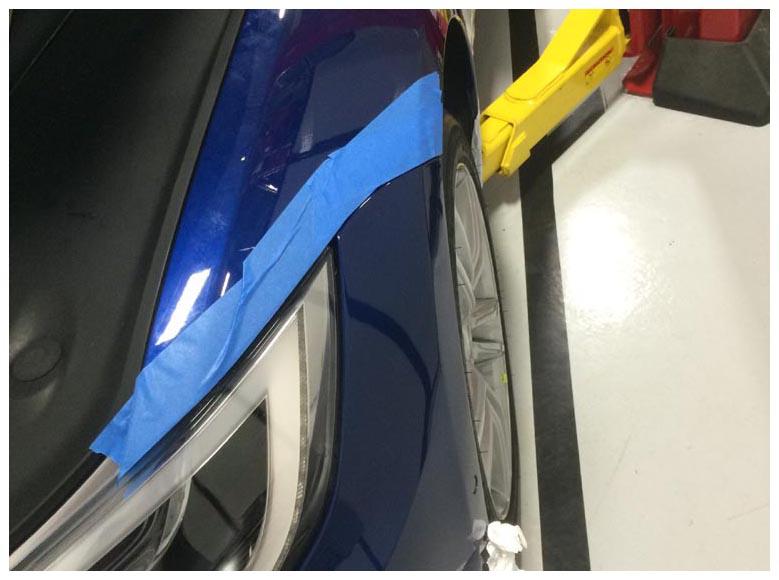
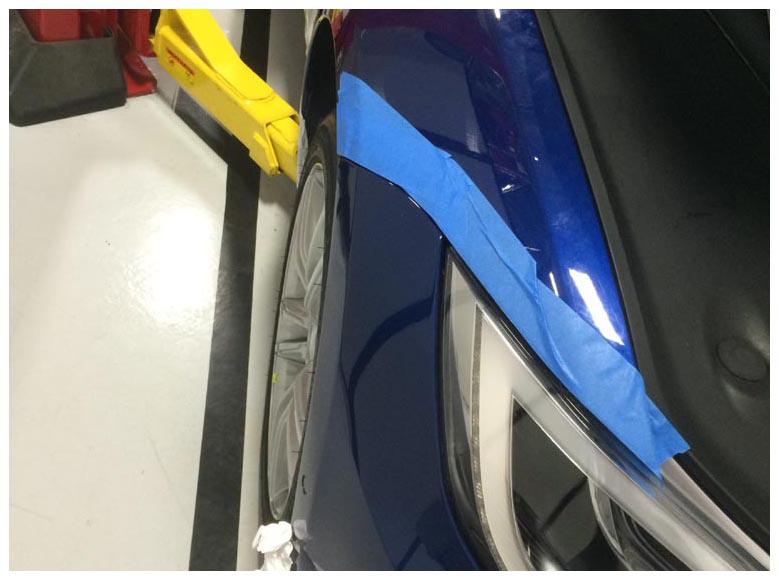
- Remove masking tape from front fenders.
 Courtesy of TESLA, INC. Courtesy of TESLA, INC.
|
 Courtesy of TESLA, INC. Courtesy of TESLA, INC.
|
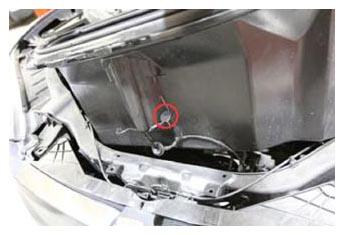
- Feed harness grommet through underhood storage unit and position for installation.
NOTE:
1x grommet.
 Courtesy of TESLA, INC. Courtesy of TESLA, INC.
|
- Install bolts and clips securing underhood storage unit.
NOTE:
2x bolts, 10 mm, 7 N.m, 2x push clips.
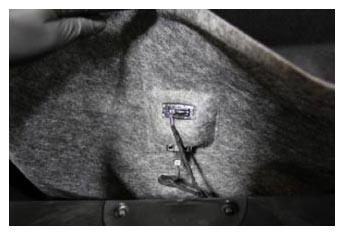
- Install underhood storage carpet and reconnect light and release switch connectors.
NOTE:
2x connectors, Secure edges of carpet underneath underhood storage unit seal.
 Courtesy of TESLA, INC. Courtesy of TESLA, INC.
|
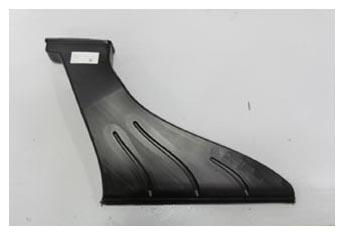
- Install HEPA filter outlet duct.
 Courtesy of TESLA, INC. Courtesy of TESLA, INC.
|
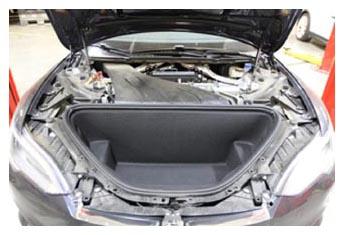 Courtesy of TESLA, INC. Courtesy of TESLA, INC.
|
- Install HEPA filter inlet duct.
NOTE:
2x tabs, One on each side.
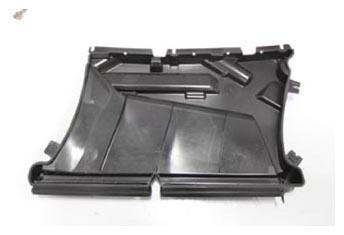 Courtesy of TESLA, INC. Courtesy of TESLA, INC.
|
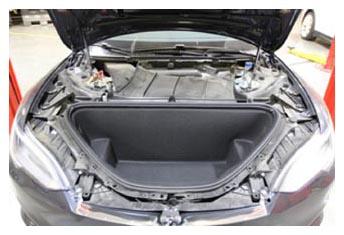 Courtesy of TESLA, INC. Courtesy of TESLA, INC.
|
- Install clips securing HEPA filter inlet duct to cowl panel.
NOTE:
3x push clips.
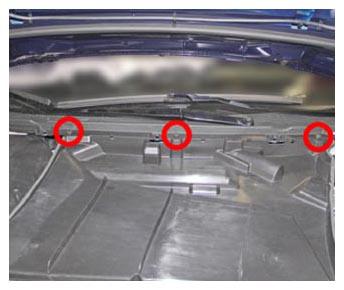 Courtesy of TESLA, INC. Courtesy of TESLA, INC.
|
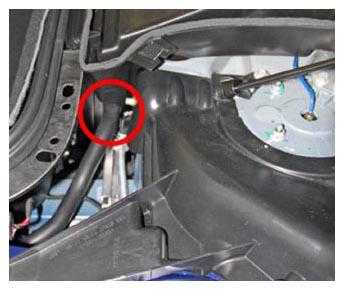
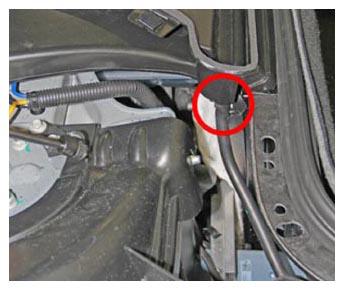
- Secure drainage hoses to HEPA filter inlet duct.
NOTE:
2x hoses.
 Courtesy of TESLA, INC. Courtesy of TESLA, INC.
|
 Courtesy of TESLA, INC. Courtesy of TESLA, INC.
|
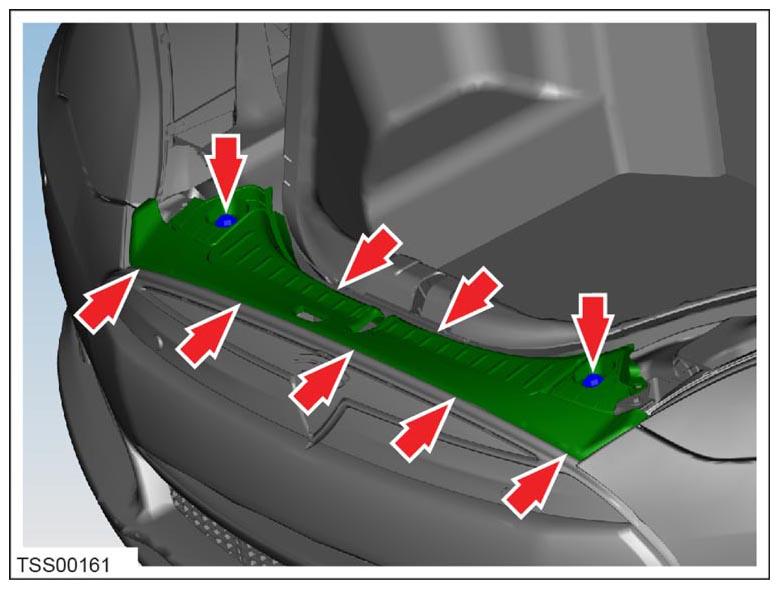
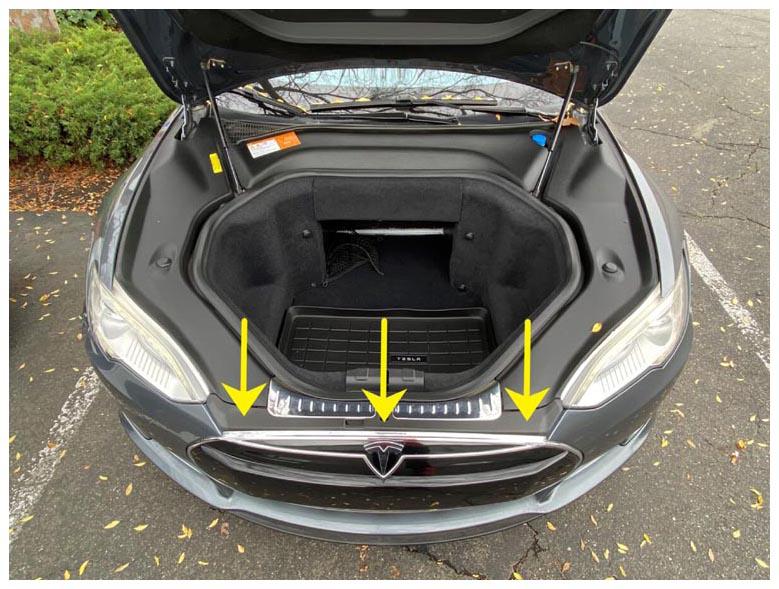
- Install front underhood apron.
NOTE:
2x push clips, 7x clips.
 Courtesy of TESLA, INC. Courtesy of TESLA, INC.
|
 Courtesy of TESLA, INC. Courtesy of TESLA, INC.
|
- Install RH underhood apron.
NOTE:
9x clips.
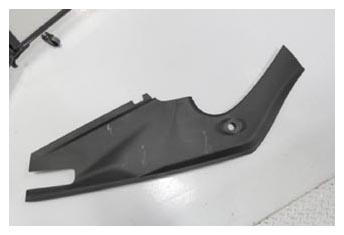 Courtesy of TESLA, INC. Courtesy of TESLA, INC.
|
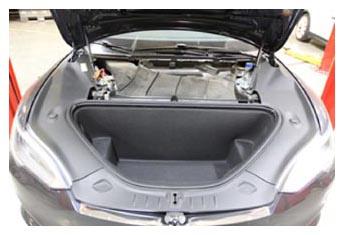 Courtesy of TESLA, INC. Courtesy of TESLA, INC.
|
- Install LH underhood apron.
NOTE:
9x clips.
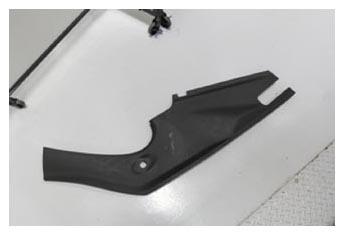 Courtesy of TESLA, INC. Courtesy of TESLA, INC.
|
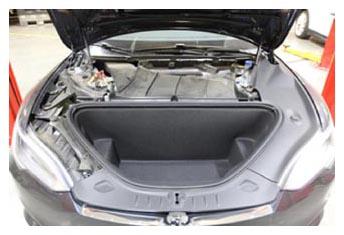 Courtesy of TESLA, INC. Courtesy of TESLA, INC.
|
- Install rear underhood apron.
NOTE:
8x clips.
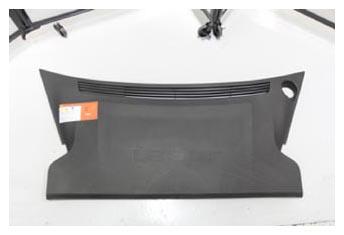 Courtesy of TESLA, INC. Courtesy of TESLA, INC.
|
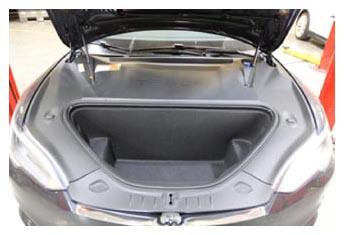 Courtesy of TESLA, INC. Courtesy of TESLA, INC.
|
- Close hood.
NOTE:
Press firmly in green highlighted areas (see image), Damage may result from pressure elsewhere on hood.
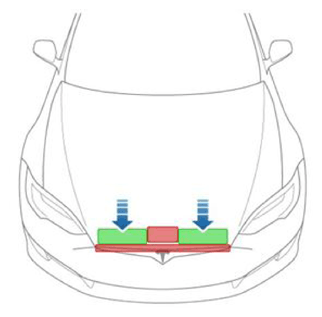 Courtesy of TESLA, INC. Courtesy of TESLA, INC.
|
- Using MCU apply standard suspension level.
- In Toolbox 3, click the Actions
tab, type "Continental" into the search field, click PROC_RADC_X_CONTINENTAL-SERVICE-DRIVE-ALIGNMENT
, click Run
, and allow the routine to complete.
- Drive vehicle for radar calibration routine.
NOTE:
If calibration failure is indicated by Toolbox, re-perform radar bracket adjustment. Time per current drive test FRT.
- Disconnect laptop from vehicle and reinstall storage cubby.
NOTE:
2x ubell clips.
- Perform vehicle test drive to verify operation of DAS.
NOTE:
Per current FRT (00040100) 0.3 hrs.