- In the Service Information, refer to Tire Pressures
. Note the appropriate hard and soft TPMS thresholds, depending on suspension type, tire size, and region.
- Sit in the driver's seat to turn on the accessory rail.
- Pull down the center storage tray or center cover to detach the front clips (x2).
NOTE:
The storage tray or center cover does not need to be completely removed.
- Connect the Tesla SmarTool (1013547-00-A) to the CAN breakout connector under the touchscreen with the SmarTool cable (1013758-01-A).
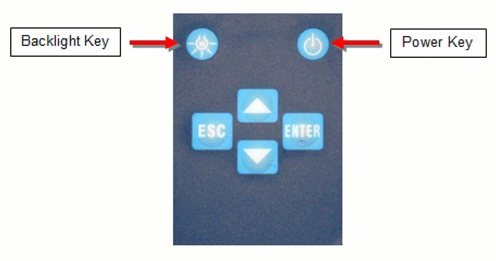
- Turn on the Tesla SmarTool by pressing the Power button at the upper-right corner of the keypad.
NOTE:
The tool is equipped with a screen backlight, which can be turned on or off using the light bulb button.
 Courtesy of TESLA, INC. Courtesy of TESLA, INC.
|
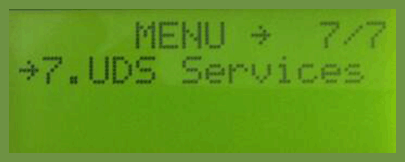
- Press the down button to scroll to UDS Services. Press the ENTER button.
 Courtesy of TESLA, INC. Courtesy of TESLA, INC.
|
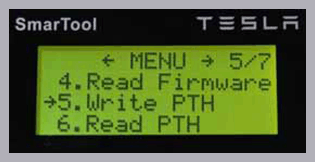
- Press the down button to scroll to Write PTH. Press the ENTER button.
 Courtesy of TESLA, INC. Courtesy of TESLA, INC.
|
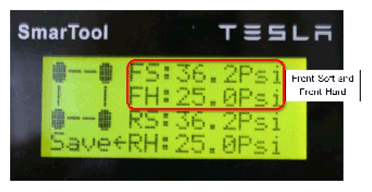
- Set the FH and FS (front hard and front soft) values to the correct front thresholds from step 1.
NOTE:
The Tesla SmarTool might not permit the exact number to be entered. Set the value as close to the specification as possible.
 Courtesy of TESLA, INC. Courtesy of TESLA, INC.
|
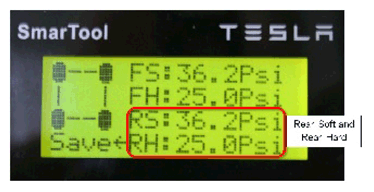
- Set the RH and RS (rear hard and rear soft) values to the correct rear thresholds from step 1.
NOTE:
The Tesla SmarTool might not permit the exact number to be entered. Set the value as close to the specification as possible.
 Courtesy of TESLA, INC. Courtesy of TESLA, INC.
|
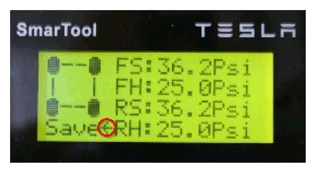
- After RS is set properly, press the Down button. The cursor flips to point toward Save. Press ENTER. The tool displays "Succeed" when the thresholds are updated in the ECU.
NOTE:
If the tool displays "ECU No Response", the tool has lost its connection to the vehicle. Check the connections at the TPMS tool and CAN breakout connector, then select Retry.
 Courtesy of TESLA, INC. Courtesy of TESLA, INC.
|
- Press the down arrow to scroll to Read PTH. Press ENTER. Check that all thresholds are properly set.
- Turn off the TPMS tool.
- Disconnect the TPMS tool cable from the vehicle.
- Reseat the front center storage tray or center cover.