Maintenance Reminder Display Reset - Procedure 02
- Press the INFO button on the steering wheel (or ENTER on the center console controls) until the Guidance Screen is displayed on the information screen. See Fig 1 or Fig 2
.
- Press and hold the INFO button while the Guidance Screen is displayed. the Setting Screen's Top Menu should now be displayed. See Fig 3.
- Use the ARROW buttons to display the Maintenance Menu.
- Pull the SET switch (or push ENTER) to select the Maintenance Menu.
- Use the ARROW buttons to highlight items in the 2nd Menu.
- Pull the SET switch (or push ENTER) to select a 2nd Menu item.
- After items have been adjusted, select SET to exit settings. Select UPDATE to change the notification distance to the default value. Select GO BACK to return to the previous screen without applying the setting changes.
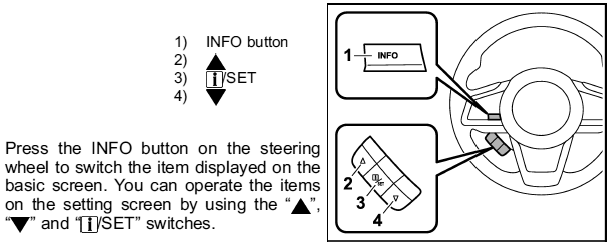 Courtesy of SUBARU
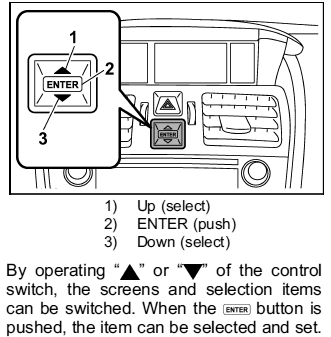 Courtesy of SUBARU
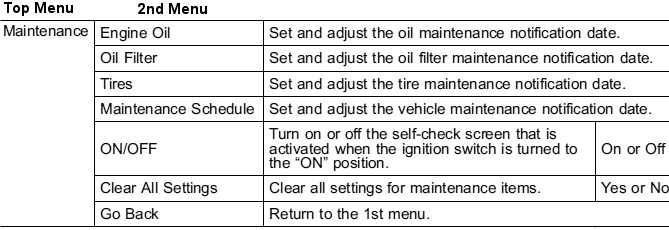 Courtesy of SUBARU