SI-DRIVE (SUBARU Intelligent Drive) Selector: Removal
- Disconnect the ground cable from battery.
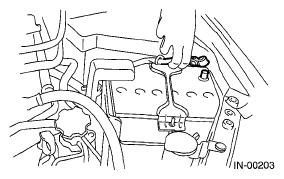 Courtesy of SUBARU OF AMERICA, INC.
- Remove the console box. Refer to
REMOVAL
, Console Box.
- Disconnect the SI-DRIVE selector connector.
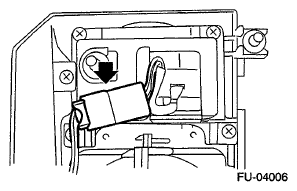 Courtesy of SUBARU OF AMERICA, INC.
- Remove the screws which secure the SI-DRIVE selector to the console box.
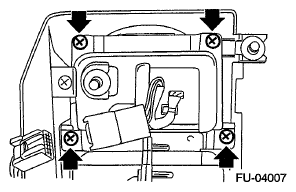 Courtesy of SUBARU OF AMERICA, INC.
- Disconnect the connector from SI-DRIVE selector cover, and remove the SI-DRIVE selector.
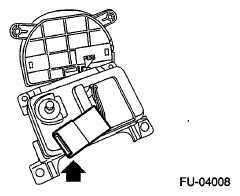 Courtesy of SUBARU OF AMERICA, INC.