Removal Procedure
- Disconnect the negative battery cable. Refer to Battery Negative Cable Disconnection and Connection
 Courtesy of GENERAL MOTORS CORP.
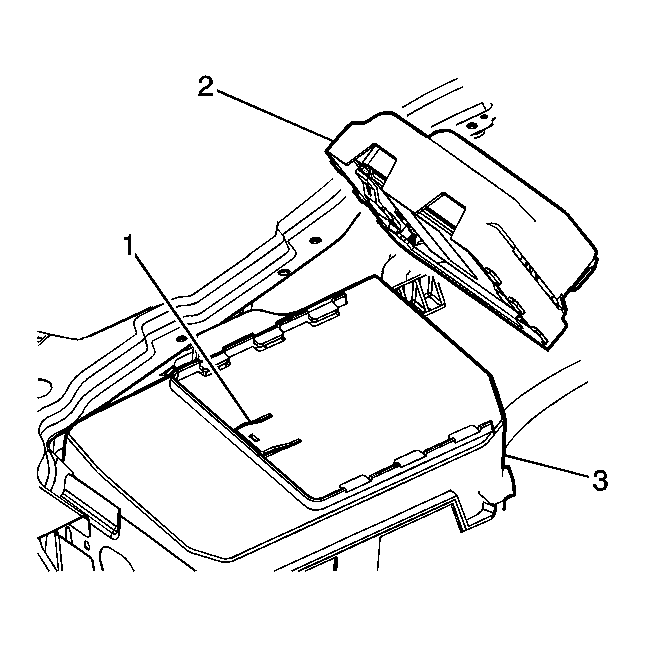
- Depress the tab (1) retaining the engine control Module (2).
- Slide the engine control module (2) in order to disengage the engine control module bracket from the battery upper cover (3).
- Position the engine control module assembly (2) to the side. Do not disconnect the wiring harness.
 Courtesy of GENERAL MOTORS CORP.
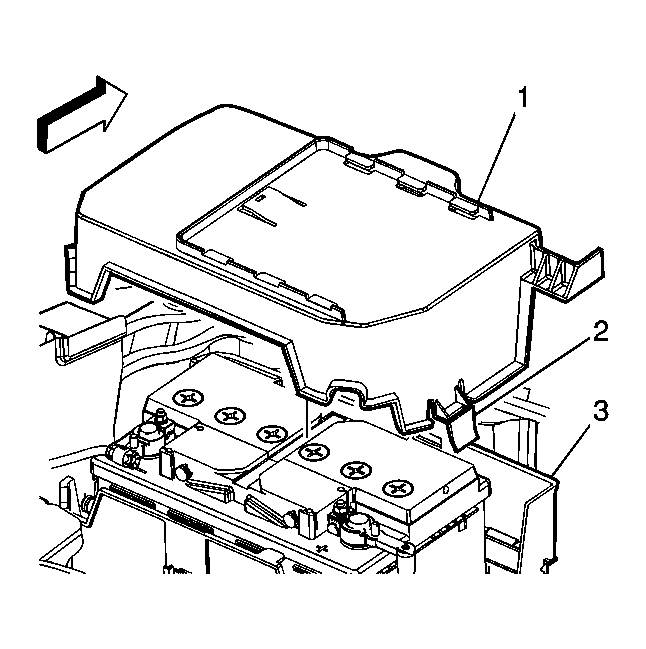
- Release the two tabs (2).
- Remove the battery upper (1) cover from the battery lower cover (3).
 Courtesy of GENERAL MOTORS CORP.
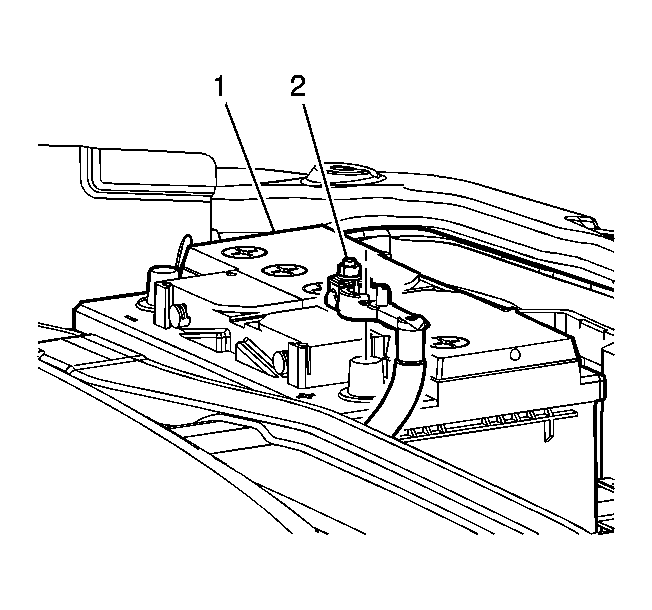
- Loosen the positive battery cable retaining nut (2).
- Remove the positive battery cable from the battery (1).
 Courtesy of GENERAL MOTORS CORP.
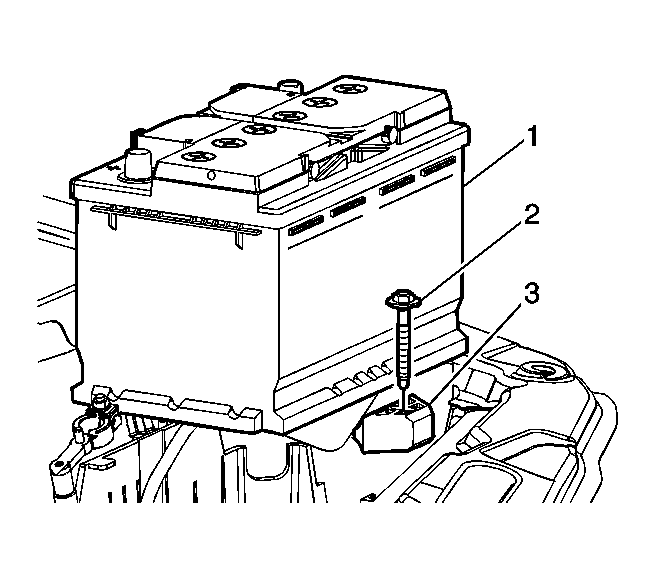
- Remove the battery retaining bolt (2) and retainer block (3).
- Remove the battery (1) from the vehicle.