Removal Procedure
- Disconnect the negative battery cable. Refer to Battery Negative Cable Disconnection and Connection (With LAT) or Battery Negative Cable Disconnection and Connection (Without LAT) .
 Courtesy of GENERAL MOTORS CORP.
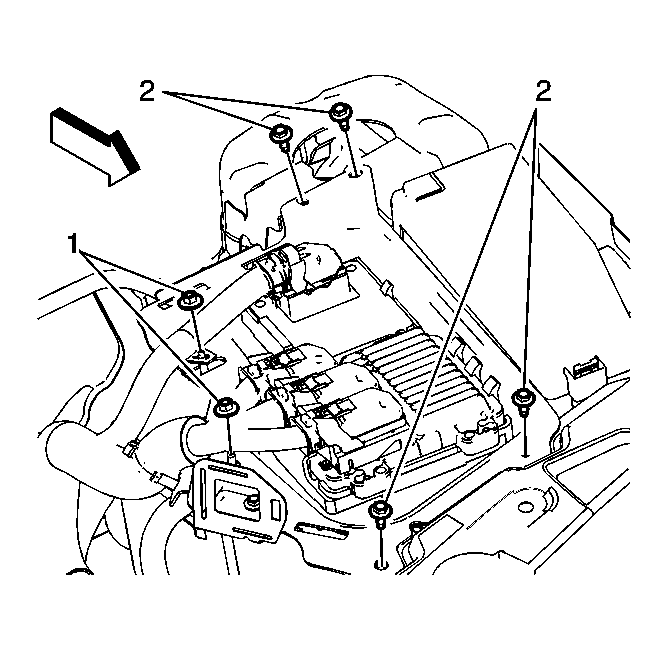
- Remove the electronic control module bracket retaining nuts (1) and bolts (2).
- Disconnect the positive battery junction block assembly from the bracket.
 Courtesy of GENERAL MOTORS CORP.
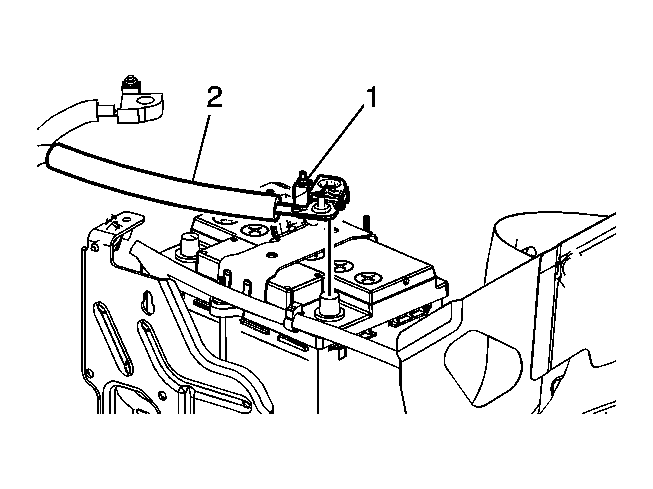
- Loosen the positive battery cable terminal nut (1) and secure the battery positive cable (2) out of the way.
- Remove the generator control module cover. Refer to Generator Control Module Cover Replacement
 Courtesy of GENERAL MOTORS CORP.
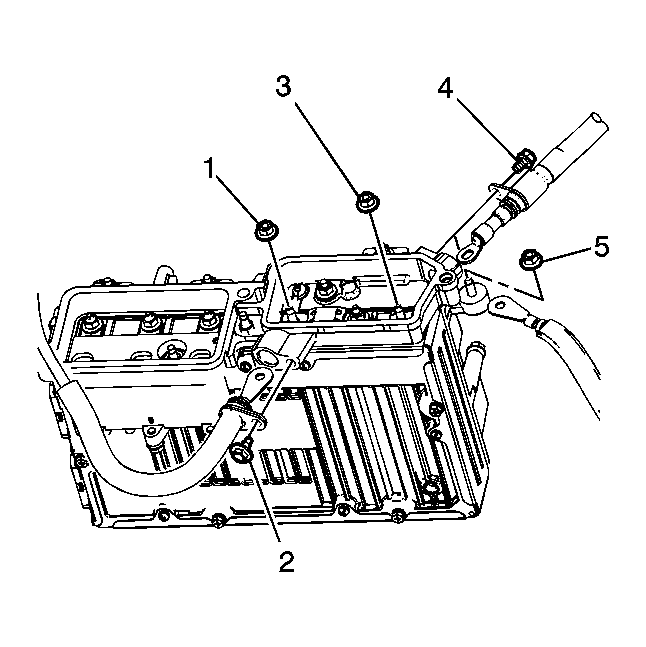
- Remove the following components from the generator control module.
- Fusible link nut (1)
- Fusible link bolt (2)
- Remove the fusible link cable from the generator control module.
- Raise and support the vehicle. Refer to Lifting and Jacking the Vehicle
.
 Courtesy of GENERAL MOTORS CORP.
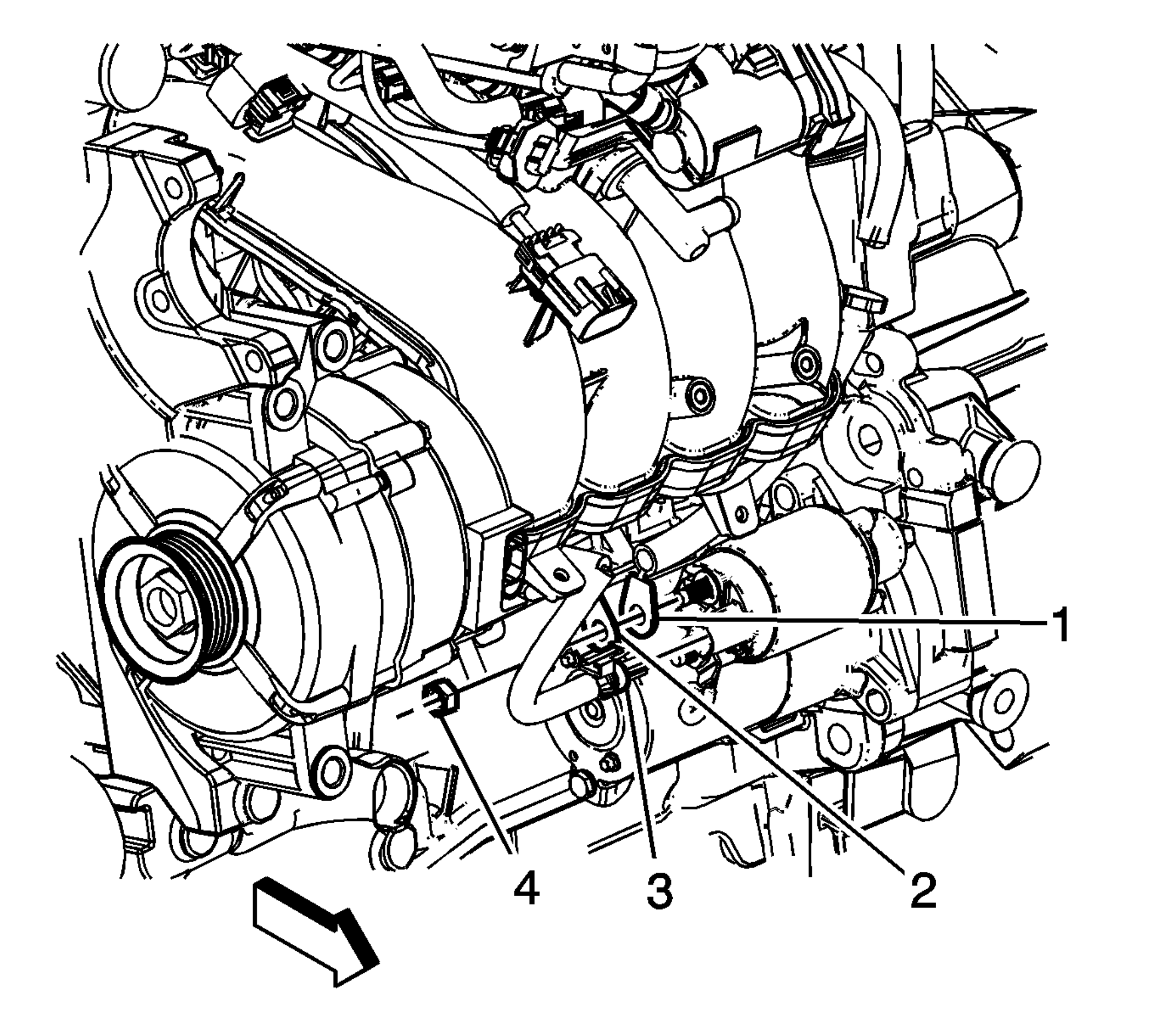
- Disconnect the positive cable (1) from the starter.
- Remove the positive battery cable from the vehicle.