Removal Procedure
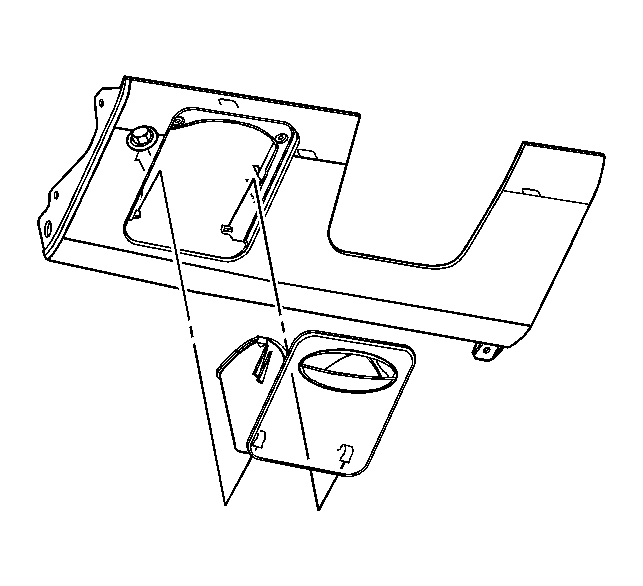 Courtesy of GENERAL MOTORS CORP.
- Lower the instrument panel (I/P) storage compartment below the down stops by squeezing on the sides to allow the down stops to travel past the I/P filler panel.
- Pull out on the I/P storage compartment in order to unsnap the compartment from the steering column filler panel.
- Remove the right instrument panel (I/P) outer trim cover. Refer to Instrument Panel Outer Trim Cover Replacement .
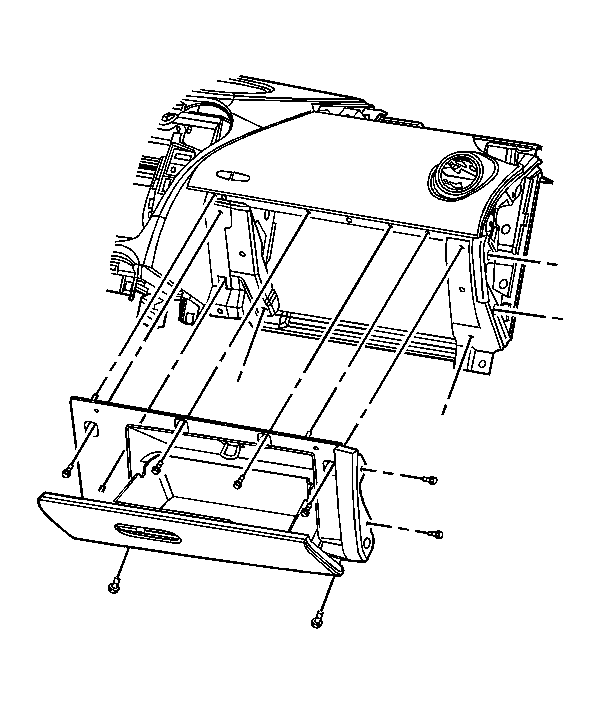 Courtesy of GENERAL MOTORS CORP.
- Remove the I/P compartment screws.
- Pull out on the I/P compartment in order to remove.