Removal Procedure
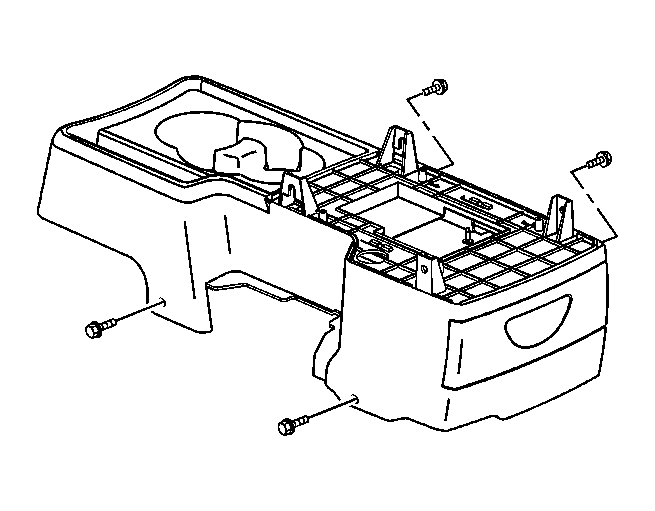 Courtesy of GENERAL MOTORS CORP.
- Position the front seats rearward.
- Reach under the front seats to access the lower console screws.
- Remove the console screws.
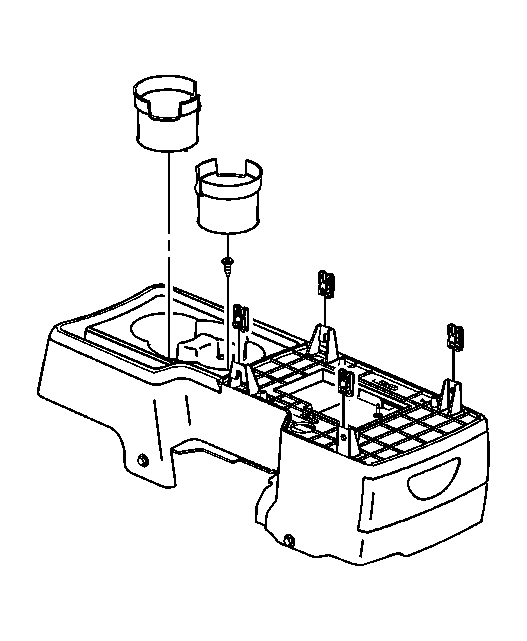 Courtesy of GENERAL MOTORS CORP.
- Remove the cup holder liner.
- Remove the cup holder screw.
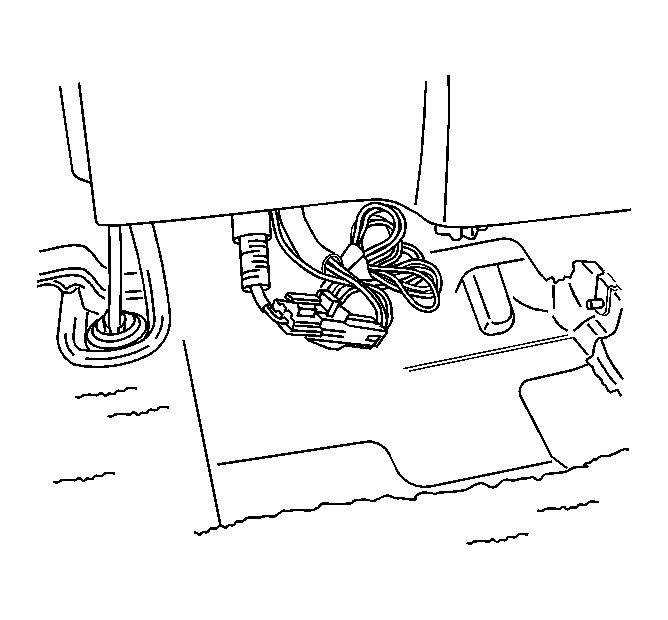 Courtesy of GENERAL MOTORS CORP.
- Lift the rear of the center floor console.
- Disconnect the electrical connector to the auxiliary power outlet.
- Slide the center floor console rearward to access the upper console screws.
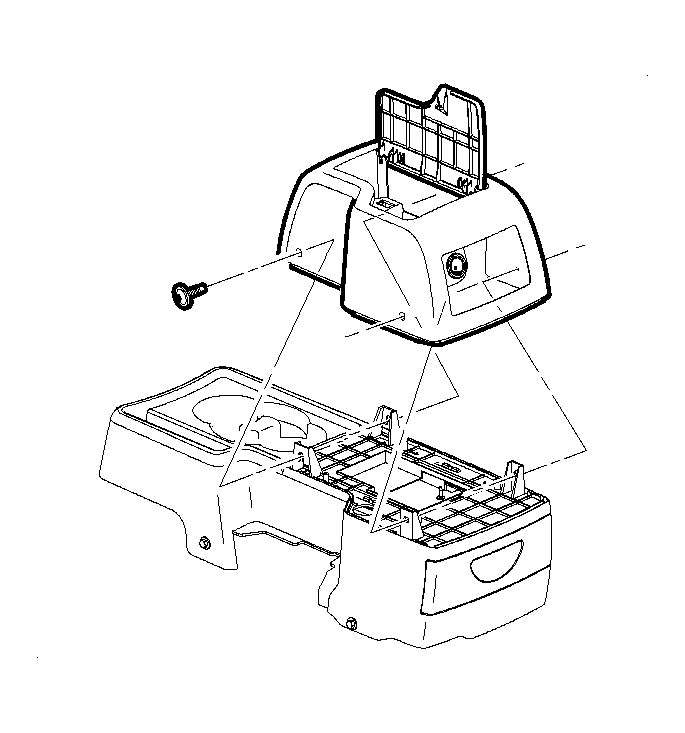 Courtesy of GENERAL MOTORS CORP.
- Remove the console screws.
- Remove the upper console.