Removal Procedure
- Remove the steering wheel. Refer to Steering Wheel Replacement .
- Remove the steering column trim covers. Refer to Steering Column Trim Covers Replacement .
- Remove the inflatable restraint steering wheel module. Refer to Inflatable Restraint Steering Wheel Module Coil Replacement
in SIR.
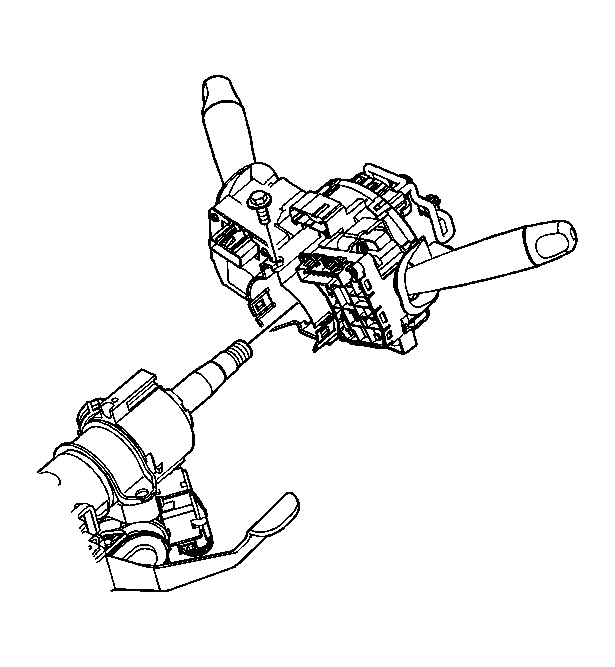 Courtesy of GENERAL MOTORS CORP.
- If applicable, disconnect the ignition lock cylinder solenoid harness connector.
- Disconnect the ignition switch harness connector.
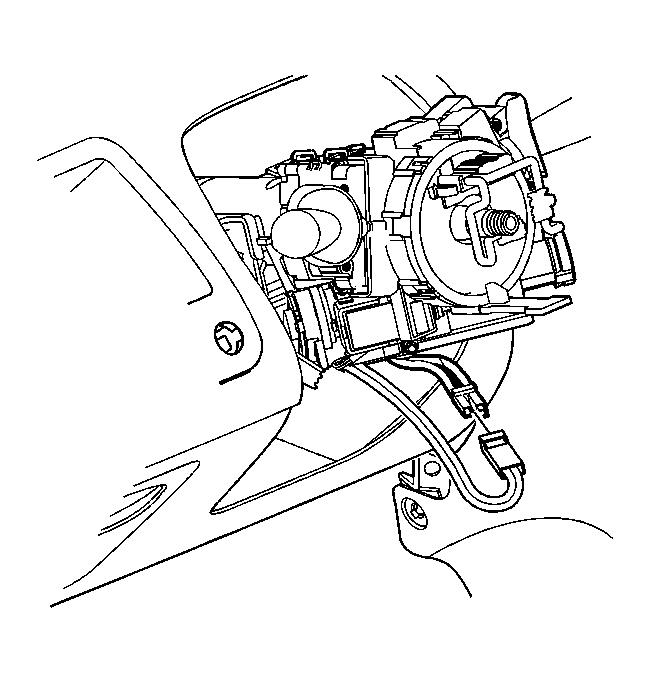 Courtesy of GENERAL MOTORS CORP.
- Using the following procedure, remove the ignition lock cylinder case shear bolts:
- Use a hammer and chisel to bite into the shear bolt at a position offset from center.
- Tap the chisel to rotate the bolt in order to loosen it. Repeat as necessary until bolt is loose enough to remove.
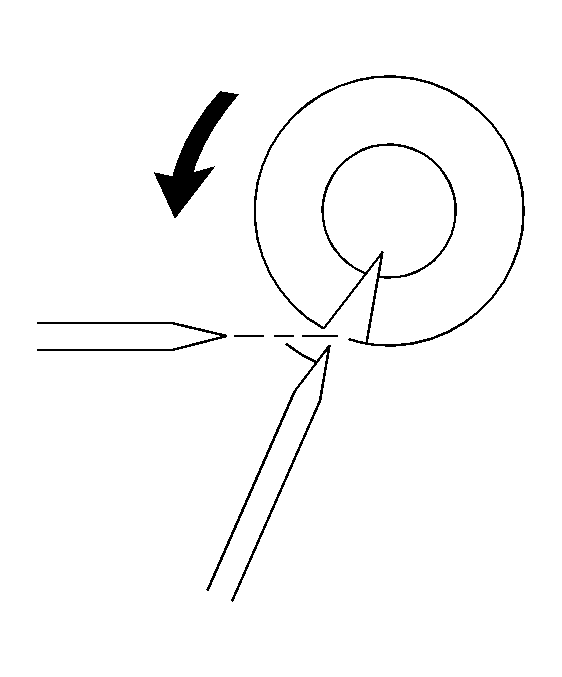 Courtesy of GENERAL MOTORS CORP.
- Remove the ignition lock cylinder case housing from the steering column.
- Remove the ignition lock cylinder from the lock cylinder case housing. Refer to Ignition Lock Cylinder Replacement .
 Courtesy of GENERAL MOTORS CORP.