Removing And Installing Optical Contacts On Connector Side
- Open the secondary locking with the press-out tool. Insert the tool in the opening provided and lift the locking. The locking engages in the upper position. See TOOLS
.
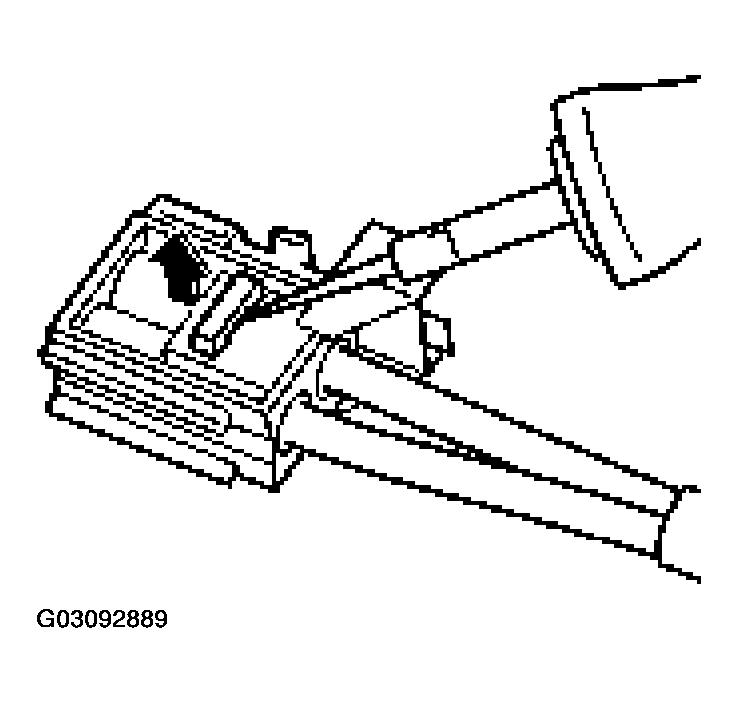 Courtesy of PORSCHE OF NORTH AMERICA, INC.
- Place the tool on the primary locking and lift the locking.
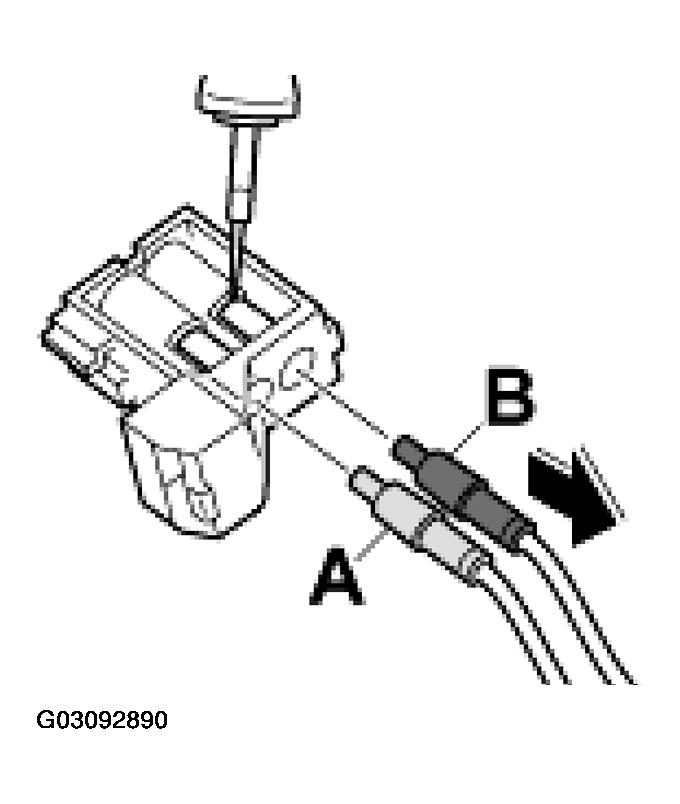 Courtesy of PORSCHE OF NORTH AMERICA, INC.
- -A-
Optical contact, grey see Fig 2
.
- -B-
Optical contact, black see Fig 2
.
- Pull LWL, for example, -B-
carefully in the -direction of the arrow-
. See Fig 2
. If it is not possible to pull out the LWL, check again if the secondary locking is completely released and if the primary locking is raised sufficiently.
- Visual inspection of lockings, connector housing, and contacts for possible damage and if necessary, exchange the damaged parts.