Removal Procedure
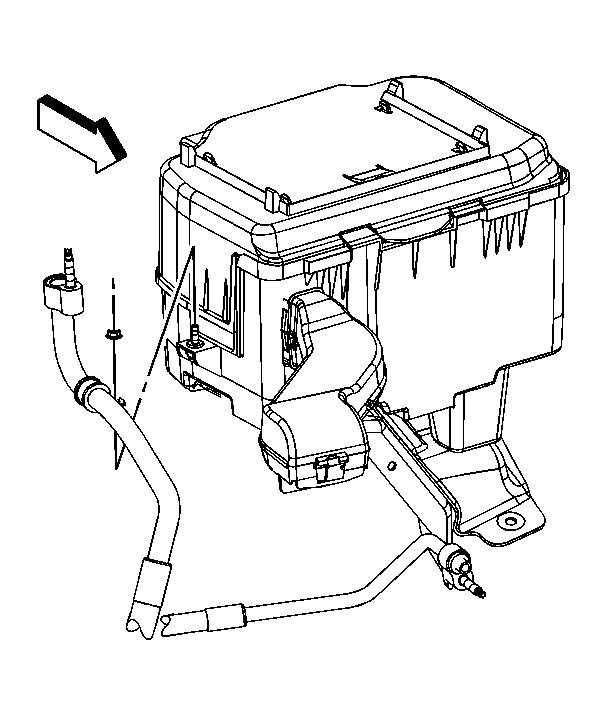 Courtesy of GENERAL MOTORS CORP.
- Remove the battery. Refer to Battery Replacement .
- Remove the air conditioning (A/C) evaporator line clamp nut at the battery box.
- Remove the A/C evaporator outlet line clamp from the battery tray stud.
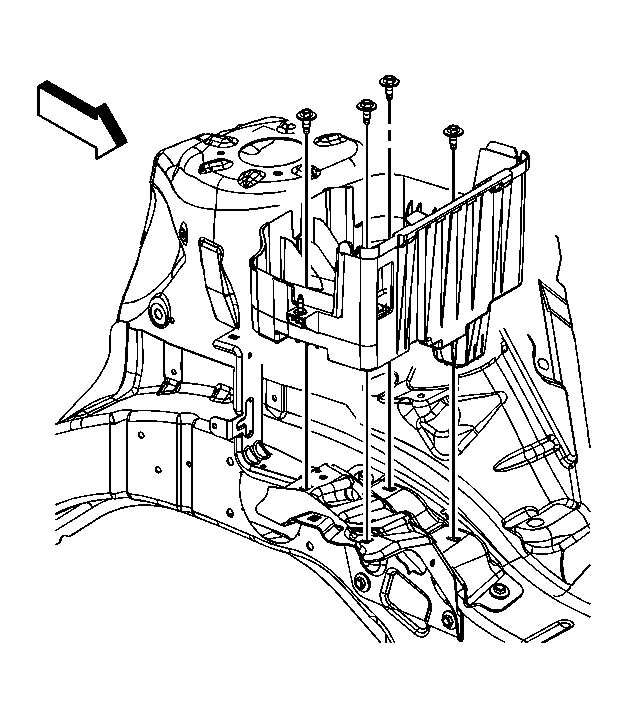 Courtesy of GENERAL MOTORS CORP.
- Remove the battery tray bolts.
- Lift up the battery tray slightly in order to disconnect the battery cooling air inlet duct.
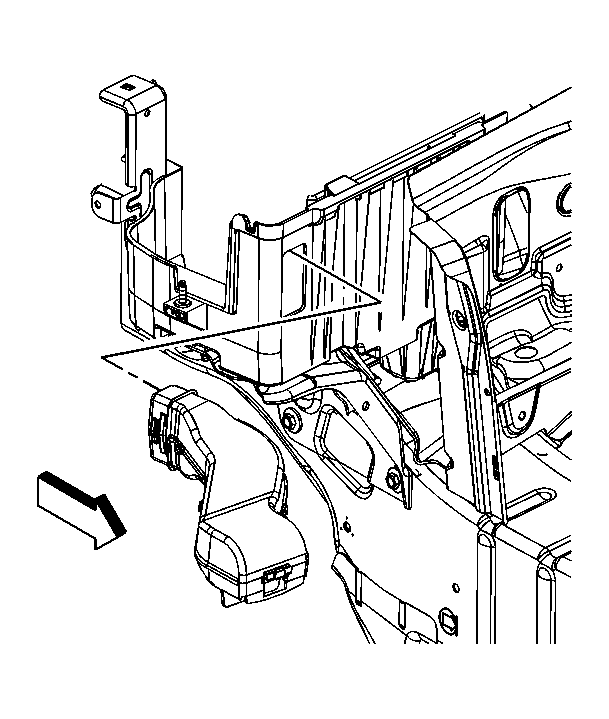 Courtesy of GENERAL MOTORS CORP.
- Disconnect the battery cooling air inlet duct from the battery tray.
- Remove the battery tray from the vehicle.