Installation Procedure
- Install the OVERDRIVE switch wires into manual selector knob.
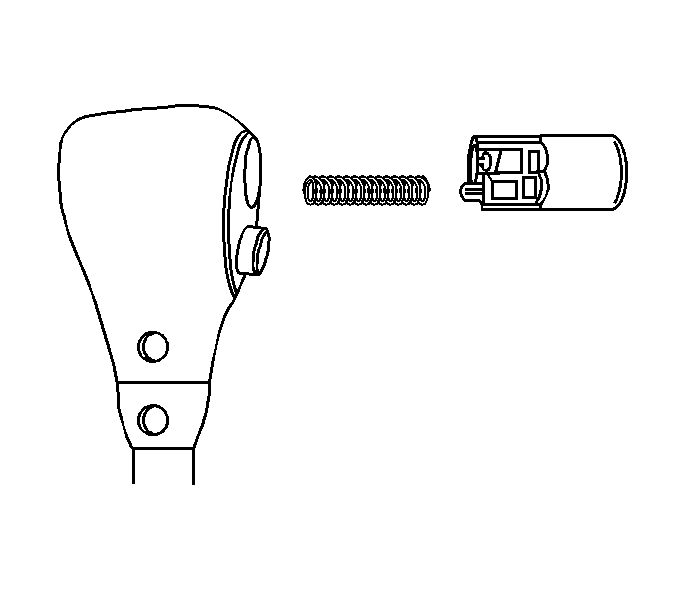
- Snap the OVERDRIVE switch into the manual selector knob.
 Courtesy of GENERAL MOTORS CORP.
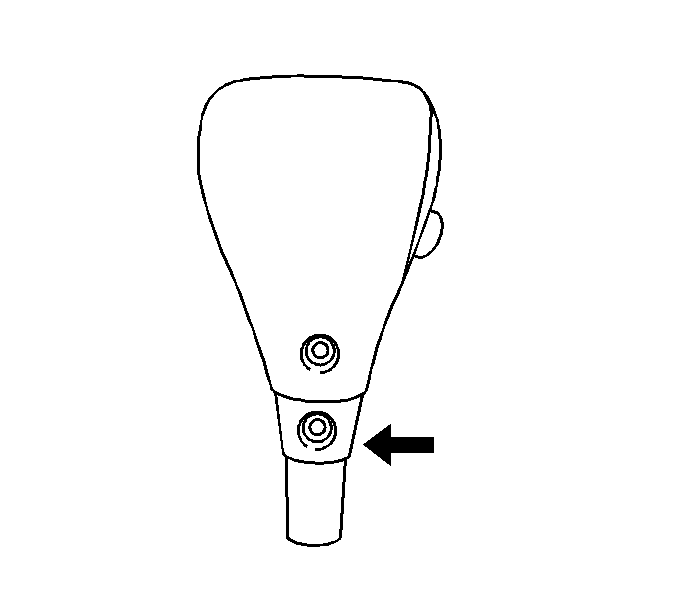
- Install the OVERDRIVE wires through the manual selector lever sleeve, then secure the sleeve with the lower screw.
 Courtesy of GENERAL MOTORS CORP.
- Install the manual selector knob onto manual selector assembly, then install the shift button.
 Courtesy of GENERAL MOTORS CORP.
- Fully seat the manual selector knob on the assembly, then tighten the 2 screws.
 Courtesy of GENERAL MOTORS CORP.
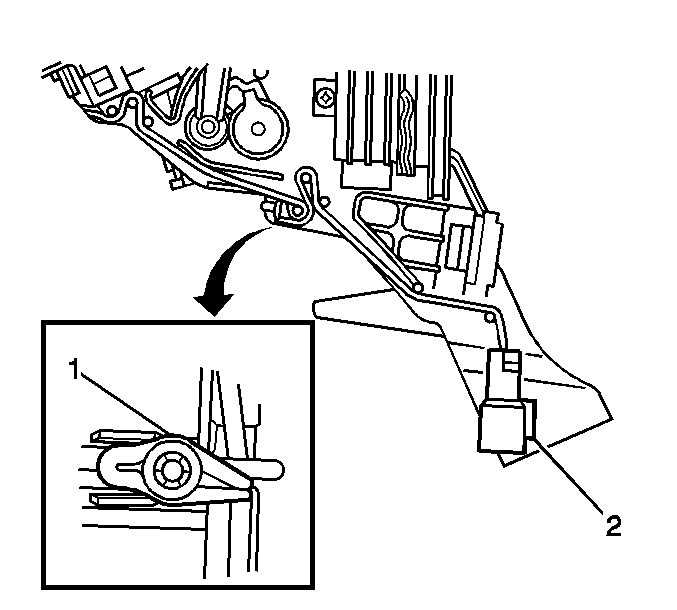
- Install the 2 white OVERDRIVE switch wires into the OVERDRIVE switch/manual selector illumination lamp electrical connector (2).
- Hook the 2 white OVERDRIVE switch wires onto the clip (1) on the manual selector base, then secure with a push clip.
- Install the OVERDRIVE switch/manual selector illumination lamp electrical connector (2) into the manual selector assembly.
- Install the manual selector assembly into vehicle. Refer to Manual Selector Replacement .