Antenna Check
- Check Antenna Feeder Cable
Turn ignition off. Disconnect antenna feeder cable from Smart Entrance Control Unit (SECU). Remove left rear pillar garnish. Disconnect antenna feeder cable from antenna. Using a DVOM, check antenna feeder cable for continuity. Continuity should be present. Ensure continuity is not present between antenna feeder cable and ground. If continuity is as specified, go to next step. If continuity is not as specified, replace antenna feeder cable.
- Check Antenna
With left rear pillar garnish removed, visually inspect antenna film. See Fig 1
. Replace if necessary. If no problem is found, multi-remote control antenna is okay.
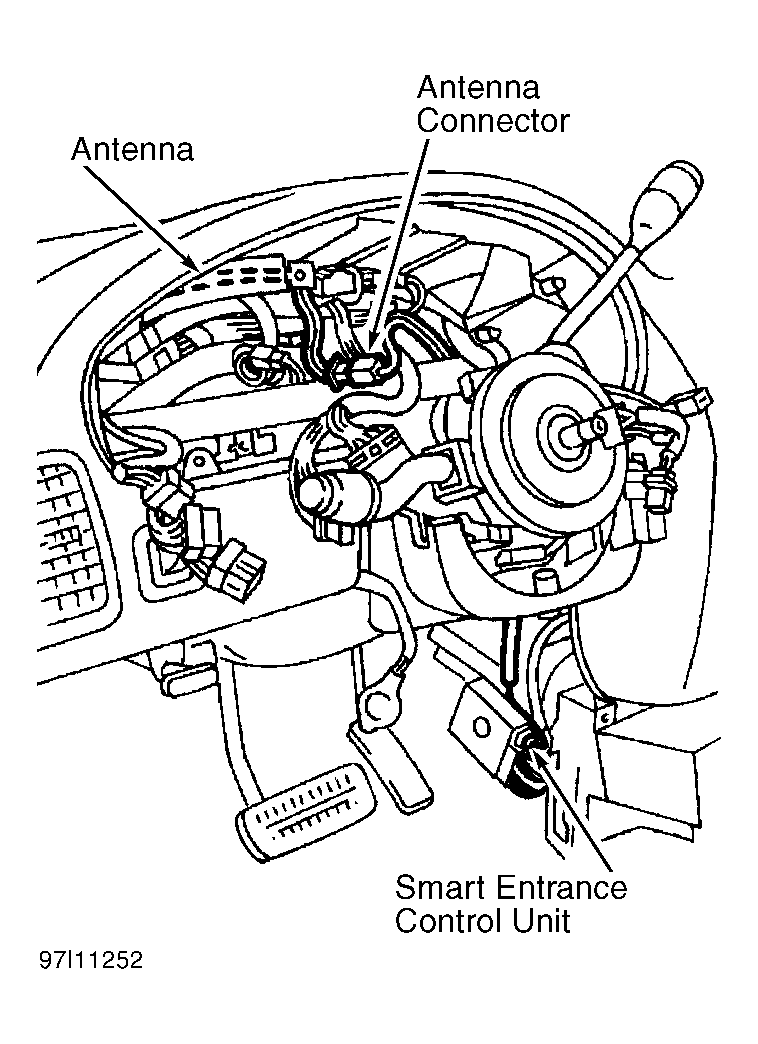 Courtesy of NISSAN MOTOR CO., U.S.A.