How To Initiate The Service Mode
- With the navigation system active, press and hold both the "NAVI" and "SET" buttons for 3.5 seconds.
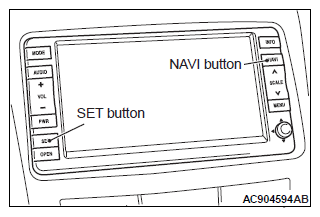 Courtesy of MITSUBISHI MOTOR SALES OF AMERICA.
- The service mode will be initiated. Then "Service" screen will be displayed.