Key Registration Method
 Courtesy of MITSUBISHI MOTOR SALES OF AMERICA.
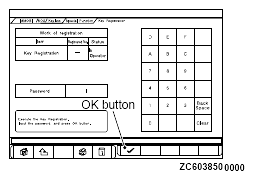
- When "Key registration" or "Additional key registration" screen is displayed, enter the password for the key registration and press the OK button. Then, "Executing!" is displayed and the registration process starts.
NOTE:
- If the wrong password is entered consecutively 5 times, the password entry for the key registration will be disabled for 16 minutes.
- The key registration cannot be cancelled during the operation.
 Courtesy of MITSUBISHI MOTOR SALES OF AMERICA.
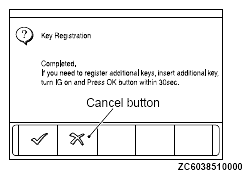
- When the key registration is completed, "Completed" is displayed. To register the next key, follow the message on the screen and press the OK button. Then, "Executing!" is displayed again and the registration process for the next key starts. To finish the key registration, press the cancel button.
NOTE:
- In order to register another key consecutively after registering the first key, the ignition switch must be turned to the ON position with the second key within 30 seconds after turning it to the "LOCK" (OFF) position with the first key.
- Up to eight keys can be registered.