Using Scan Tool
- With ignition off, connect scan tool and ROM Pack to Data Link Connector (DLC) located under driver's side of dash, and to cigarette lighter socket. See Fig 1.
- Turn ignition switch to RUN position. ANTI-LOCK warning light should come on as ABS goes into self-diagnostic mode. Read and record all Diagnostic Trouble Codes (DTCs) from ABS ECU memory. Refer to scan tool manufacturer's instructions for specific DTC retrieval procedure.
- After all DTCs have been retrieved and recorded, clear codes from ABS ECU memory. Refer to scan tool manufacturer's instructions for specific DTC clearing instructions. See DTC DEFINITION table. Perform appropriate DTC under DIAGNOSTIC TESTS .
- If DTCs cannot be cleared, ABS ECU is currently detecting a malfunction. If codes are not present or can not be retrieved, repair by symptom. See SYMPTOM INDEX table under SYMPTOM TESTS.
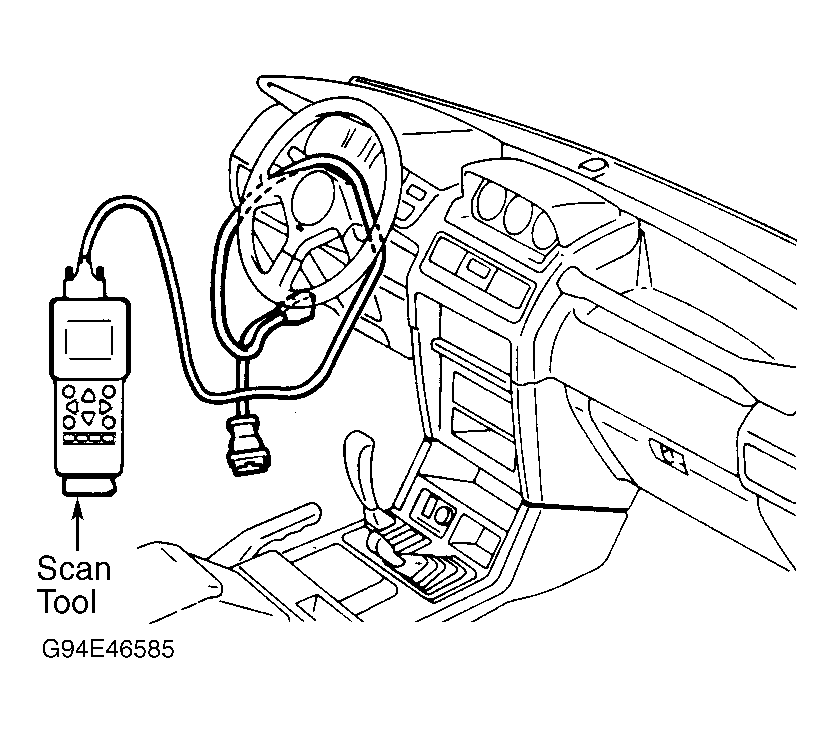 Courtesy of MITSUBISHI MOTOR SALES OF AMERICA.