Using Scan Tool
- Refer to manufacturer's operation manual for instructions in use of scan tool. With ignition off, connect scan tool to 16-pin Data Link Connector (DLC), located under instrument panel, near steering column. See Fig 1
.
- Turn ignition on. ANTI-LOCK warning light should come on as ABS goes into self-diagnostic mode. Read and record all Diagnostic Trouble Codes (DTCs) from ABS ECU memory. Refer to scan tool manufacturer's instructions for specific DTC retrieval procedure.
- After all DTCs have been retrieved and recorded, clear DTCs from ABS ECU memory. Refer to scan tool manufacturer's instructions for specific DTC clearing instructions. See DTC DEFINITION table and perform appropriate test(s) under DIAGNOSTIC TESTS
.
- If DTCs cannot be cleared, ABS ECU is currently detecting a malfunction. If DTCs can be cleared, problem is either intermittent or only appears while driving.
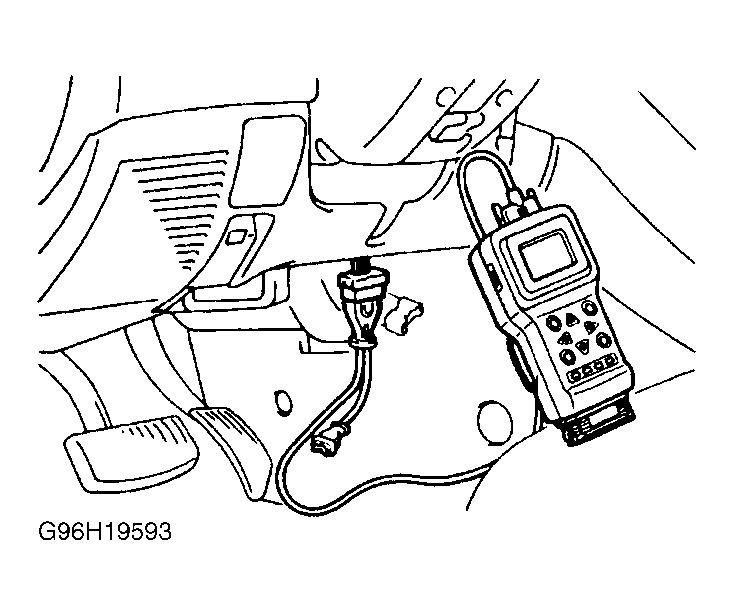 Courtesy of MITSUBISHI MOTOR SALES OF AMERICA.