Selector Lever: Installation
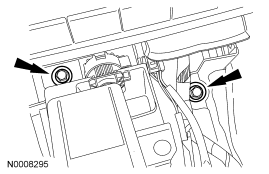
- Install the shifter and the 2 front bolts.
- Tighten to 11 Nm (8 lb-ft).
 Courtesy of FORD MOTOR CO.
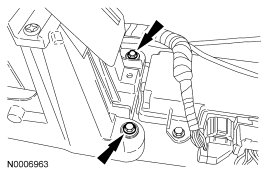
- Install the 2 rear shifter bolts.
- Tighten to 11 Nm (8 lb-ft).
 Courtesy of FORD MOTOR CO.
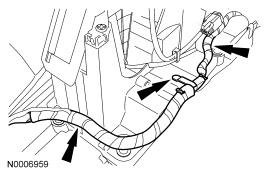
- Connect the wire harness to the shifter.
 Courtesy of FORD MOTOR CO.
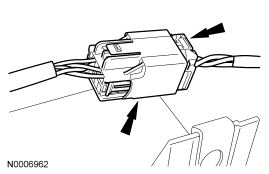
- Connect the electrical connector.
 Courtesy of FORD MOTOR CO.
- Install the LH plastic retaining clip for the carpet.
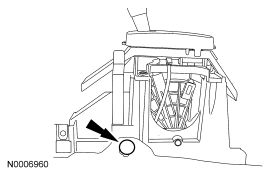 Courtesy of FORD MOTOR CO.
- Install the RH plastic retaining clip for the carpet.
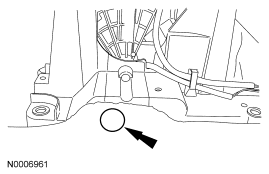 Courtesy of FORD MOTOR CO.
- Push the selector lever cable into the housing. Make sure that the tab on the selector lever cable connector is locked in place. Pull up on the cable to make sure it is fully seated.
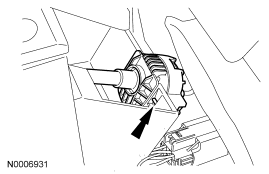 Courtesy of FORD MOTOR CO.
- Connect the selector lever cable end to the selector lever.
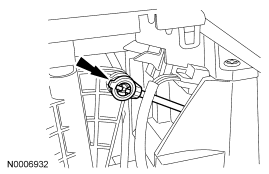 Courtesy of FORD MOTOR CO.
- Install the center console. For additional information, refer to INSTRUMENT PANEL AND CONSOLE
article.
- Check the selector lever cable adjustment. Make sure that the vehicle starts in PARK and NEUTRAL and the reverse lamps illuminate in REVERSE. If an adjustment is necessary, refer to Selector Lever Cable Adjustment .