Selector Lever Bezel: Installation
- Install the PRNDL bezel.
- Make sure that the 4 locking tabs are snapped in place.
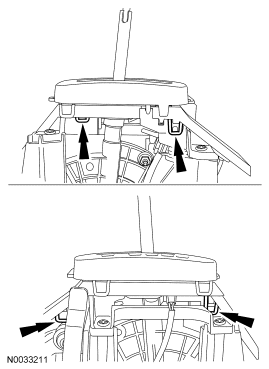 Courtesy of FORD MOTOR CO.
- Connect the light bulb to the PRNDL bezel.
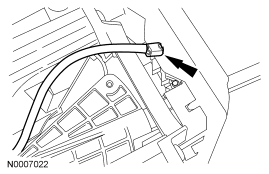 Courtesy of FORD MOTOR CO.
- Install the lower shift knob bezel.
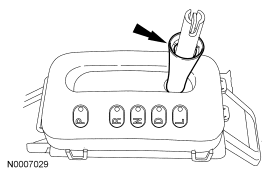 Courtesy of FORD MOTOR CO.
- Install the shift knob and bolt.
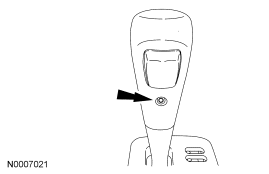 Courtesy of FORD MOTOR CO.
- Slide the lower shift knob bezel up and snap it into place.
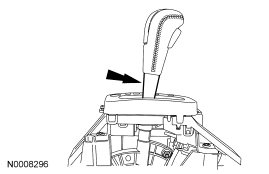 Courtesy of FORD MOTOR CO.
- Install the upper console panel.
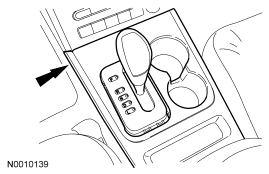 Courtesy of FORD MOTOR CO.
- Install the PRNDL trim ring.
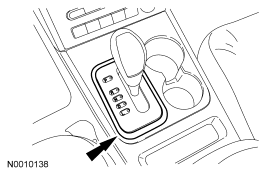 Courtesy of FORD MOTOR CO.