Without FSC Or SCBS
- Disconnect the negative battery cable. (See NEGATIVE BATTERY CABLE DISCONNECTION/CONNECTION
.)
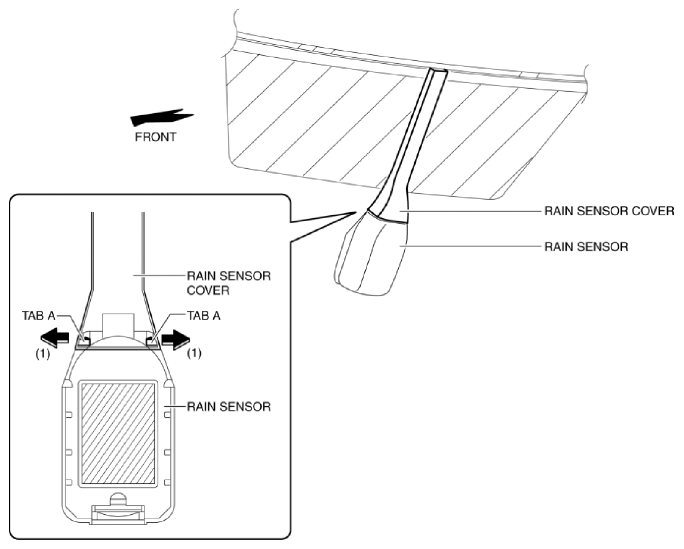
- Open the rain sensor cover in the direction of the arrows (1) and disengage tabs A to remove it.
 Courtesy of MAZDA MOTORS CORP.
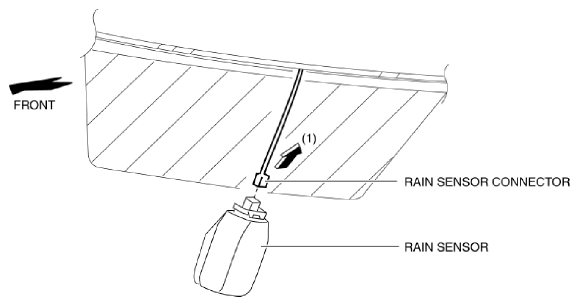
- Disconnect the rain sensor connector in the direction of the arrow (1).
 Courtesy of MAZDA MOTORS CORP.
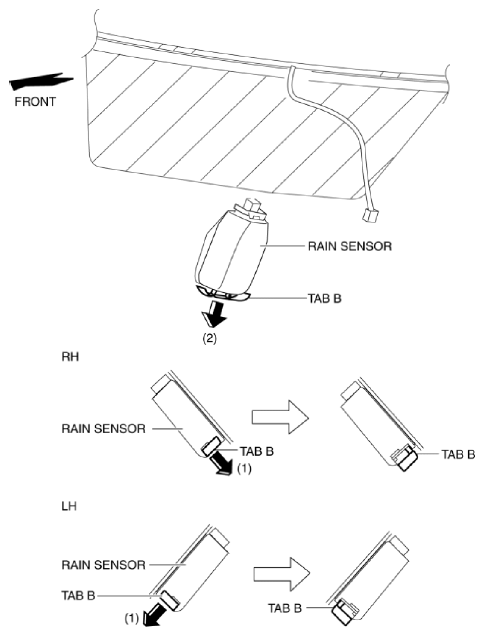
- Slide rain sensor tabs B in the direction of the arrow (1) shown in the figure, detach the engagement, and pull tab B in the direction of the arrow (2).
 Courtesy of MAZDA MOTORS CORP.
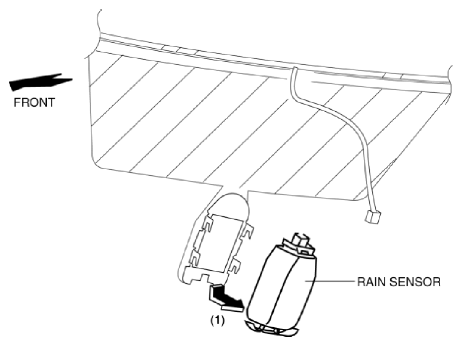
- Remove the rain sensor in the direction of the arrow (1) shown in the figure.
 Courtesy of MAZDA MOTORS CORP.
- Peel off the rain sensor protective sheet from the rain sensor.
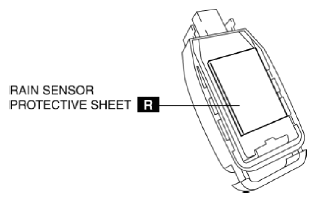 Courtesy of MAZDA MOTORS CORP.
- Install in the reverse order of removal. (See RAIN SENSOR INSTALLATION NOTE .)
- If the rain sensor is replaced, perform the following sensitivity setting procedure for the auto lights.
- Using the M-MDS, verify the current auto light sensitivity setting. (See CONTROL SYSTEM PERSONALIZATION FEATURES SETTING PROCEDURE
.)
- Change the sensitivity setting to a value other than the sensitivity setting verified in Step 1.
- Re-set to the auto light sensitivity setting verified in Step 1.
CAUTION:
- If the auto light sensitivity setting is not performed after replacing the rain sensor (auto light sensor), the rain sensor will be unable to detect the correct illumination level and the auto light/wiper system will not operate normally. If the rain sensor is replaced, perform the auto light sensitivity setting.