LEMON Manuals
: Even more car manuals for everyone
Home
>>
Mazda
>>
2010
>>
6 s Touring Plus
>>
Repair and Diagnosis
>>
Accessories & Equipment
>>
Infotainment
>>
Entertainment System
>>
Entertainment Personalization Features Setting Procedure
>>
Welcome Sound ON/OFF Setting
>>
With Car-Navigation Unit
With Car-Navigation Unit
Switch the ignition to ACC or ON.
Turn the car-navigation unit power to ON
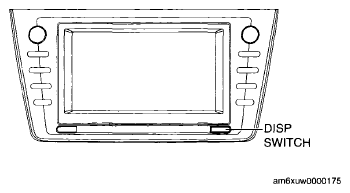
Press the DISP switch (panel switch).
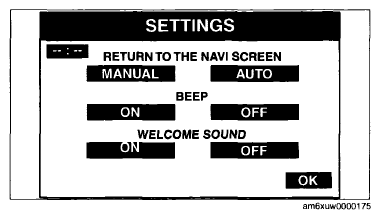
Select "SETTINGS".
Fig 1: Identifying DISP Switch
Courtesy of MAZDA MOTORS CORP.
Select "ON" or "OFF".
Fig 2: NAVI Screen Display - Settings
Courtesy of MAZDA MOTORS CORP.
 Courtesy of MAZDA MOTORS CORP.
 Courtesy of MAZDA MOTORS CORP.