No.5 Resetting Procedure for the Immobilizer System when Replacing the PCM or Keyless Control Module: Procedure
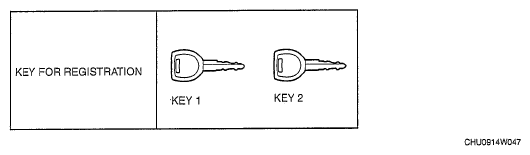 Courtesy of MAZDA MOTORS CORP.
- Have two or more keys (key 1, key 2) ready for registration.
- Using key 1, turn the ignition switch to the ON position.
NOTE:
- When replacing only the PCM: The security light illuminates for 3 s and then goes out.
- When replacing only the keyless control module: Although the security light flashes and DTC 15 is displayed, this does not indicate an improper procedure. Continue to perform the procedure as indicated.
- Connect the M-MDS to the DLC-2.
- Select "Body/Security/PATS function" from the screen menu of the M-MDS.
- Perform security access as indicated on the M-MDS screen. (see No.6 Security Access Procedure
.)
- Select "Parameter Reset" from the screen menu of the M-MDS.
- Perform security access again as indicated on the M-MDS screen. (see No.6 Security Access Procedure
.)
- Select the replaced part as indicated on the M-MDS screen.
- When replacing only the PCM: Select "PCM".
- When replacing only the keyless control module: Select "RKE".
NOTE:
- At this time, do not select any other parts from the screen menu of the M-MDS.
- After verifying that the PATS function menu is displayed again on the M-MDS screen, select "Exit" to complete the M-MDS function.
- After Step 9, wait 10 s or more
and turn the ignition switch to the LOCK position using key 1.
- Using key 1, turn the ignition switch to the ON position.
NOTE:
- When replacing only the PCM: The security light illuminates for 3 s and then goes out.
- When replacing only the keyless control module: Although the security light flashes and DTC 21 is displayed, this does not indicate an improper procedure. Continue to perform the procedure as indicated.
- Perform the following procedures:
- When replacing only the PCM: After verifying that the security light goes out, turn the ignition switch to the LOCK position. (Procedure completed)
- When replacing only the keyless control module: After verifying that the security light illuminates for 3 s
or more, turn the ignition switch to the LOCK position, remove key 1, and then go to the next step.
- Using key 2, turn the ignition switch to the ON position.
- Verify that the security light illuminates for approx. 3 s and then goes out.
- After verifying that the security light goes out, turn the ignition switch to the LOCK position using key 2, and then remove key 2.
- If an additional key needs to be registered, repeat Steps 13- 15 in the same manner as key 2. Steps 13- 15 must be performed within 1 min
for each key. If the ignition switch is maintained in the ON position for 1 min or more
, key registration according to Steps 13- 15 will not be possible. If this occurs, refer to "09-14-50 NO.1 ADDITIONAL KEY REGISTRATION PROCEDURE (Using Two Valid Keys)" to register any additional keys.