HO2S heater, HO2S, and TWC Repair Verification Drive Mode
- Perform "PCM Adaptive Memory Production Drive Mode"
first.
- Verify all accessory loads (A/C, headlights, blower fan, rear window defroster) are off.
- Drive the vehicle as shown in the graph. The driving conditions before driving at constant speed are not specified.
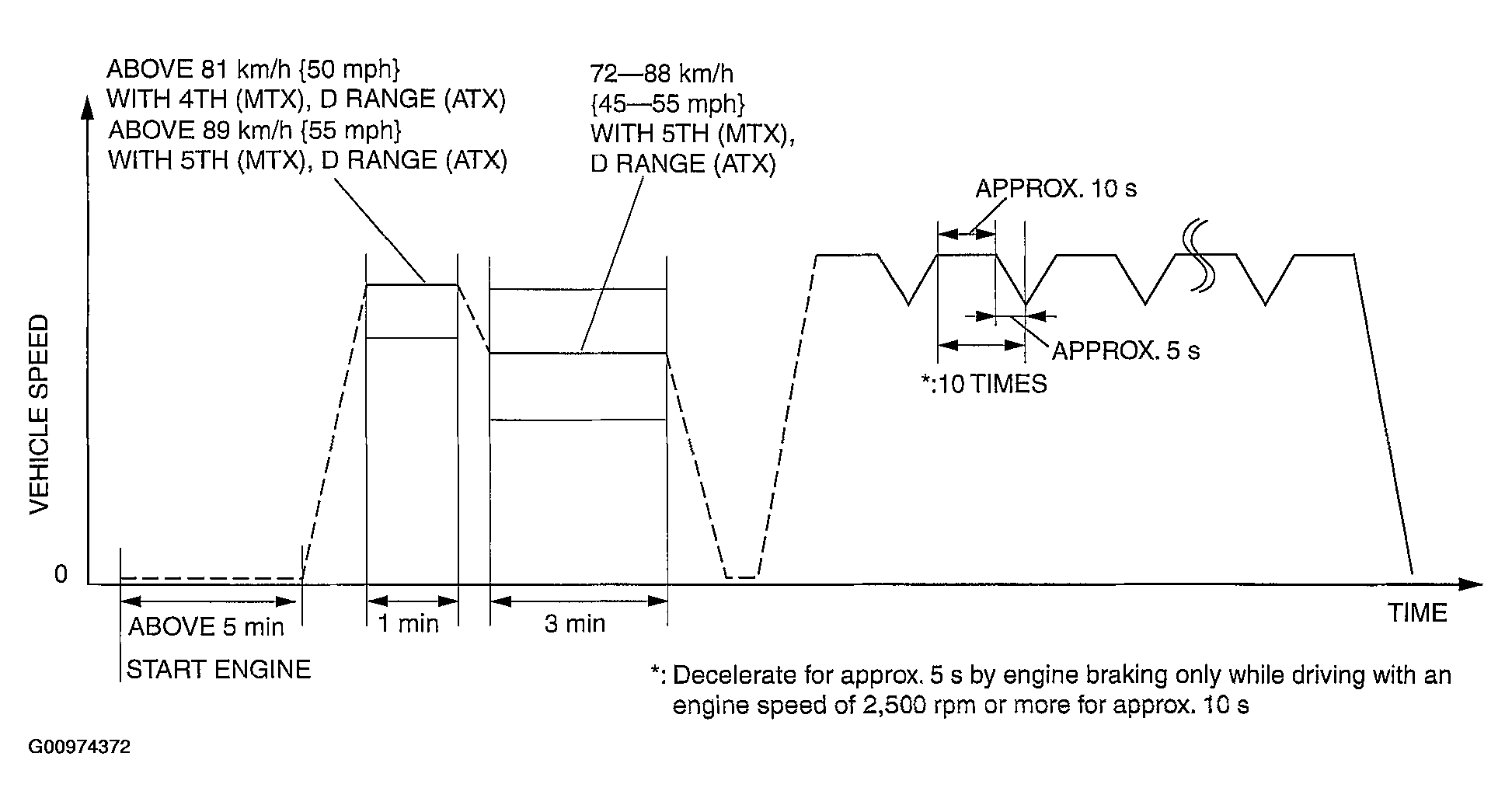 Courtesy of MAZDA MOTORS CORP.
- Stop the vehicle and access ON BOARD SYSTEM READINESS menu of GENERIC OBD-II FUNCTION to verify the OBD monitoring status.
- If completed, the OBD monitoring status items change from non-completed to completed.
- If not completed, turn the ignition key off then repeat from Steps 3
.
- Access DIAGNOSTIC MONITORING TEST RESULTS menu of GENERIC OBD-II FUNCTIONS to verify the monitor results.
- If detected values are not within the specification, repair has not been completed.
- Verify no DTCs are available.