Using New Generation Star (NGS) Scan Tool To Retrieve DTCs
- Apply parking brake. Place shift lever in Park (A/T) or Neutral (M/T). Block wheels. Turn off all electrical accessories. Ensure engine is at normal operating temperature.
- Perform visual inspection. Ensure air cleaner and inlet ducts are clean, and system wiring harness is properly connected. Check for bent or broken connector terminals and corroded or loose wires. Check Powertrain Control Module (PCM), sensors and actuators for physical damage. Check engine coolant for proper level and mixture. Check for proper transmission fluid level and quality.
- Turn ignition off. Ensure proper memory (EPROM) card is inserted into NGS scan tool. Connect service connections of adapter cable to vehicle Data Link Connector (DLC) and the NGS scan tool. See Fig 1
and Fig 2
. Connect NGS scan tool power supply cable to power and listen for a double beep to indicate that scan tool is on.
- Start engine. If engine will not start, turn ignition on and program scan tool using the following steps:
- Select VEHICLE & ENGINE SELECTION.
- Select SELECT NEW VEHICLE YEAR & MODEL.
- Select DIAGNOSTIC DATA LINK.
- Select PCM-POWERTRAIN CONTROL MODULE.
- Select DIAGNOSTIC TEST MODE.
- Select READ/CLEAR DIAGNOSTIC TEST RESULTS.
- Select START and follow scan tool prompts.
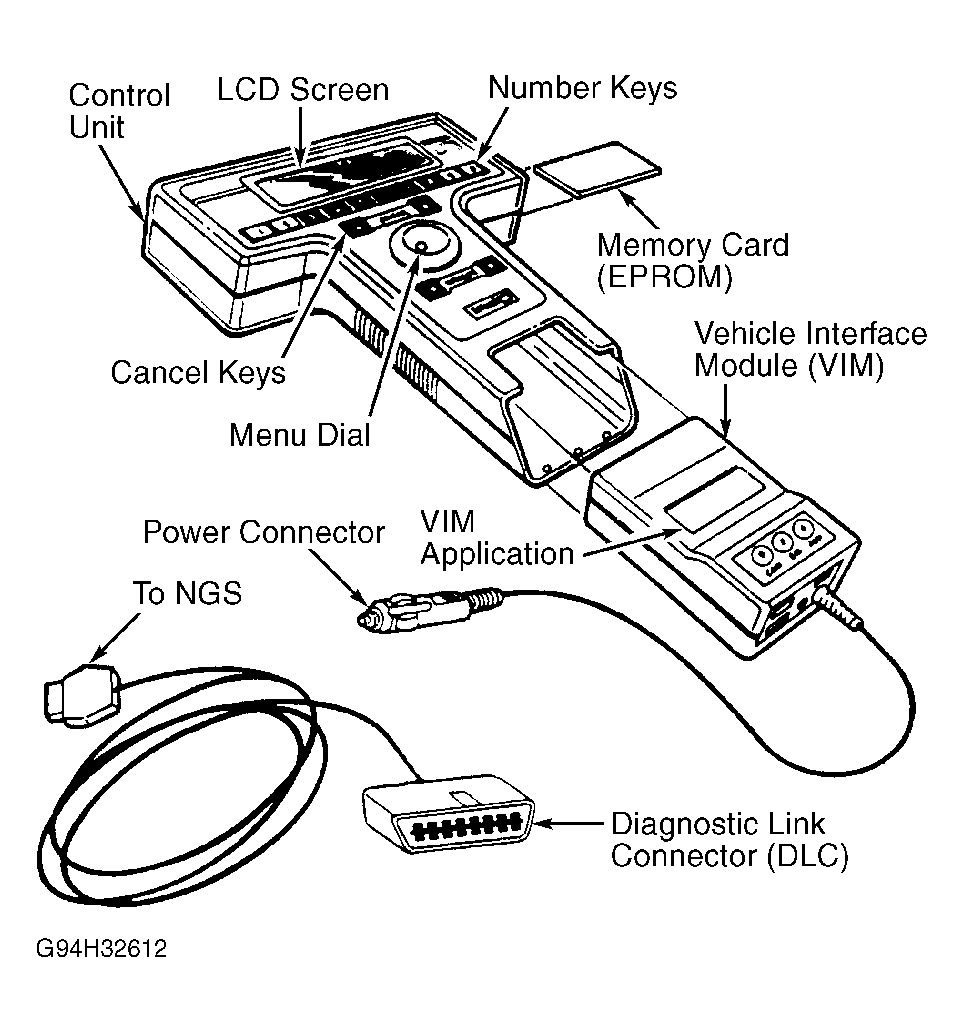 Courtesy of FORD MOTOR CO.
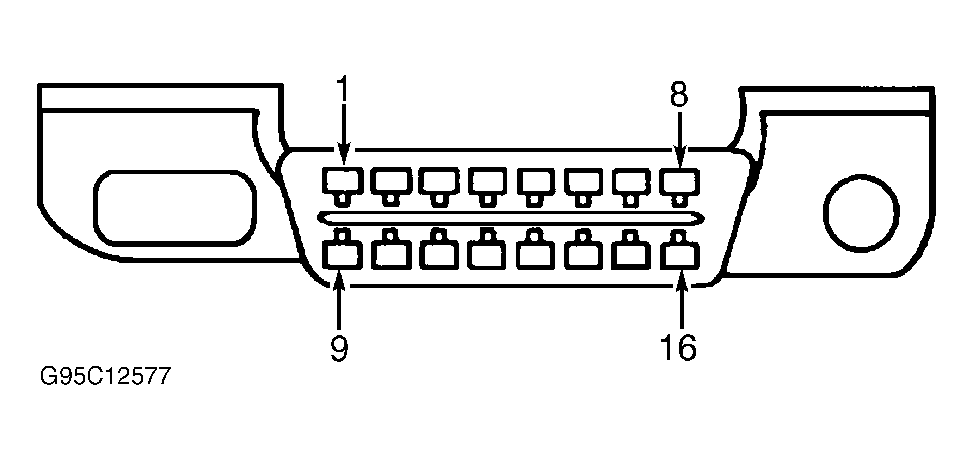 Courtesy of FORD MOTOR CO.