Selector Lever Bezel: Removal
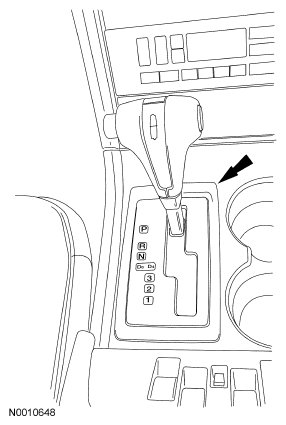
- Lift and remove the floor shift PRNDL trim plate.
 Courtesy of FORD MOTOR CO.
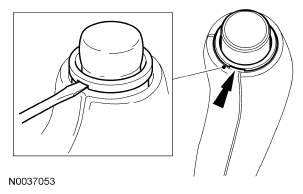
- Place a small screwdriver in the slot at the bottom of the ring and slide the button assembly out and remove it from the knob.
 Courtesy of FORD MOTOR CO.
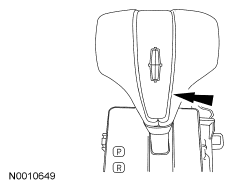
- Using a small flat-blade screwdriver, lift up on the shift knob bezel and remove the bezel.
 Courtesy of FORD MOTOR CO.
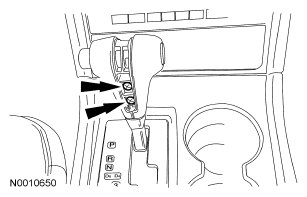
- Remove the 2 selector lever knob screws and remove the knob.
 Courtesy of FORD MOTOR CO.
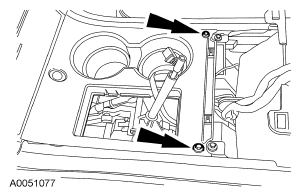
- Remove the screws and the console finish panel.
 Courtesy of FORD MOTOR CO.
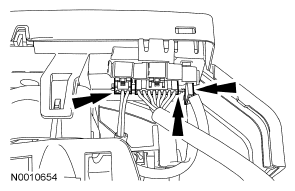
- Disconnect the 3 electrical connectors from the bezel.
 Courtesy of FORD MOTOR CO.
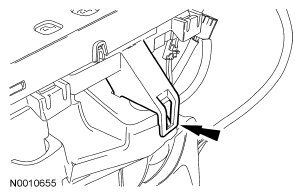
- Carefully release the retaining clips from the bezel and remove the bezel.
 Courtesy of FORD MOTOR CO.