Selector Lever Indicator Adjustment
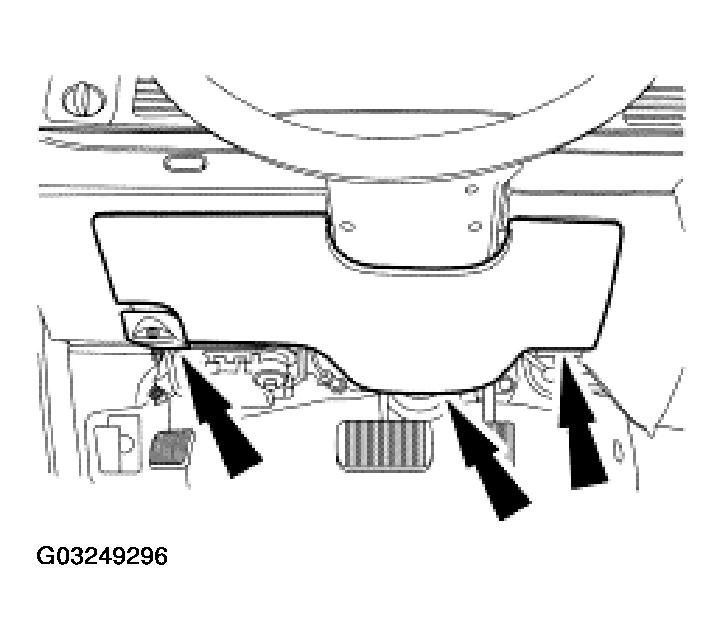
- Remove the lower steering column opening finish panel.
- Remove the screw and position the parking brake release handle out of the way.
- Remove the screw from the lower steering column opening finish panel.
- Pull outward to release the retaining clips and remove the lower steering column opening finish panel.
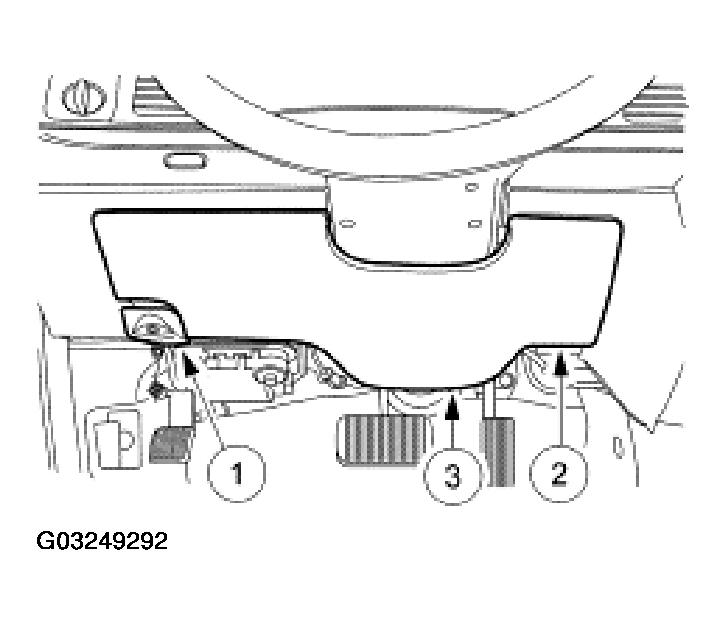 Courtesy of FORD MOTOR CO.
- Remove the five screws and the lower steering column opening finish panel reinforcement.
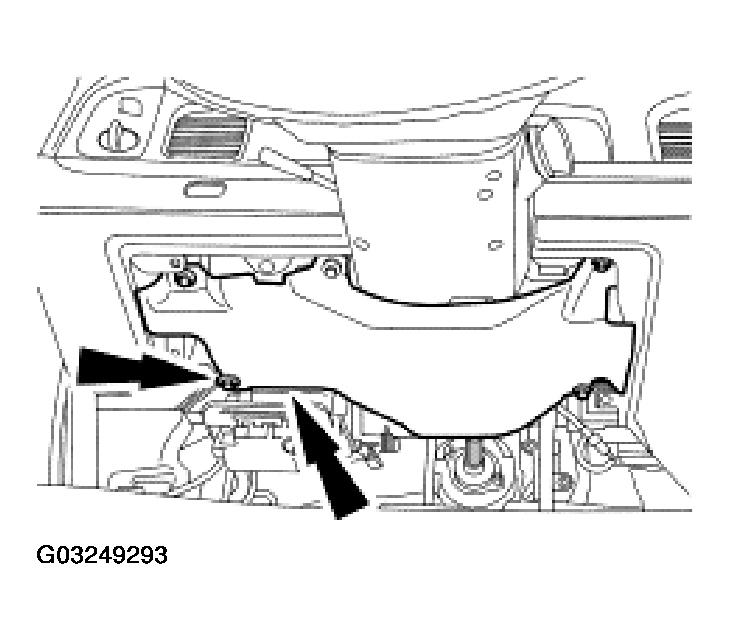 Courtesy of FORD MOTOR CO.
- Rotate the gearshift lever (7210) clockwise until it bottoms out (first gear), then rotate it counterclockwise two detents ((D) position).
- Hang a 1.4 kg (3 lb) weight on the gearshift lever.
- Rotate the thumbwheel to center the selector lever indicator in the middle of the (D) position.
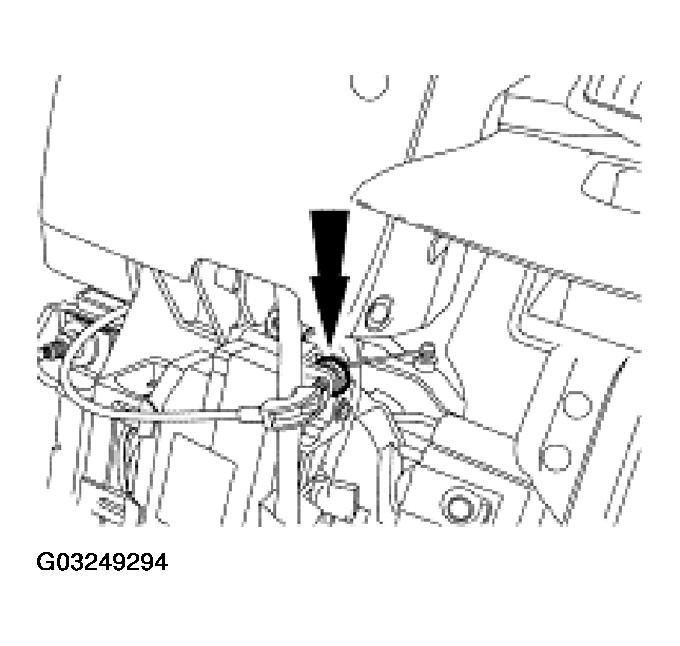 Courtesy of FORD MOTOR CO.
- Remove the 1.4 kg (3 lb) weight.
- Rotate the gearshift lever into each detent to verify that the selector lever indicator matches the selected range. Readjust, if necessary.
- Install the lower steering column opening finish panel reinforcement.
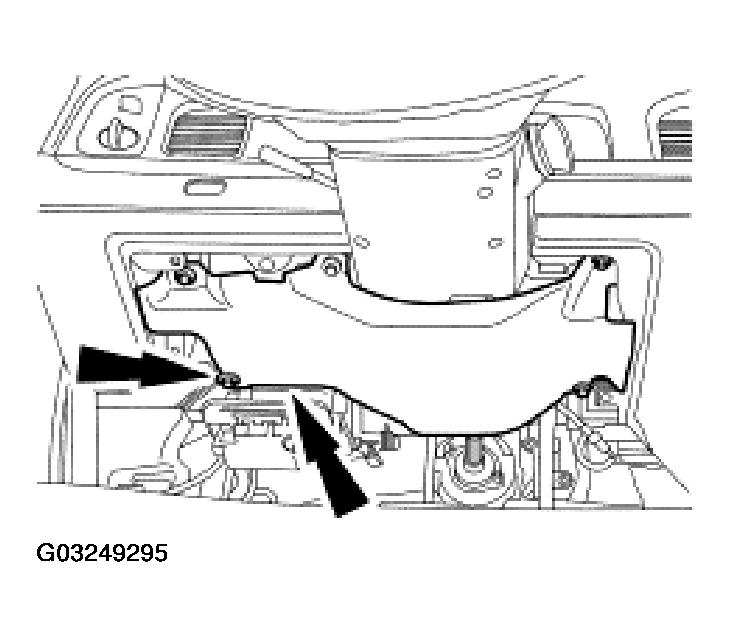 Courtesy of FORD MOTOR CO.
- Install the lower steering column opening finish panel and parking brake release handle.
 Courtesy of FORD MOTOR CO.