Audio / Video System (Service Information): Microphone: Installation: Installation
- INSTALL TELEPHONE MICROPHONE ASSEMBLY
- Engage the 2 claws and install the telephone microphone assembly.
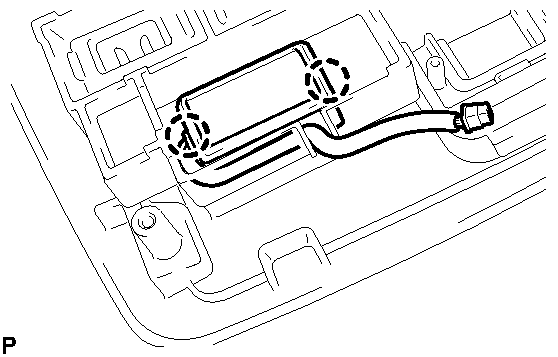 Courtesy of © TOYOTA, LICENSE AGREEMENT TMS1002
- Connect the 2 connectors and install the junction block.
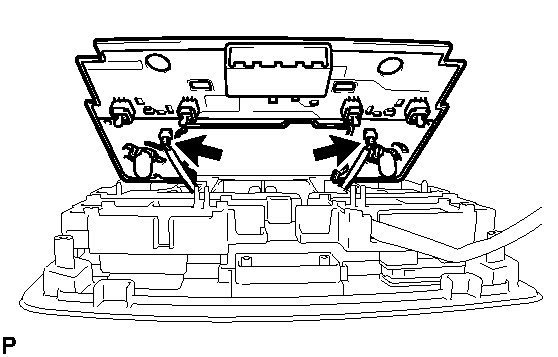 Courtesy of © TOYOTA, LICENSE AGREEMENT TMS1002
- Connect the connector and engage the clamp.
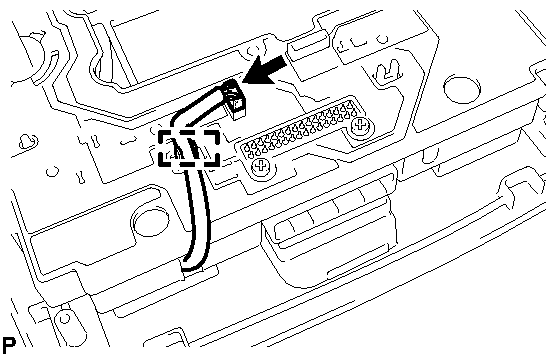 Courtesy of © TOYOTA, LICENSE AGREEMENT TMS1002
- Install the cover with the 7 screws.
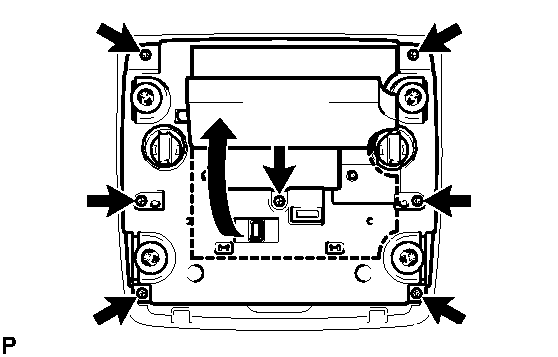 Courtesy of © TOYOTA, LICENSE AGREEMENT TMS1002
- Install the urethane pad.
- INSTALL MAP LIGHT ASSEMBLY
. Refer to INSTALLATION - Step 13