Hard Disk Drive: Installation
- INSTALL DISC PLAYER DISC
- Push the disc player disc in the direction of the arrow shown in the illustration to install it.
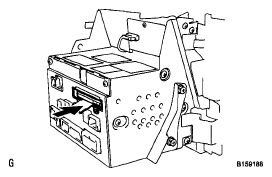 Courtesy of © TOYOTA, LICENSE AGREEMENT TMS1002
- Install the disc player disc in the direction of the arrow shown in the illustration.
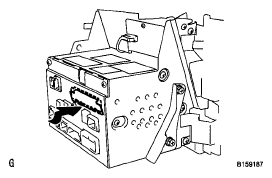 Courtesy of © TOYOTA, LICENSE AGREEMENT TMS1002
- Install the 2 screws
- INSTALL DISPLAY AND NAVIGATION ASSEMBLY
- Install the display and navigation (see
INSTALLATION
)
- CONNECT CABLE TO NEGATIVE BATTERY TERMINAL
NOTE:
When disconnecting the cable some systems need to be initialized after the cable is reconnected (see
INITIALIZATION
).
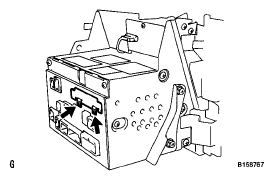 Courtesy of © TOYOTA, LICENSE AGREEMENT TMS1002
- INSTALL BATTERY SERVICE HOLE COVER LH
(See
INSTALLATION
)
- INSTALL LUGGAGE COMPARTMENT MAT SUB-ASSEMBLY
(See
INSTALLATION
)