MFD Programming
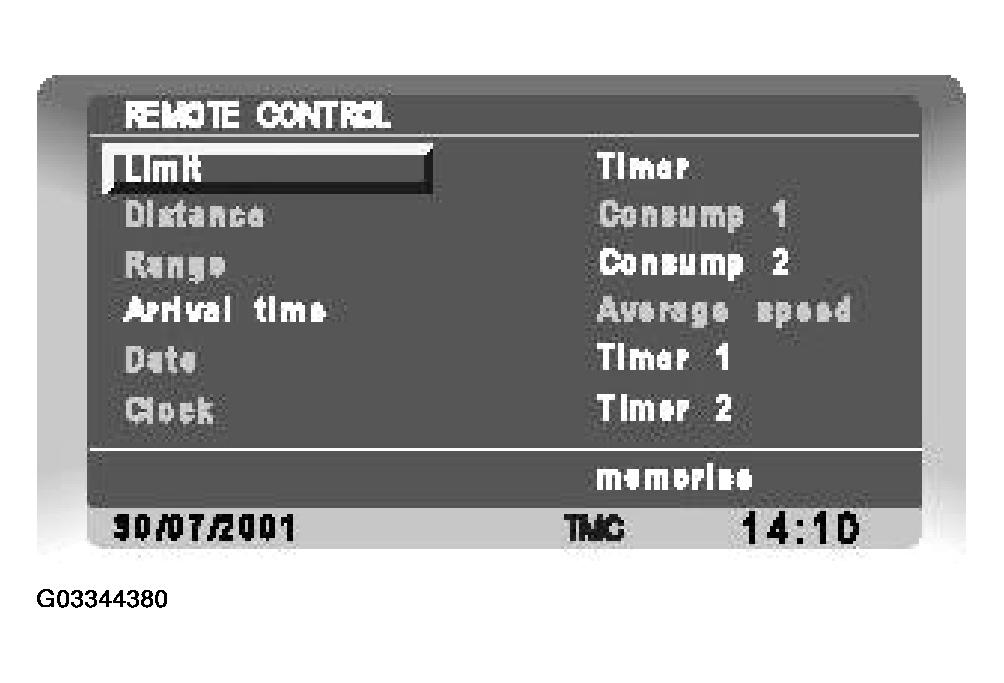 Courtesy of LAND ROVER NORTH AMERICA, INC.
- Ensure that the ignition switch is in position I (AUX) or position II.
- Press and hold the column stalk i
button for 3 seconds. 'REMOTE CONTROL' screen is displayed in the MFD with all computer functions shown. Simultaneously, 'PROG' is displayed in the message center.
- To set the sequence, first deselect all functions using the RH control on the MFD panel. Select the function and press the RH control to deselect that function. When deselected, the selection text will change color.
- Using the RH control, navigate to the first required computer function and press the RH control to select. When selected, the selection text will change color.
- Continue selecting functions in the required order as required. If no functions are selected, there will be no response from the i
button when pressed. All or just one function can be selected for display.
- When desired selections are made, navigate to the 'memorize' function and press the RH control. The selected functions are stored in their selected order in the instrument pack RAM. The instrument message center then displays the first selected function.