Antenna Status Check
- Connect the cable of KDS to the data link connector in driver side crash pad lower panel.
- Select the "Antenna Status Check".
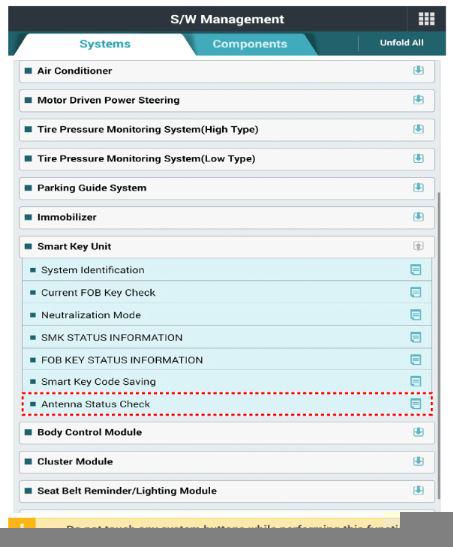 Courtesy of KIA MOTORS AMERICA, INC.
- After IG ON, select the "Antenna Status Check".
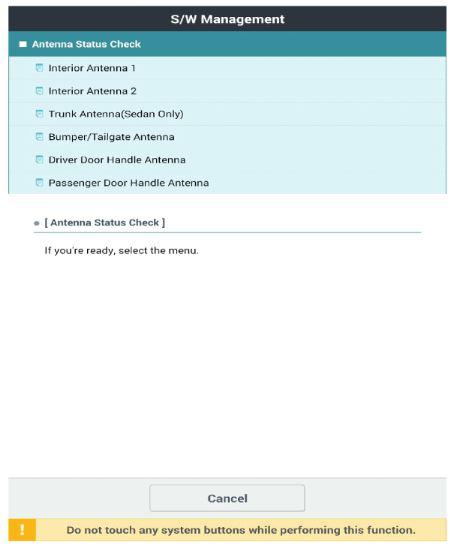 Courtesy of KIA MOTORS AMERICA, INC.
- Set the smart key near the related antenna and operate it with a KDS.
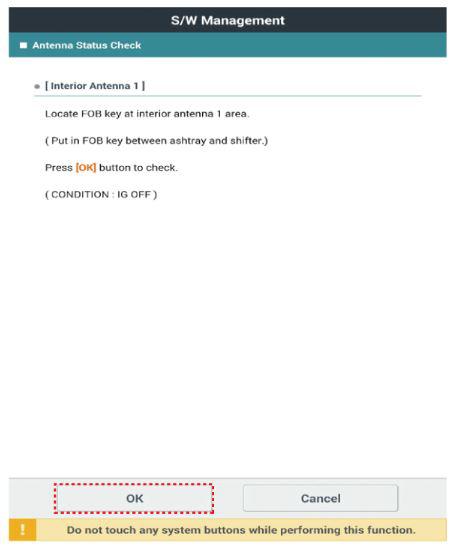 Courtesy of KIA MOTORS AMERICA, INC.
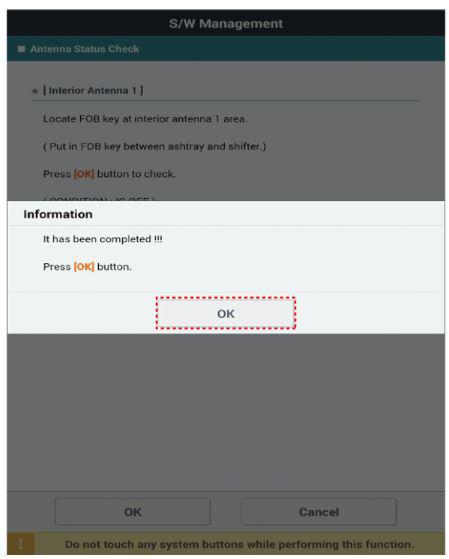 Courtesy of KIA MOTORS AMERICA, INC.
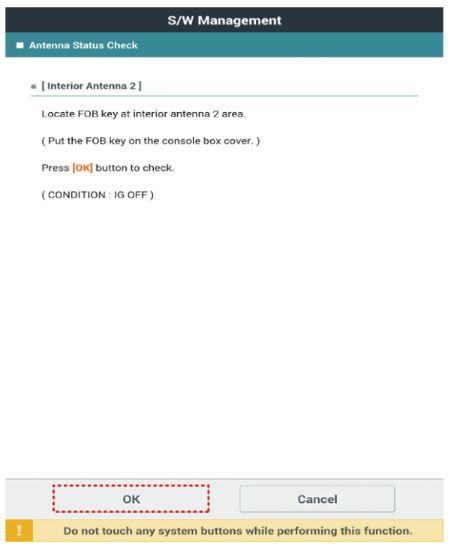 Courtesy of KIA MOTORS AMERICA, INC.
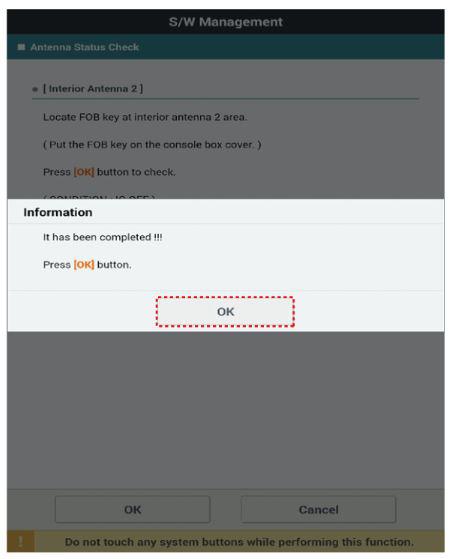 Courtesy of KIA MOTORS AMERICA, INC.
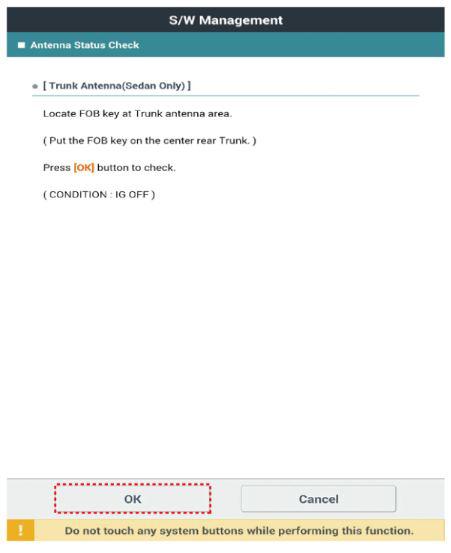 Courtesy of KIA MOTORS AMERICA, INC.
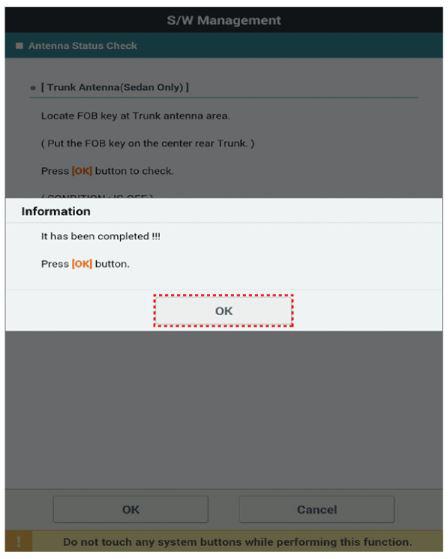 Courtesy of KIA MOTORS AMERICA, INC.
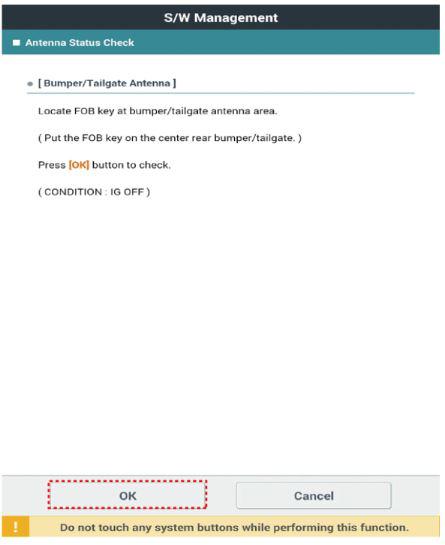 Courtesy of KIA MOTORS AMERICA, INC.
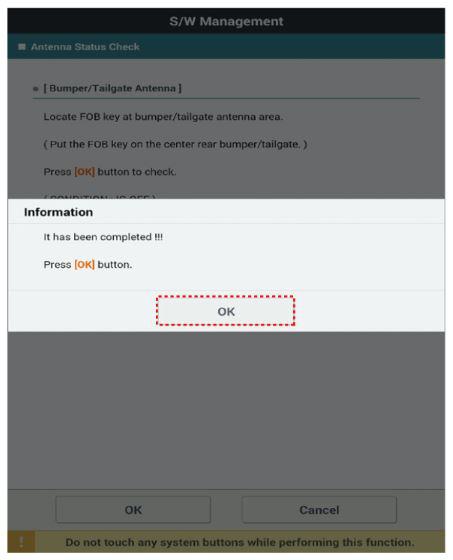 Courtesy of KIA MOTORS AMERICA, INC.
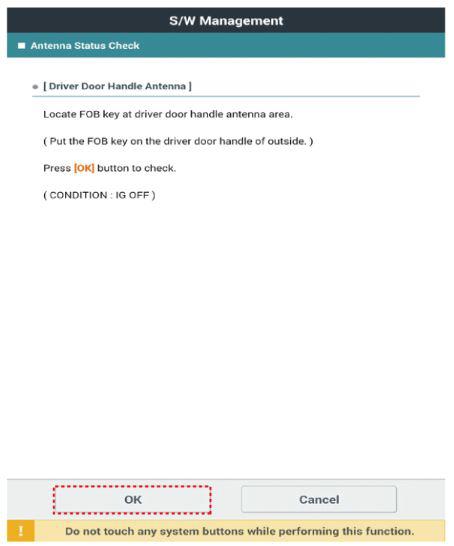 Courtesy of KIA MOTORS AMERICA, INC.
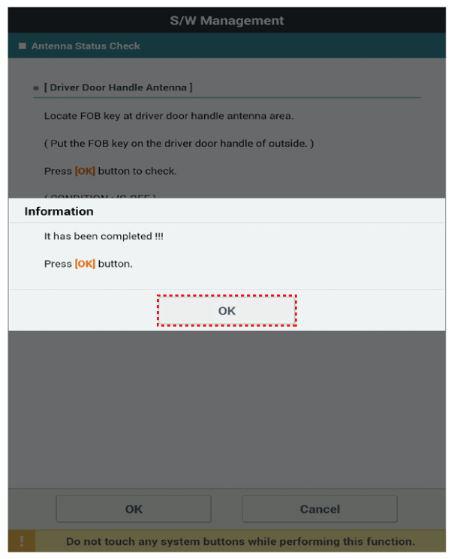 Courtesy of KIA MOTORS AMERICA, INC.
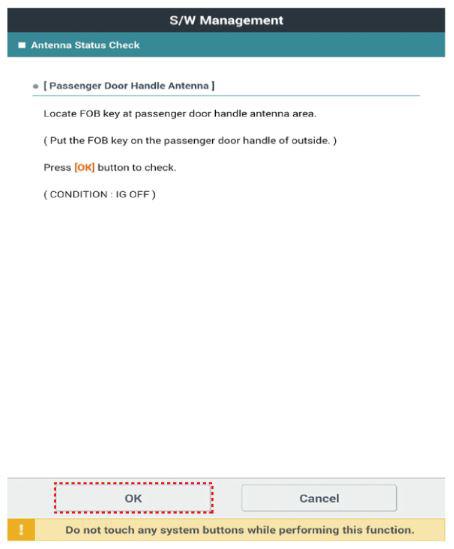 Courtesy of KIA MOTORS AMERICA, INC.
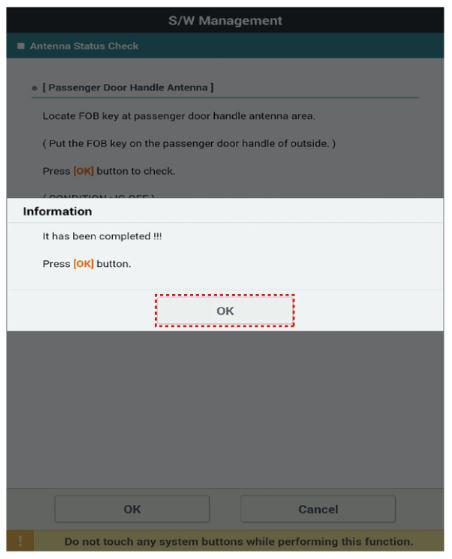 Courtesy of KIA MOTORS AMERICA, INC.
- If the smart key runs normal, the related antenna, smart key (transmission, reception) and exterior receiver are normal.
- Antenna status
- Interior Antenna 1
- Interior Antenna 2
- Trunk Antenna 3
- Bumper Antenna
- DRV_DR Antenna
- AST_DR Antenna