Transmitter Code Registration (Using KDS/GDS)
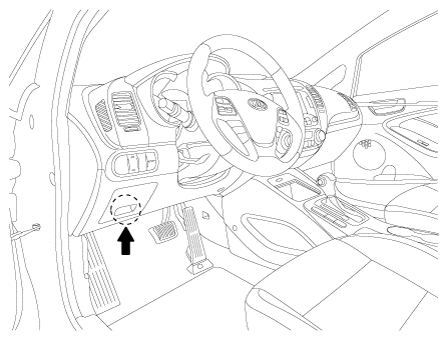
- Connect the DLC cable of KDS/GDS to the data link connector (16 pins) in driver side crash pad lower panel, turn the power on KDS/GDS.
 Courtesy of KIA MOTORS AMERICA, INC.
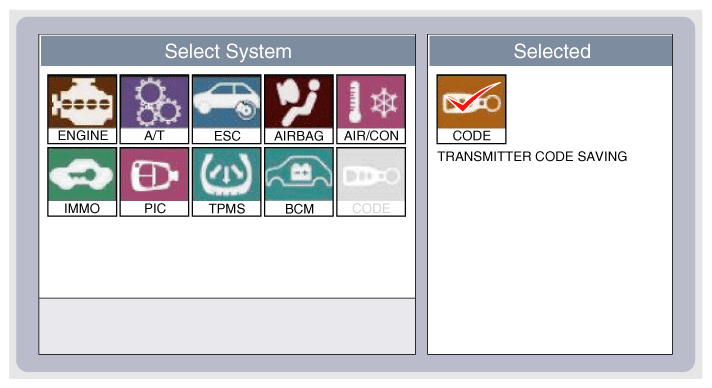
- Select the vehicle model and then do "CODE SAVING"
 Courtesy of KIA MOTORS AMERICA, INC.
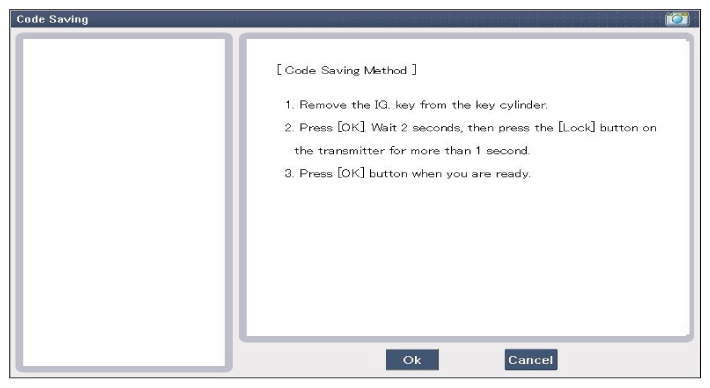
- After selecting "CODE SAVING" menu, button "ENTER" key, then the screen will be shown as below.
 Courtesy of KIA MOTORS AMERICA, INC.
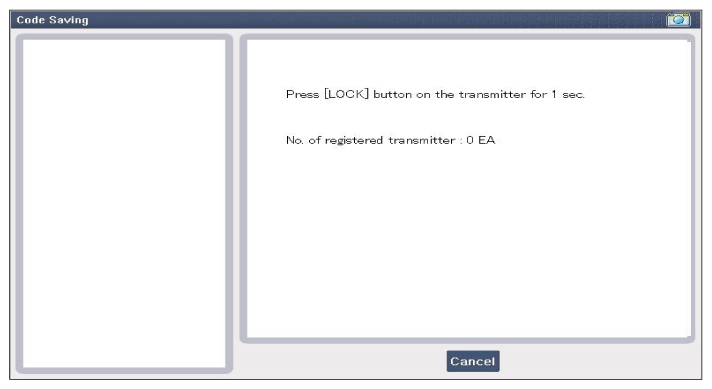
- After removing the ignition key from key cylinder, push "ENTER" key to proceed to the next mode for code saving. Follow steps 1 to 4 and then code saving is completed.
 Courtesy of KIA MOTORS AMERICA, INC.
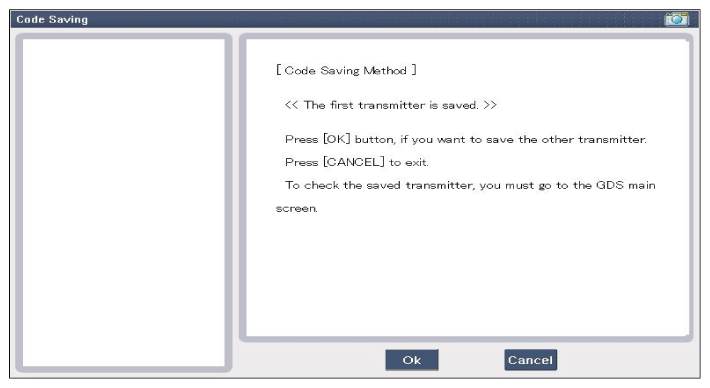 Courtesy of KIA MOTORS AMERICA, INC.
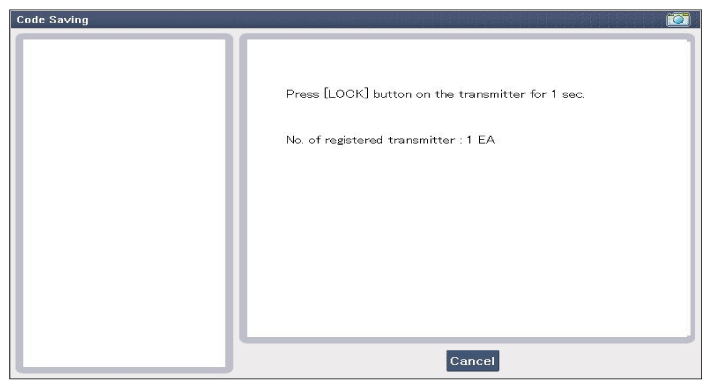 Courtesy of KIA MOTORS AMERICA, INC.
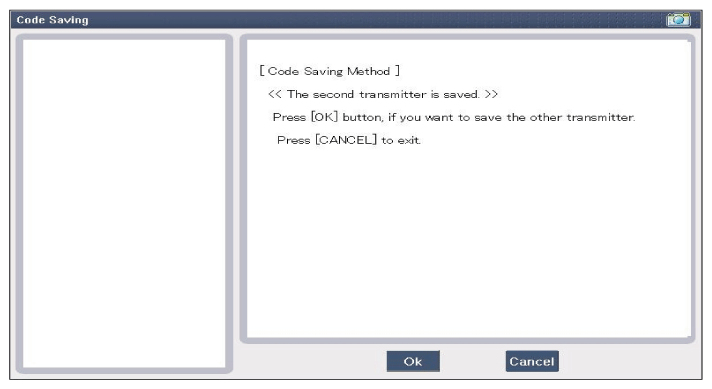 Courtesy of KIA MOTORS AMERICA, INC.
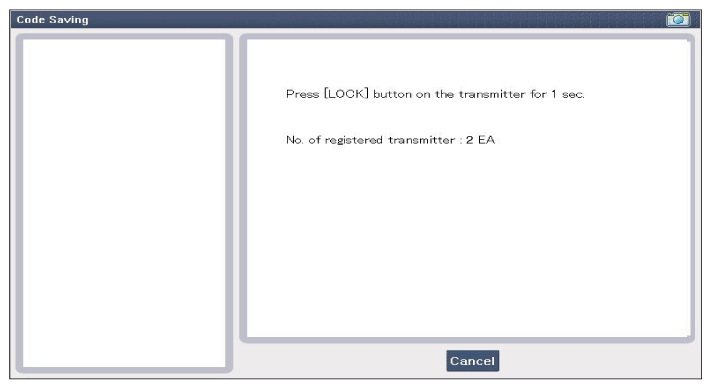 Courtesy of KIA MOTORS AMERICA, INC.
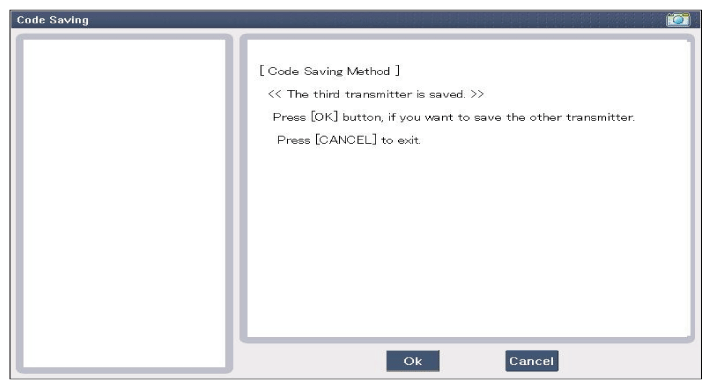 Courtesy of KIA MOTORS AMERICA, INC.
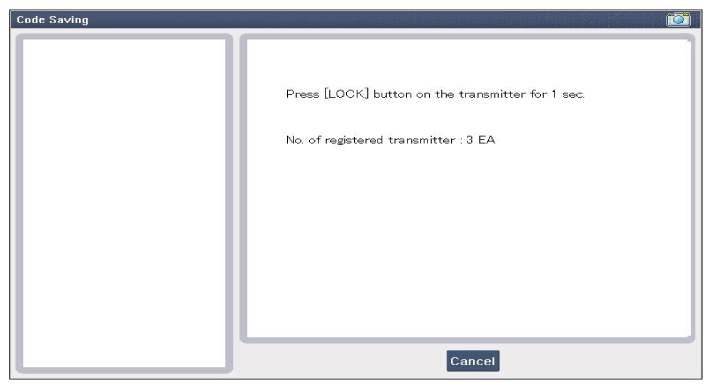 Courtesy of KIA MOTORS AMERICA, INC.
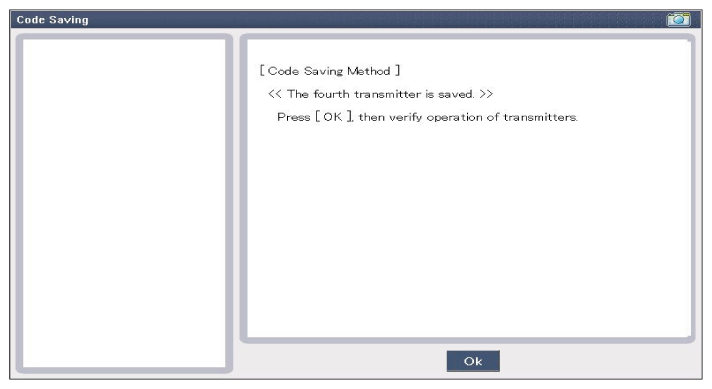 Courtesy of KIA MOTORS AMERICA, INC.
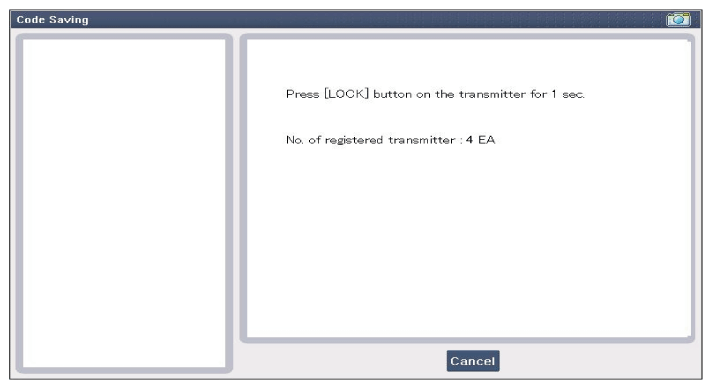 Courtesy of KIA MOTORS AMERICA, INC.