Repair Procedures: Removal
- Disconnect the negative (-) battery terminal.
- Using a screwdriver or remover, remove the AVN keyboard unit (A).
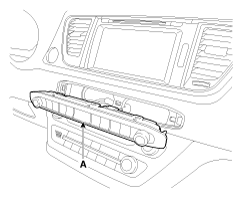 Courtesy of KIA MOTORS AMERICA, INC.
- Disconnect the AVN keyboard unit connector (A).
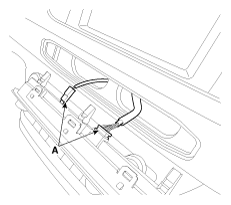 Courtesy of KIA MOTORS AMERICA, INC.