Handling Connectors
- Make sure the connectors are clean and have no loose wire terminals.
- Make sure multiple cavity connectors are packed with grease (except watertight connectors).
- All connectors have push-down release type locks (A).
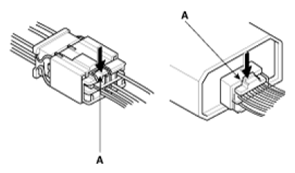 Courtesy of KIA MOTORS AMERICA, INC.
- Some connectors have a clip on their side used to attach them to a mount bracket on the body or on another component. This clip has a pull type lock.
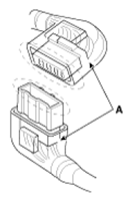
- Some mounted connectors cannot be disconnected unless you first release the lock and remove the connector from its mount bracket (A).
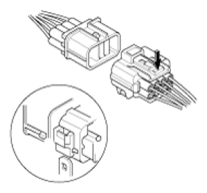 Courtesy of KIA MOTORS AMERICA, INC.
- Never try to disconnect connectors by pulling on their wires; pull on the connector halves instead.
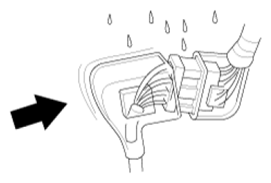
- Always reinstall plastic covers.
 Courtesy of KIA MOTORS AMERICA, INC.
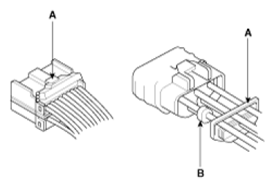
- Before connecting connectors, make sure the terminals (A) are in place and not bent.
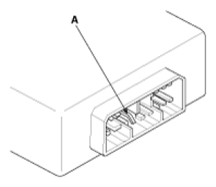 Courtesy of KIA MOTORS AMERICA, INC.
- Check for loose retainer (A) and rubber seals (B).
 Courtesy of KIA MOTORS AMERICA, INC.
- The backs of some connectors are packed with grease. Add grease if necessary. If the grease (A) is contaminated, replace it.
 Courtesy of KIA MOTORS AMERICA, INC.
- Insert the connector all the way and make sure it is securely locked.
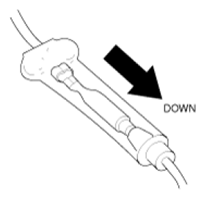
- Position wires so that the open end of the cover faces down.
 Courtesy of KIA MOTORS AMERICA, INC.