Repair Procedures: Removal
- Disconnect the negative (-) battery terminal.
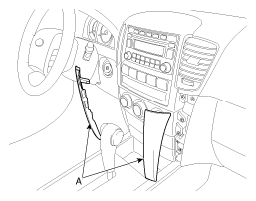
- Remove the center facia lower panel (A). (Refer to CRASH PAD
) after pulling it by using regular screw driver (-) at part (A). Take care of fixing clips (B).
 Courtesy of KIA MOTORS AMERICA, INC.
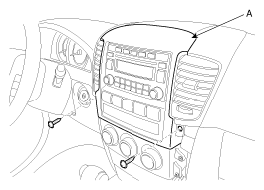
- Remove the center facia panel (A) after loosening the screws. Avoid damaging retaining clips.
 Courtesy of KIA MOTORS AMERICA, INC.
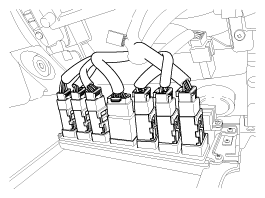
- Remove the connectors of center facia panel.
 Courtesy of KIA MOTORS AMERICA, INC.
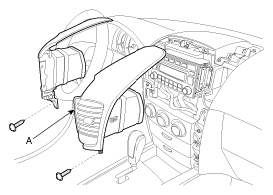
- Remove the mounting screws then remove the center air vent (A).
 Courtesy of KIA MOTORS AMERICA, INC.
- Remove the mounting screws then remove the audio unit (A).
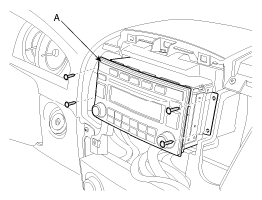 Courtesy of KIA MOTORS AMERICA, INC.
- Remove the audio unit after disconnecting the audio connectors and cable.
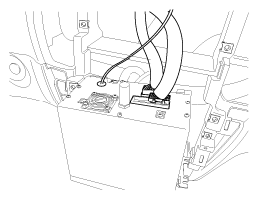 Courtesy of KIA MOTORS AMERICA, INC.