Declination Correction (Variant Region Change Mode)
- Change the "Declination Setting Value" according to the regional declination to synchronize the true north and vehicle's north.
- Push the mode button longer than 4.5 Sec to enter the declination correction mode. (`DIR' is on)
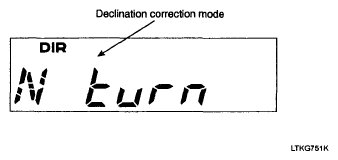 Courtesy of KIA MOTORS AMERICA, INC.
- Screen after 4.5 sec.
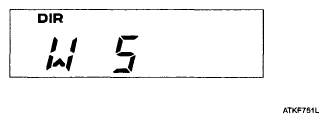 Courtesy of KIA MOTORS AMERICA, INC.
- Push the reset button longer than 0.1 Sec to change the declination setting Value (Steps by 5° to East. After East 30, wraps to West 30)
- Push the mode button more than 1sec, new data is stored on EEPROM and VFD displays normal direction.
- Without any effective input for 30 seconds, the trip computer displays the previous declination angle with blinking for 2 sec and displays normal direction.
NOTE:
- Do not install a ski rack, antenna, etc. that are attached to the vehicle using a magnet as anything attached to the roof of the vehicle with a magnet will effect compass operation.
- If the compass deviates from the correct indication soon after repeated adjustment, have the compass checked at an authorized dealer.
- The compass may not indicate the correct compass point in tunnels or while driving up or down a steep hill. (The compass returns to the correct compass point when the vehicle moves to an area where the geomagnetism is stabilized.)
- Declination correction and correction setting value is not deleted during the B (+) OFF.