System Description: BIRDVIEW(R): Description
- Display area: Trapezoidal representation showing approximate distances (Wn, D, and WD).
- Ten horizontal grid lines indicate display width while six vertical grid lines indicate display depth and direction.
- Drawing line area shows open space, depth, and immediate front area. Each area is to a scale of approximately 5:6:25.
- When the "ZM-" button is pushed, the view point height is increased. Pushing the "ZM+" button decreases the height. Pushing the "ZM-" button or the "ZM+" button during operation indicates the scale change and the view point height at the left-hand side of the screen.
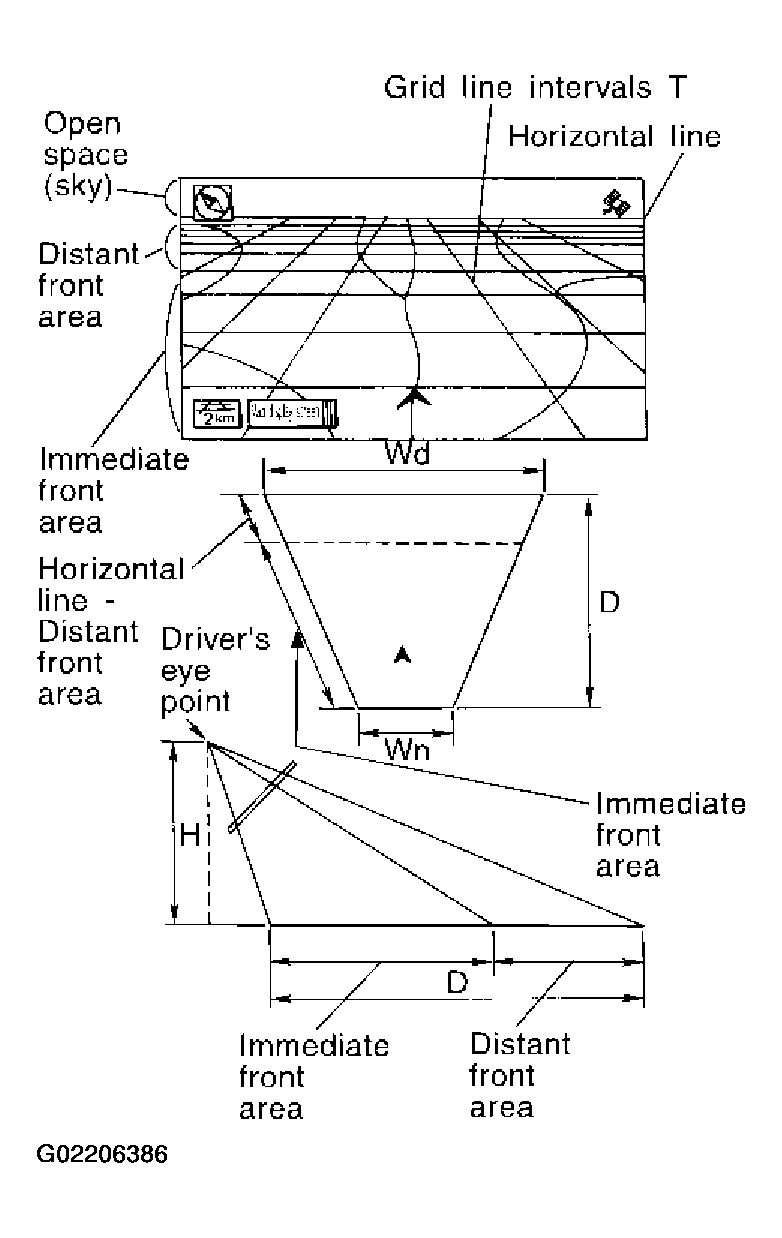 Courtesy of NISSAN MOTOR CO., U.S.A.