Operation Procedure
- Start the engine.
- Turn the audio system off.
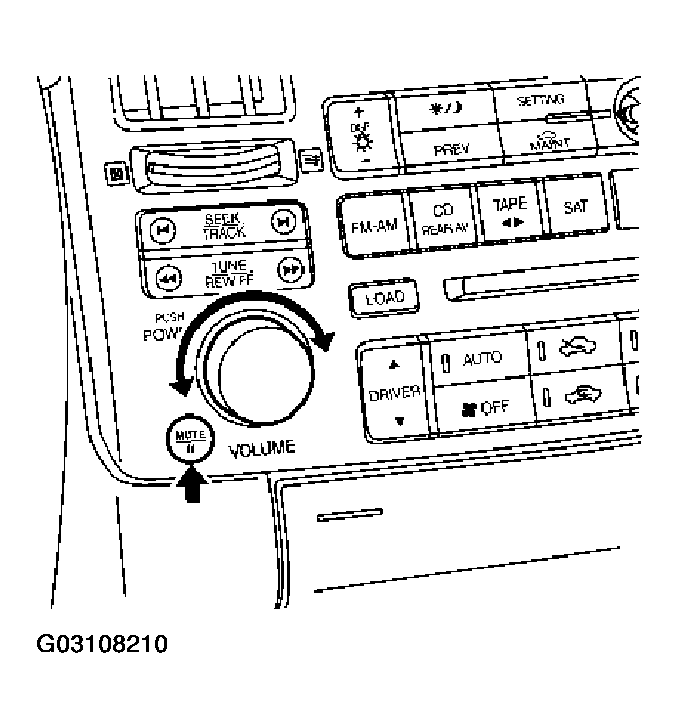
- While pressing the "MUTE/II
" button, turn the volume control dial clockwise or counterclockwise for 30 clicks or more. (When the self-diagnosis mode is started, a short beep will be heard.)
- Shifting from current screen to previous screen is performed by pressing "PREV" button.
 Courtesy of NISSAN MOTOR CO., U.S.A.
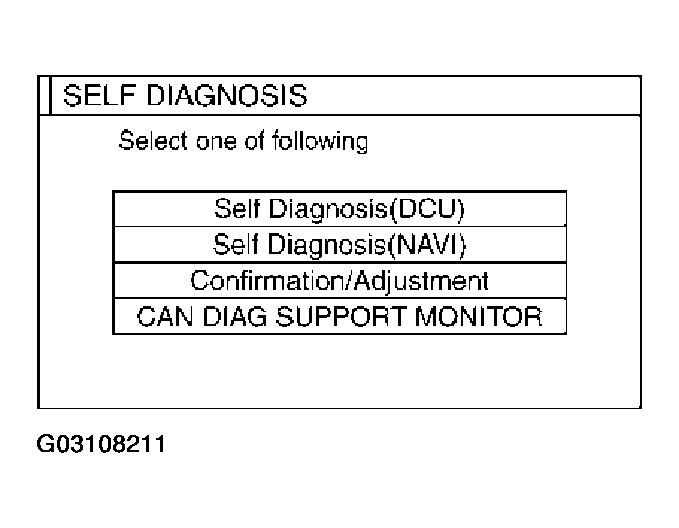
- The initial trouble diagnosis screen will be shown, and items "Self-Diagnosis (DCU)", "Self-Diagnosis (NAVI)","Confirmation/Adjustment" and "CAN DIAG SUPPORT MONITOR" will become selective.
 Courtesy of NISSAN MOTOR CO., U.S.A.
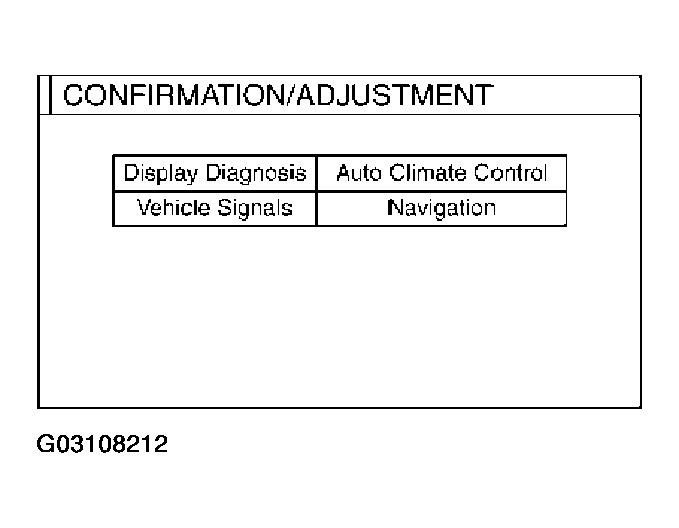
- When "Confirmation/Adjustment" is selected on the initial trouble diagnosis screen, the operation will enter the CONFIRMATION/ADJUSTMENT mode. In this mode, check and adjustment of each item will become possible.
- The initial trouble diagnosis screen will be shown, and items "Display Diagnosis", "Vehicle Signals", "Auto Climate Control" and "Navigation" will become selective.
- Select each switch on "CONFIRMATION/ADJUSTMENT" screen to display the relevant diagnosis screen.
 Courtesy of NISSAN MOTOR CO., U.S.A.